

🎓 PhD | Generative AI & LLMs 🚀 Shaping the future of Intelligent Systems 📧 [email protected] ✨ Follow to master the AI revolution
Spain
Joined March 2019
- Tweets2K
- Following644
- Followers5.5K
- Likes8.8K




Pinned Tweet
There's no way Hollywood won't be affected by this.
I tested a super useful Nano Banana Pro + Seedance 2.0 workflow and the results blew my mind 🤯
Full tutorial 🧵👇
Anna Kondratenko 👩🏻💻 retweeted
Backrooms Nemoris S1E01: It Eats Light
I've spent the last six months working in secret on this pilot episode for a new Backrooms canon. We premiered this week in Toronto and a it's now available on all platforms: a new Magnific Originals series!
This is quite possibly the most complex project I've ever taken on in my life. Yep, even if that sounds like an exaggeration, it took even more effort than building the first version of Magnific Upscaler.
I had never before tried to bring such a concrete, specific vision to the screen while pushing the current state of the art as far as possible. Every scene you see in this episode, every object, every movement of a character's hands, every space, every hum of the fluorescent lights... it's all there for a very specific reason, with absolute control and intention on my part. I never imagined that something that looks so simple on the surface could be so incredibly complicated.
The script is my own, based on the original Backrooms concept (the iconic 4chan image) but developed to create an entirely new canon from scratch. In this first episode, I reveal barely more around 5% of the overall puzzle, so you may end up thinking: what the f*ck did I just watch? Or you may need multiple viewings to pick up on some extra clues, because several of them are genuinely hidden. The idea is to create a full 10 episode series, an anthology, and have you, the viewers, gradually piece together the puzzle yourselves as the clues are revealed.
Beyond the video and image generations, I did all of the editing in DaVinci Resolve, with particular attention to the sound. I'd say around 60% of the time I spent on this project went into sound. In some scenes, there are more than 13 stereo tracks layered at the same time, using sounds I recorded myself or created and edited from generations and foley libraries. Every sound, every voice, and every gasp is designed to pull you into the world of the story and make you feel like you're actually there. That meant spending an enormous amount of time on sound design, thinking about things like the individual position of each sound in space, EQ, reverb to simulate different environments, the sense of immersion, etc. I've never learned so much about something so quickly.
As for the generations, a few numbers:
• 12 hours of total generated video for 17 minutes of final footage 🤯
• More than 7,000 generations in total.
• An average of around 60 generations for every 15 seconds of final footage.
• 6 months of work, including many weekends, with just one person behind the whole thing... I almost lost my mind.
• Platform: Magnific, of course. Models: mainly Seedance 2.0 and 2.5 for video generations, and Nano Banana Pro and Seedream 5 for image references.
• Approximately $20,000 in total token costs, not including the value of my own time.
For the next episodes, I can't do this alone again or I'll go crazy. My plan is to put together a small team: voice actors, a colorist, 3D VFX artists, a sound designer, and, in general, people from the traditional film industry who can help us professionalize our pipeline and take this story to another level. If you're reading this and you think you might be interested, please leave a comment.
Ah! If you have any technical questions about how this was made, I'd be happy to answer them. Feel free to ask me anything you like!
Anyway, I'll leave you with the episode. For the love of everything holy: please watch it at home, relaxed, on a big screen, with a good sound system or a quality pair of headphones, the lights off, and some popcorn.
And most importantly, enjoy.
Nemus te reddat!
That’s a brillant solution to a long standing problem, can’t wait to try it out!

Every week there's a new "character consistency" workflow going viral on X, and 99% of them don't hold when the camera actually moves.
Hridaye, our creative director, has been an AI filmmaker for 3 years and has tested literally every single one of them.
So he pulled up the two most viral character sheets making the rounds right now, tested both, and then shared the one that actually holds every single time.
Character consistency isn't just a preference when you're making AI films. Clients are sticklers about it, and if one face doesn't hold across shots, the whole project's dead.
Watch the results for yourself in the video and the thread.
🚀 Stop typing prompts and start directing.
I ran my idea through Invideo Agent One and it works exactly like a live crew. It handles the storyboarding, locks in the style, and builds the shots while I call all the creative shots 🤯
Full TUTORIAL so you can do it too 👇
🤝 Paid partnership
4️⃣ Total Director Control
Need tweaks? You stay in the director's chair. If a shot doesn't come out exactly as expected, just explicitly tell the Agent to remake or adjust that specific scene.
Imagine the things you can create with this!!!
Follow @anacoding for more Generative AI tutorials! And a repost is appreciated too! 😍
xitter.cf/anacoding/status/20715…


👟 3D photo studio 100% AI 🧵
You can now turn any flat image into a full 3D model and run a professional photoshoot. No physical studio required!
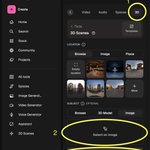
Here is the full tutorial using Magnific 3D scenes and Nano Banana Pro 👇🧵
3️⃣ Step 3: Enter the Virtual Studio 📸
Now the fun begins! Move the camera like a videogame to find your "hero shot".
🎮 Controls:
- W/S: Forward/Back
- A/D: Left/Right
- Q/E: Up/Down
You can also rotate the item on its axis!
Before you hit "Shoot" tweak your settings to get that gallery grade look:
- Lens Selection: Use 14 or 24 for dramatic wide-angles, or 50 to 85 for crisp, distortion-free details.
- Depth of Field: Use a low aperture (1.4 or 2) for a creamy bokeh blur, or 11 to 22 for total sharpness.
- Framing: Choose Vertical for Reels/TikTok or Wide for cinematic shots.
PROMPTS:
1. One Nike back to the future sneakers, "NIKE" letters, sunny day in California with palms, impressive photograph.
2. One Nike back to the future sneakers, "NIKE" letters, night day in California orange and blue lights, impressive photography, epic.
3. One Back to the future Nikes, on the moon, with the earth in the back, photorealistic photos, epic.
🤖 Made with AI


Follow @anacoding for more Generative AI tutorials! And a repost is appreciated too! 😍
xitter.cf/anacoding/status/20542…
1️⃣ Step 1: Create Your Product 🪄
First, we need a hero item. Head to Magnific.com, select the Image Generator, and choose Nano Banana Pro.
Prompt:
"One Back to the future Nikes, photo studio, white box, perfect light, nice shadows, professional photo studio photography, hard shadows, left orange light, right blue light, saturated colors"


Anna Kondratenko 👩🏻💻 retweeted
⚡ Full product shot tutorial
Using new tricks with GPT Image 2 + Seedance 2.0 on Lovart!
Full tutorial 🧵👇 including all PROMPTS!
⚡ Full product shot tutorial
Using new tricks with GPT Image 2 + Seedance 2.0 on Lovart!
Full tutorial 🧵👇 including all PROMPTS!
Final Pro-Tips 🚀
1⃣ The 3/4 Rule: Always upload a clean reference photo at a 3/4 angle. It provides the AI with the most depth and detail to work with.
2⃣ The 6-Block Anchor: Never skip a block. Combining [Product + Surface + Light + Lens + Mood + Detail] is what separates a "filter" from a professional campaign.
3⃣ Lighting = Luxury: Avoid flat lighting. Use "rim light," "soft north-window," or "dramatic spotlights" to instantly increase the perceived price of the product.
4⃣ Texture Matters: Mention specific gear like "Hasselblad" or "100mm macro" to eliminate the smooth AI look and get that tactile, high-end magazine texture.
5⃣ The 3-Shot Strategy: Build a full campaign from one reference image. Keep the lighting consistent but swap the surface and props to create Hero, Lifestyle, and Macro shots.
6⃣ Agent Automation: Use orchestration agents to generate your high-res image and 4K video in a single step: saving hours of post-production.
Follow @anacoding for more Generative AI tutorials!
And a repost is appreciated too! 😍
xitter.cf/anacoding/status/20473…