
Alfred is an award-winning app for Mac which boosts your productivity with search, hotkeys, keywords, workflows, text expansion and more. By @preppeller & @vero
Cambridge, UK
Joined January 2010
- Tweets26.6K
- Following130
- Followers49.2K
- Likes5.1K
Take a look at two new tutorials about Alfred, created by @sconline - A primer on the features in the free version, and an extensive guide to Alfred's Powerpack features.
alfredapp.com/blog/guides-an…
Take a look at some of our favourite workflows for Design & Development from the Alfred Gallery:
alfredapp.com/blog/tips-and-…
Did you know that you can use dynamic placeholders in Alfred snippets to calculate dates & times in the past or future?
Use the {} curly brackets button to get started with example placeholders, other snippets, clipboard items, randomised numbers and IDs.
A quick tutorial: How to use Alfred's web searches, create your own custom searches, use them as fallback searches and integrate them into workflows.
youtube.com/watch?v=tSlDbWu1…
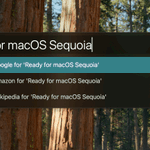
Ready for the macOS Sequoia release later today? Alfred is!
alfredapp.com/blog/releases/…
Back to work after a fun summer? Get into good productivity habits with Alfred.
The Productivity Shop's video series on Alfred takes a gently paced look at Alfred's core & Powerpack features: youtube.com/watch?v=QG4PjNks…
Hot tip: Use Cmd + S on a Clipboard History item you know you'll be using frequently to save it as a snippet.
Adjust the content, set a name and snippet keyword and save! You'll never need to type that full sentence manually again! 😆
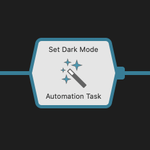
Alfred's Automation Tasks make it SO easy to create a workflow without a single line of code!
Browse & search over 200 Automation Tasks to perform tasks in macOS completely script-free - It's like magic.😮
alfredapp.com/blog/tips-and-…
From finding synonyms to translating a word that's on the tip of your tongue, Alfred can help you improve your writing.
We've gathered some workflows themed around languages, translation and quick references on the blog: alfredapp.com/blog/tips-and-…
Psst... want to play a game inside Alfred? Check out the Memory Pairs game, and let us know your best score in the comments! 😆
youtu.be/utSDNEqf9pU
Want to browse your files and photos visually in Alfred? The Thumbnail Navigation workflow is perfect for this :)
Take a look at how you can set up this workflow in a few seconds:
youtu.be/3mg5jA4uBH8
Did you know that you can customise your Fallback Searches in Alfred? Here's a quick video to show you how you can change fallbacks to web searches, your own custom searches or workflow triggers.
youtube.com/watch?v=-jIMSWZz…
Answering support questions on a Sunday morning with a huge grin on my face.
Our community is incredible; From the Legendary supporters, kind words and fantastic workflows you're all creating, the Alfred community is a wonderful corner of the internet :) ^V
Curious about the new ChatGPT / DALL-E workflow in Alfred 5.5? Here's a quick video introducing this awesome new workflow:
youtube.com/watch?v=eNPMqyV8…
Alfred 5.5 is now available, with exciting new workflow views for richer interactions! Take a look in more details at what's new in 5.5 on the blog:
alfredapp.com/blog/releases/…

ALT A large Alfred window in dark mode, with a DALL-E prompt for "A dystopian cityscape with neon lights, rain falling over high-rise buildings. View from a rooftop with the silhouette of a black cat looking down on the city." The prompt is then revised to be more verbose, followed by the image of a cat on a roof looking down onto a rainy, neon-lit cityscape. At the bottom, there is an Alfred prompt field where you can enter your next query.
In case you missed it, the Alfred 5.5 Beta is out now! You can grab the pre-release to discover a whole new way to interact with Alfred with the interactive Views.
Here's a glimpse at what's new in Alfred 5.5:
alfredapp.com/whats-new/
The Alfred 5.5 beta is here! Exciting new workflow views and ChatGPT / DALL-E integrations.
We've really been looking forward to sharing this release, as it's a huge update with loads of new ways to present results in Alfred. Grab the beta now!
alfredapp.com/whats-new/
Alfred App retweeted
Did you know that Alfred can show your recent query history? It's particularly handy when doing some quick calculations!
Use ^↑ and ^↓ (Ctrl + up/down arrows) to navigate through your history at any time.
alfredapp.com/blog/tips-and-…
Alfred 5.1.4 was released last week. Grab the latest update in-app or from our website.
If you're using macOS Sonoma, please update to 14.1 as well; It resolves the rendering bug that was affecting Alfred in the earlier builds so the two now work in perfect harmony. :)
I created a super useful workflow in under 2 minutes: Convert HEIC images to JPG in one keystroke and save yourself hassle!
alfredapp.com/blog/tips-and-…