

Zoo makes CAD truly AI-native with a modern geometry engine, readable code, and an editable feature tree, enabling precise changes beyond chat-only workflows.
Joined April 2021
- Tweets907
- Following20
- Followers14.9K
- Likes2.4K





Ben’s Build Log #14
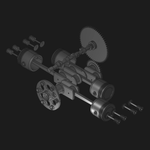
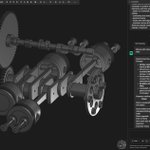
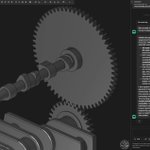
With the rest of the engine components in place, I asked Zookeeper to create a functional linkage between the camshaft lobes and the valves.
The first result already had the basic mechanism in place, but some of the geometry still needed refinement.
After a few adjustments to make the setup cleaner and more realistic, the engine internals were finally complete.


Basics of using the Shell & Hole functions in Zoo Design Studio.
youtu.be/hnhqPUY8tMc?si=nxiS…
Ben’s Build Log #13
While reviewing the engine assembly, I realized there was a deeper logic issue in the way I had arranged the layout.
After working through the problem with Zookeeper and exploring a few possible fixes, I reworked the affected geometry to better match the flat-four configuration typical for this kind of aircraft engine.
The result is a more mechanically plausible setup that I’m much happier to continue with.

Basics of using the Fillet & Chamfer functions in Zoo Design Studio.
youtu.be/2X_d_-Sj-e0
Zoo retweeted

KCL 3 is a much saner language, from a PLT pov. Critically, this lays the ground for shipping opt-in breaking changes to KCL, like how Rust editions work. So we can improve our 3D topology algorithms, changing little details (like face/edge ordering) without breaking old models.
Zoo retweeted
Zoo has released KCL 3! This release massively improves Zoo's fillets, and fixes a bunch of little papercuts in the KCL standard library and language semantics. Your KCL 2 files will still work fine, but new files will be created in KCL 3. Read more at zoo.dev/blog/kcl-3


Basics of using the Extrude, Sweep, Loft & Revolve functions in Zoo Design Studio.
youtube.com/watch?v=KRYgKR6i…
Zoo retweeted

One of the biggest questions we get about AI generated designs is "how does the AI know their performance?" The same way humans know, by running FEA.
That's why @zoodotdev built FEA workflows into Zoo Design Studio, Zookeeper, and our APIs.
You can set up and run these directly in Zoo Design studio, no exporting. Zookeeper can iterate on designs based on FEA results.
Via our APIs, these FEA runs can be ran as a service for third party integrations, and by other agentic workflows.
Been in beta internally, and by select enterprise customers, to be released broadly later this year.

Zoo retweeted
We're growing across @zoodotdev, including our factory, computational geometry, and infrastructure teams. Please apply!
zoo.dev/careers


Ben’s Build Log #11
In the Zoo Aquarium, I came across a different approach to generating a wing’s NACA profile, so I asked Zookeeper to compare it with the method I was already using.
Turns out my approach was better suited for this model, so I kept it and completed the wing assembly with the final additions of the ailerons and outer skin.

Zoo retweeted
Many @zoodotdev customers doing this today via our APIs. Build automated workflows for both CAD generation and verification.
We use automated workflows like these internally for our next gen model training, to verify AI generated design performance and manufacturability, not just the "it looks pretty" approach everyone else takes today.

Kyle's right. But it gave me an idea.
What if DFM and assembly reasonableness becomes a CICD like process that gets a full simulation in MuJoCO. We all used to do manual version of this with CAD back in the day. Can you fit a socket and wrench into this gap in the model, do you have backside access for nuts, ect ect.
Eventually it seems like we'll do more sim of this? Then it doubles as assembly instructions? And you get a synthetic data pipeline for training? Seems like mechanical will eventually go the way of coding and we'll be training models almost exclusively on synthetic pipelines?
A guide to demonstrate basic sketching operations in Zoo Design Studio.
youtu.be/Xmoc6A0pWoo?si=lB-y…
Ben’s Build Log #10
Of course, the wing still needed a proper wingtip, so I gave Zookeeper the existing wing geometry and some basic design requirements while leaving the actual shape mostly up to him.
The first result looked promising, but wasn’t quite there yet. With a few more prompts, I refined the geometry and ended up with a final version that felt much more convincing.
