Federico Sapia (@X365Fede) header
Federico Sapia (@X365Fede) profile picture
Joined September 2022
Photo by Federico Sapia (@X365Fede)Photo by Federico Sapia (@X365Fede)Photo by Federico Sapia (@X365Fede)Photo by Federico Sapia (@X365Fede)Photo by Federico Sapia (@X365Fede)Photo by Federico Sapia (@X365Fede)Photo by Federico Sapia (@X365Fede)
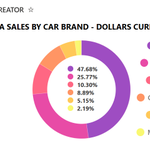
๐Ÿ“Š ๐—–๐—ต๐—ฎ๐—ฟ๐˜๐˜€ ๐—ถ๐—ป #๐— ๐—ถ๐—ฐ๐—ฟ๐—ผ๐˜€๐—ผ๐—ณ๐˜ ๐—Ÿ๐—ถ๐˜€๐˜๐˜€: ๐—ฎ ๐—ป๐—ฒ๐˜„ ๐˜„๐—ฎ๐˜† ๐˜๐—ผ ๐—ฑ๐—ถ๐˜€๐—ฝ๐—น๐—ฎ๐˜† ๐˜†๐—ผ๐˜‚๐—ฟ ๐—ฑ๐—ฎ๐˜๐—ฎ linkedin.com/posts/federicosโ€ฆ
2
2
2
137
โ€œToday, @Microsoft announced the next-gen AI for work: *Microsoft 365 Copilot* โ€” It combines the power of large language models (LLMs) with your data in the #MicrosoftGraph and the @Microsoft365 apps to turn your words into the most powerful productivity tool on the planet.โ€ โ€“ at Redmond, WA
1
2
9
602
I heard many times that is impossible to brand modern #SharePoint! ๐Ÿ˜ฒ Using just out of the box features you can get something like this in just a few clicks. Have a look if you want to apply your corporate brand to your intranet. sharepoint.handsontek.net/20โ€ฆ
10
34
2,966
I added a new List Formatting sample! This sample demonstrates displaying the times of countries and regions of the world for a date column value that includes the timesโฐ๐ŸŒ github.com/pnp/List-Formattiโ€ฆ #SharePoint #MicrosoftLists #ListFormatting #M365PnP
3
11
34
2,903
I hope this guy solved his problem with #SharePoint pages missing thumbnails. I shared a possible solution but we'll never know if it worked ๐Ÿ˜œ๐Ÿคทโ€โ™‚๏ธ
79
Federico Sapia retweeted
Using #ListFormatting in #MicrosoftLists you are able to use properties like img to reference SVG files and then use svg properties "animateTransform" to display dynamic content like sample below... Here a link on how you can include svg from @X365Fede linkedin.com/posts/federicosโ€ฆ
6
6
30
3,948
๐ŸŽจ ๐—›๐—ผ๐˜„ ๐˜๐—ผ ๐˜‚๐˜€๐—ฒ ๐—ด๐—ฟ๐—ฎ๐—ฑ๐—ถ๐—ฒ๐—ป๐˜๐˜€ ๐—ถ๐—ป ๐— ๐—ถ๐—ฐ๐—ฟ๐—ผ๐˜€๐—ผ๐—ณ๐˜ ๐—Ÿ๐—ถ๐˜€๐˜๐˜€ Thanks to the CSS available in #Microsoft Lists, we can apply many graphical effects to customize the elements of a #SharePoint list. But how can we also apply a gradient effect? linkedin.com/pulse/federico-โ€ฆ
94
๐Ÿ’พ Recording of the #Microsoft365dev & #PowerPlatform community call 16th of Feb โœ… The latest news and updates โœ… Demos on #MicrosoftTeams, #AdaptiveCards and #MicrosoftLists โœ… Presented by @raminahmadi1986 and @X365Fede and more... ๐Ÿš€ Watch ๐Ÿ“บ โ†’ msft.it/60125Vmdp
4
1
7
2,044
๐ŸŽ‡๐ŸŽ‡๐ŸŽ‡Top videos in SharePoint Wizard !!!! โœ”๏ธMicrosoft List - Calendar Week Layout โœ”๏ธMicrosoft Planner: Templates in Planner web โœ”๏ธStream: New caption Settings โœ”๏ธTeams: Presenter window usability improvements in screen sharing in Teams meeting youtube.com/@SharePointWizarโ€ฆ
1
1
112
Federico Sapia retweeted
Yesterday my latest sample was published. Multiple hyperlinks in a single field github.com/pnp/List-Formattiโ€ฆ #sharePoint #Columnformat #sharingiscaring
3
2
24
3,812
Coming soon...โณ "Playlists" ๐ŸŽฌ powered by @MicrosoftStream + #MicrosoftLists. Easy to add files, share, and playback. Testing this new list template to create a playlist of all the #ESPC22 keynotes (see image). Track it | Roadmap ID: 109564 microsoft.com/microsoft-365/โ€ฆ Cc @MarcMroz
3
9
4
39
5,556
Gradients can be a very nice addition to any interface. But do you know how to make them so theyโ€™re not boring? Let's explore in a thread ๐Ÿ‘‡๐Ÿงต
10
40
2
319
56,698