






Pinned Tweet
Five years into Notion VIP, I’m well seasoned.
Here are my 12 essential principles for maximizing @NotionHQ. 🧵

I was tired of jumping between AI chatbots—so I merged them.
The Teamwork skill lets @claudeai, @ChatGPTapp, @GeminiApp, and @grok work as a team.
Result:
⏱️ ~30% time savings
✅ Far better outputs
It's pay-what-you-can. Link 👇


3/4
The secret sauce? Plugins and connectors.
They're what separate "neat demo" from genuine workflow transformation. Don't sleep on them.
(Details in the productivity.nexus newsletter.)

4/4
Get Cowork for Windows at claude.com/download.
70% of the desktop market just got access to what's been reshaping knowledge work. You're no longer on the sidelines.

Fun: Get @ChatGPTapp and @GeminiApp to imagine yourself in 30 years.
Upload photos with this prompt:
~~~
Generate a scientifically accurate photo of myself (attached) at age [age]. I should be at [setting].
~~~
Gemini put me in a @Weezer hat? (It said I resemble @RiversCuomo)


This subtle @NotionHQ feature is a life saver:
For databases with sub-items enabled, you can choose whether a view's filters affect the parent, sub-items, or both.
Access the view's:
Settings → Sub-items → Filter options
Automatic photo editing is in sniffing distance. The new ChatGPT Image is sensational—better than Nano Banana!
In these comparisons, I gave each of them one prompt.
There certainly remains a hint of the "AI look," but if the progress over the past few weeks isn't astonishing.


This might bend your mind: The most useful prompt flips the script on AI. With "meta prompts," you ask the AI to *write a prompt for itself.*
Here's a quintessential example of a methodical meta-prompt 👇 productivity.nexus/insights/…

Free month of @perplexity_ai Pro!
Their Comet browser is the AI tool I use most. It's profoundly beneficial to my workflow.
I have a link that'll score you a free month of Perplexity Pro.
Reply to any Productivity Nexus email, and we'll respond shortly with the link. 🦾

.@MyLensAI is one of my favorite under-the-radar tools.
It visualizes data from any source, or you can prompt it to do its own research.
I used it for this (alarming) look at the sources used most by AI chatbots when they search the web.
Give it a go: mylens.ai/?aff=william

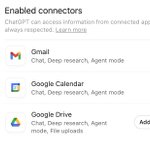
GPT-5 feature lost in the drama: Reference your email, calendar or cloud drive in any chat.
✉️ "Summarize the many disparate email threads about Project X."
🗓️ "For my next meeting, research attendees and give me concise bios + 3 talking points for each."
#AI #productivity

More can't-miss AI updates in the latest Productivity Nexus newsletter: productivity.nexus/newslette…

AI is more noise than signal.
So I built a filter.
Here's my curated list of AI tools with proven benefits—the ones most recommended by experts and core to my own workflow: pro.productivity.nexus/tools
It's managed in @NotionHQ and published beautifully with @softr_io.

I'm loving these three AI productivity hacks with @WisprFlow, @voicenotesai, @raycast and @HeyMagai.
You'll love them, too.
productivity.nexus/insights/…

@Kalshi's incredible NBA Finals ad is a series of clips generated with Google Veo. It was made in 48 hours, soup-to-nuts.
Details in the next Productivity Nexus newsletter: productivity.nexus
Dia from @browsercompany is redefining web browsers—and just entered private beta.
Its AI agent can:
— Answer questions about your open tabs or browsing history
— Take actions like filling forms, scheduling appointments and shopping
— Help write or code, wherever you're working
Download it now if you qualify or join the waitlist 👉 diabrowser.com/download
