

Visual Storytelling for Science, think Science in Images.
Bengaluru, India
Joined May 2019
- Tweets1.8K
- Following1.4K
- Followers995
- Likes11.1K



Pinned Tweet
We had wonderful opportunity to illustrate the Cover of UCLA Review of Clinical Neurology Course 2023 again for brilliant Dr Avidan @UCLASleepMD . Sharing one of various steps before final version #Scienceillustration #SciComm #Neurology #coverart #sciart


Disha- The Visual Stories Studio retweeted

Our new work showing the role of cytoplasmic CyclinD1 in controlling the detachment of radial glial progenitor cells from the basement membrane during development, through the phosphorylation of the integrin signaling effector paxillin.
#irblleida #udl

Disha- The Visual Stories Studio retweeted

This is for a stage 4 colon cancer patient in India with the BRAF v600 mutation. The Breakwater trial (Folfox + Cetuximab + Encorafenib) has shown great outcomes for this mutation. Encorafenib (Braftovi) isn’t registered in India but can be imported - though quite expensive.
After working whole day, spending my night attending this. No regrets, @pupating this is so fun
#visualizingscience


It’s not everyday that you get to see two brilliant Scientific Illustrator on same screen @pupating & Damond, it was such a fun Workshop


We’re chuffed as this cover for 10th Annual Review Meeting of Clinical Neurology is out now. An attempt to amalgamate #IndianFolkArt style into #SciArt & we are grateful to @UCLASleepMD for giving us this opportunity. Check this exceptional course : medicalcme.org/

Today’s Design Find #artinscience
Art in Science, Design in Mind and Matter, University of Sussex, 1966
designreviewed.com/artefacts…

Disha- The Visual Stories Studio retweeted
A music can really change the whole level of animation videos. Added audio today to old @maxoncinema4d #Cinema4D with @Visualscitories render, using @Microsoft #clipchamp. #c4d #3d #earth #scicomm
When I placed this piece on dining table this morning I was low-key proud of myself for making this tableware ☺️#potteryart #alwaysalearner

Disha- The Visual Stories Studio retweeted

3D illustration workshop for researchers.
Registration has started for the next batch!
Link: blender.scidart.com


Disha- The Visual Stories Studio retweeted

"What software can I use to make 3D scientific illustrations?"
I receive this question almost every day and below is my answer (long read)🧐
#sciart
When it comes to creating scientific illustrations, 3D design software can be a powerful tool for creating accurate and visually engaging images. However, with so many different 3D design software options available, it can be challenging to decide which one is the best fit for your needs. Below I will discuss the pros and cons of some of the most popular 3D design software options for scientific illustrations.
Blender
Blender is a free and open-source 3D design software that is widely used in the scientific community. It offers a wide range of features, including modeling, animation, and rendering. One of the biggest advantages of Blender is its community support, which is highly active and constantly improving the software. Additionally, Blender can be used on a wide range of platforms, including Windows, macOS, and Linux.
Pros:
Free and open-source
Wide range of features
Community support
Cross-platform compatibility
Cons:
Steep learning curve
User interface can be overwhelming for beginners
Limited compatibility with other software
Maya
Maya is a popular 3D design software used in the film and gaming industries, but it is also used in scientific illustration. It offers a range of features, including modeling, animation, and simulation. Maya is highly customizable and can be integrated with other software, making it a versatile tool for scientific illustrators.
Pros:
Wide range of features
Highly customizable
Integration with other software
Strong community support
Cons:
Expensive licensing fees
Steep learning curve
Can be overwhelming for beginners
Cinema 4D
Cinema 4D is a 3D design software that is widely used in the advertising and motion graphics industries. It offers a range of features, including modeling, animation, and rendering. Cinema 4D has a user-friendly interface that is easy to navigate, making it a good option for beginners.
Pros:
User-friendly interface
Wide range of features
Integration with other software
Strong community support
Cons:
Expensive licensing fees
Limited features compared to other software
Not as widely used in the scientific community
SketchUp
SketchUp is a 3D design software that is widely used in architecture and engineering, but it can also be used for scientific illustration. It offers a range of features, including modeling and rendering. SketchUp is known for its user-friendly interface and ease of use, making it a good option for beginners.
Pros:
User-friendly interface
Easy to use
Integration with other software
Large library of 3D models available
Cons:
Limited features compared to other software
Not as widely used in the scientific community
Limited community support
3ds Max
3ds Max is a 3D design software that is widely used in the architecture, gaming, and visual effects industries, but it can also be used for scientific illustration. It offers a range of features, including modeling, animation, and rendering.
Pros:
Wide range of features
Highly customizable
Integration with other software
Strong community support
Cons:
Expensive
Steep learning curve
Can be overwhelming for beginners
ZBrush
ZBrush is a 3D design software that is widely used in the film, gaming, and digital sculpting industries, but it can also be used for scientific illustration. It offers a range of features, including digital sculpting and painting. ZBrush is known for its advanced sculpting tools and the ability to create highly detailed shapes.
Pros:
Advanced sculpting tools
Integration with other software
Strong community support
Large library of 3D models available
Cons:Expensive licensing fees
Limited features compared to other software
Can be overwhelming for beginners
Each software option has its own unique pros and cons, so be sure to do your research and choose the software that best fits your needs.


Final Draft, Prof who commissioned us was still not sure so we had a discussion & took few elements from previous years and some more elements went in along with change of orientation & dimension. Read further in thread. #sleepmedicine #sciart #procreateart #scienceillustration

Another rough draft, we played around with more ideas that emphasised sleep and medicine
#sleepmedicine #neuroart #sciart #scienceillustration #procreateart #digitalart #sleep

First Draft, so when we got opportunity to work third year in row for Sleep Medicine course, UCLA. We were thrilled & wanted to do something different from what we did last year for them.
#sciart #scientificillustration #sleepmedicine #neuroart #sleep #procreateart

Queen of Brain- Part of Sleep Puzzle
A part of bigger #SciArt piece we did on Sleep Medicine for a client
#scienceillustration #neuroart #sleepmedicine #digitalart #procreateart

Reflecting on the journey with gratitude and fondness as I bid farewell to my incredible C-CAMP communications team @CCAMP_Bangalore
(1/n)
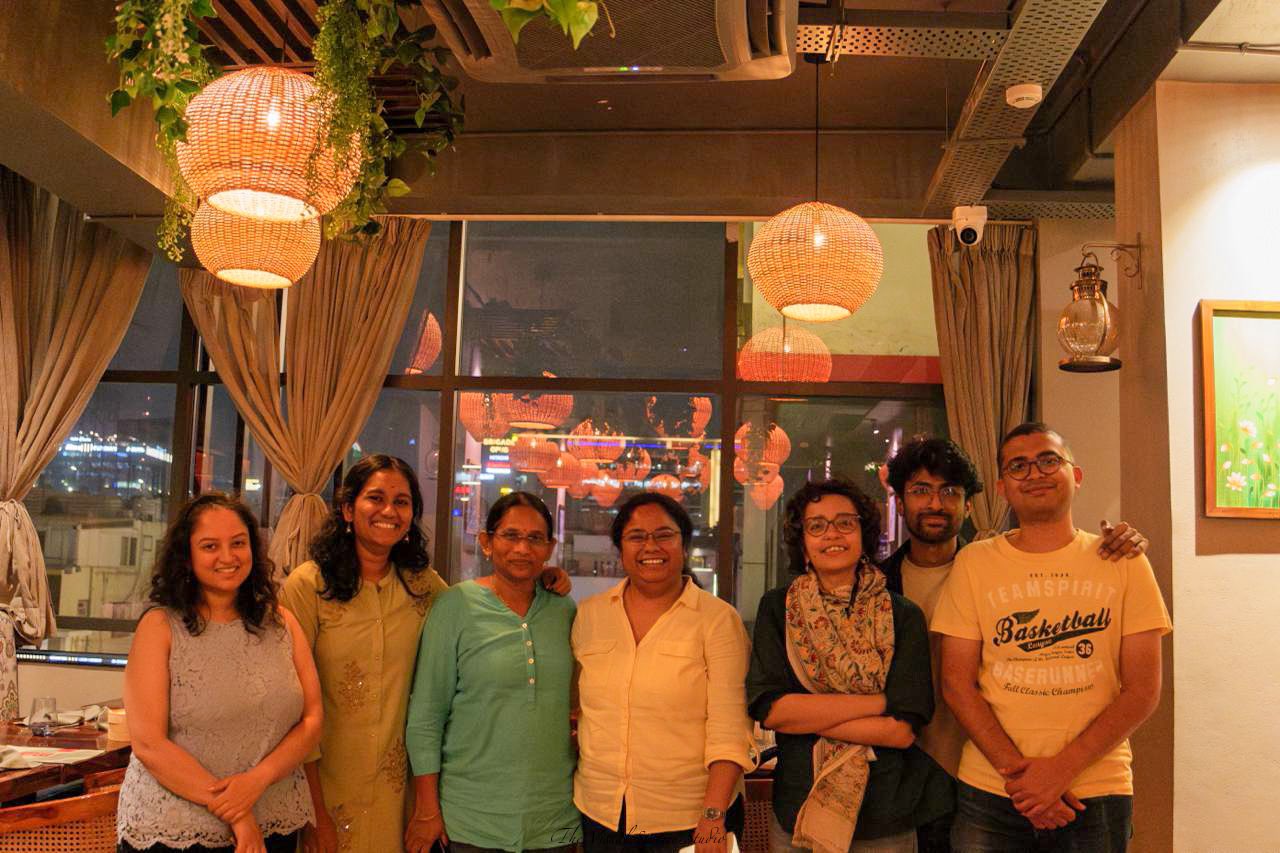
Here's to the memories shared & friendships forged while chasing deadlines, making things happen, telling impactful stories of science & innovation and creating change. Thank you for everything C-CAMP Comms
Thank you @DebarshiniC You have been an incredible mentor & lead & I hope I still get to learn from you. Thank you @TITASHMUKHERJE2 & @mueen_mueen for being such a great team mates & friends, you brought so much infectious energy everyday. It was never a dull day at C-CAMP