

10년차 개발자가 클로드 코드·AI 툴 직접 써보고 쉽게 알려줌 | 직접 개발한 유용한 프로그램도 공유할게요!
Joined October 2026
- Tweets424
- Following321
- Followers303
- Likes1.2K




Pinned Tweet
안드레이 카파시가 유행시킨 LLM 위키 좋은건 알겠는데 어떻게 쓸지 막막하신분 있나요?
행님들이 쓰기 편하게 스킬로 설치명령 2줄로 정리했어요.
AI와의 작업이 기록으로 남아 점점 쌓이는 자산이 된답니다.
github.com/DHKIM0207/llm-wik…
테크형 retweeted

무료로 시작하는 AI 영상 생성·업스케일·색보정 사이트 8개
1. toonkit.io — 첫 로그인 300 크레딧
2. miora.design — 첫 로그인 250 크레딧
3. flick.art — 첫 로그인 100 크레딧+매주 100 크레딧+디스코드 참여 200 크레딧
4. genpresso.ai — 첫 로그인 200 크레딧+데일리 30 크레딧
5. vidu.com/login?invite_code=V… — 첫 로그인 520 크레딧
6. freeupscaler.app — 무료 로컬 AI 업스케일러
7. wavespeed.ai/free-tools/lut-… — 무료 LUT 생성기
8. osmo.inc/tools/film-emulatio… — 필름 스톡·룩 126종

테크형 retweeted

🚨重磅!DeepSeek 正式开源生产级推理引擎 DeepInfer!梁圣太伟大了!让AI惠及每一个普通人!
梁文峰放大招,把自家跑 V4.1-Flash 线上服务的核心推理框架彻底开源Apache-2.0。
核心要点
🔹就是官方在用的引擎:高吞吐、低延迟大规模服务能力直接开源
🔹双平台支持:英伟达 SM100 + 华为昇腾 950
🔹关键能力:优化内核、MoE 专家并行、DSpark 推测解码、SWA 重放、零开销调度、结构化输出
🔹配套开源:deepseek-recipe(编解码组件,与官方 API 逻辑对齐)
🔹目标:大幅降低算力与电力成本,让 AI 更普惠
DeepInfer:github.com/deepseek-ai/DeepI…
deepseek-recipe:github.com/deepseek-ai/deeps…
模型开源已是基操,现在连推理引擎也开了,格局直接拉满。
#DeepSeek #DeepInfer #开源 #AI推理 #梁文峰 #普惠AI #梁圣 #推理引擎 #V41flash1017


DeepSeek just open sourced its high-performance, large-scale inference framework DeepInfer in Apache-2.0 license.
github.com/deepseek-ai/DeepI…
Supported features:
- Optimized kernels, model and sampler runtime
- Parallelism: Attention DP / balanced CP, MoE EP + EPLB
- DSpark and confidence-scheduled verification
- SWA bounded replay
- Asynchronous scheduling (zero-overhead batch scheduler)
- Batch-invariant inference
- Deterministic sampling
- Structured output

테크형 retweeted

本日のGrok Bot 10選
1. Phone Call Bot by @thebowlboy
解約・返金・予約など、後回しにしていた電話を Grok が実際にかけて、結果を報告してくれます。80以上の言語に対応しており、面倒な電話の時間を減らせます
x.ai/bot/5VOzTZvBuUv2bhQUqIX…
2. Gridlock by @LemT410113
Excel やスプレッドシートのファイルを厳しくチェックして、計算や数式のミスを「必ず直す」「直したほうがいい」「細かい点」の3段階で、どのセルをどう直すかまで教えてくれます
ファイルは書き換えないので、予算表や集計を人に出す前に安心して通せます
x.ai/bot/wLGRmIN1v-L8Hlz_BWQ…
3. Security by @PerWendelboe
個人や小さなチーム向けの、見て報告するだけのセキュリティ担当です
GitHub のリポジトリ、ドメインやメールの設定、Cloudflare、Linux などを点検するので、専任の担当がいなくても穴に気づけます
x.ai/bot/-qkf41F4R1MtZRetyUr…
4. T3/GrokBot Connector by @taylorhbuilds
T3 Code・Claude Code・Codex の作業が終わったり、止まったり、エラーになったりするたびに、何が起きたかと自分の対応待ちのことを短く知らせてくれます
AIに任せたコーディング作業を、画面に張り付かずに見守れます。
x.ai/bot/FfyFNHvtbtuRV04Rg9h…
5. Review Brief by @teeRex247
PRを貼ると、2分以内にレビュー用のまとめを返します。チケットの内容とのズレ、危ない箇所(ファイル名・行番号付き)、手で試すべき点がまとまっているので、コードレビューが速くなります
x.ai/bot/XftMzXd6cq-DT_ZLvdo…
6. Inbox Injection Guard by @teeRex247
メールの中に隠された、AI に向けた指示(白い文字、見えない文字、「前の指示を無視して」など)を調べて、危ないメールを隔離します
AI にメールを読ませるときに、だまされて勝手に動かされるのを防げます
x.ai/bot/lsXZ6NdEqAdCHe8z88Q…
7. VeilBreaker Guard & Watch by @PixelRainbowNFTWeb
ページ・メール・ファイルなど、外から入ってくる信用できない内容を VeilBreaker プラグインで検査し、Bot の動きも見張ります
AI に外部の情報を扱わせるときの安全対策になります
x.ai/bot/DMifb6iyC03g6HvPNrk…
8. Contract Signer by @julianweber
短い条件を伝えるだけで、NDA・業務委託契約・オファーレターなどの契約書を下書きします
危ない条項や抜けている項目をわかりやすく指摘して、署名まで回します。契約書づくりの手間と見落としが減ります
x.ai/bot/emH53moZpEP8rqAECJB…
9. Book Maker by @rabspice
GitHub のリポジトリやドキュメントサイトなどの資料から、何章もある手引き書を Notion に作り、PDF(希望すれば EPUB)でも出します
社内マニュアルや新人向け資料づくりが楽になります
x.ai/bot/-PuwO8v1fhC4LujsgwL…
10. The Maitre D by @TeslaAiGirl
日にち・人数・エリア・お店の雰囲気を伝えると、良いレストランを4件選んで、予約先と地図付きで返し、予約まで取ってくれます
会食や接待のお店選びが早く済みます
x.ai/bot/jZDmuZbKvUIELlYazIA…

테크형 retweeted

내가 그록봇을 쓰는 이유
먼저 코덱스, 클로드, 그록
모두 몇달간 몇백불 직접 사용해보고 남기는 후기임다
현재는 그록봇을 활용하는 것이 가장 효율이 좋다 생각함다
저장하고 보십셔!! 🙇🏻♂️
가장 큰 이유는 당연히 편해서임다
그럼 뭐가 편해졌을까유?
예전에는 많은 분들처럼 할 작업이 생기면 코덱스앱, 클로드코드, 오르카, Paseo 같은 툴을 썼슴다
앱을 만든다고 해보면
원래 이렇게 진행했슴다
1) 클로드코드를 켠다
2) 앱 워크스페이스를 만든다
3) 무슨 작업을 할지 고민한다
4) 세션을 만든다
처음엔 한 세션에서 기획을 하고, 개발은 새 세션에서 하거나 /compact로 컨텍스트를 직접 관리했슴다
이번엔 클로드코드 대신
그록봇을 써 보겠슴다
1) 그록봇을 켠다
2) 무슨 작업을 할지 고민한다
3) 봇에게 말한다
뭐가 달라졌을까유?
그록봇을 쓰고 나서는
이 작업을 어느 워크스페이스에서, 어떤 세션으로 할지 고민하지 않슴다
그냥 말하면 총괄 봇이
업무에 맞는 봇에게 알아서 넘겨 줌다
개발 일이면 개발봇이 받아서
Paseo에 작업마다 워크스페이스와 세션을 따로 만들고 관리함다
대화가 길어지면 알아서 요약해서 이어 가고, 중요한 결정은 메모리에 남겨서 봇들이 같이 기억함다
그렇다고 전부 맡기는 건 아님다
운영 배포나 스토어 제출처럼 되돌릴 수 없는 일은 봇이 저한테 물어봄다
물론 이게 그록봇으로만 가능한건 아니지만
이미 잘 되어있고
다른 앱들이 아직 못하는 것들도 있슴다
1) 액션버튼으로 그록봇 활용
2) 실시간 통화 명령
3) 테슬라로 그록봇 명령
팔로우하시묜
어떻게 활용하는지
계속 올려볼게유!!


저의 그록봇 세팅 공개!
제가 일하면서 사용하는
@bot 의 기본 AI 에이전트 구조를 소개해드리겠슴다!
핵심만 먼저 말씀드리자면!
저는 Office 봇이랑만 소통하고 있고
Office는 제 지시를 해석해서 적절한 AI 에이전트에게 지시하고 결과를 취합해서 저에게 보고해줌다
그런데 저는 Office 봇이랑 소통할 때
주로 통화 기능을 이용해유!!
일할 때 상시 켜두고 지시는 최대한 빠르게 하고
제가 판단해야 할 것들은 Office가 음성으로 보고해줌다
1. Office Bot
작업 총괄을 맡고 있고, 제 모든 지시를 적절한 AI 에이전트에게 지시하고 결과를 취합해서 저에게 보고하는 에이전트
2. Dev Bot
모든 개발을 맡고 있고, 현재는 Paseo를 통해 클로드나 코덱스 모델을 사용하게 되어 있음
3. Task Bot
회사에서 사용하는 업무 관리 서비스 Jira를 연동해둠
작업할 때마다 상태를 업데이트하고, Task 봇을 통해 Jira에 접근할 수 있음
4. Meeting Bot
회의록, 결정사항을 관리하는 에이전트
음성으로 진행되는 회의들이 모두 스토리지에 저장되는데, Meeting 에이전트가 여기에 접근할 수 있음
5. Slack Bot
사내 메신저 Slack에 접근할 수 있는 에이전트 메신저에서 있었던 맥락들을 모두 알 수 있음

테크형 retweeted

내 문서 검색 챗봇(RAG) 만들 때 벡터DB 따로 안 붙여도 되는 법
Cloudflare AI Search가 10/1 정식 출시됨
📂 파싱·청킹·임베딩·키워드 인덱싱·리랭킹까지 알아서 해줌 (Workers AI·Vectorize·R2 묶은 관리형)
🖼️ 이미지 검색, 스캔 PDF OCR, 파일 최대 10MiB
🆓 Workers 무료 플랜 포함 매달 무료 한도
· 수집 500만 토큰
· 저장 10GB
· 시맨틱 검색 1,000회 + 전문 검색 1,000회
💸 임베딩·리랭킹은 일부 Workers AI 모델 쓰면 추가 비용 0
과제·사이드 프로젝트 문서 검색 정도면 무료 한도 안에서 굴려볼 만함
⚠️ 11/1부터 과금 시작. 한도 넘으면 수집 100만 토큰당 $0.75, 시맨틱 검색 1,000회당 $0.75
⚠️ 과금 켜지기 전에 리마인더 메일 보내준다고 함

테크형 retweeted

비트코인 호들러의 “엑스고시 재수 합격 후기”
42일을 기다린 끝에 마지막 날 신청하려고 했는데
자격 요건 미달이 그대로 떠 있었음
42일 동안 열심히 활동한 사람들
처음엔 다들 허탈했을 거임. 나도 그랬으니..
또 뭐가 문제인지
정책이 예고 없이 바뀐 건지
알고 보니 “0일 ->그다음 날”까지
지나야 적격이 뜨는 거였음. 그래서
아침에 적격 확인하고 바로 다시 신청했음
솔직히 여기서 제일 긴장됨
나는 “10/12 기준 게시글”만 고를 수 있게 돼 있었음
그래서 조회수는 생각 안 하고
가장 오리지널에 가까운 글로만 골랐다
남의 글 따온 거, 이슈만 옮긴 거는 전부 빼고
내 경험, 내 생각, 내가 찍은 사진만
재수라 더 신중했음
이번에 떨어지면 또 이걸 또 할 자신이 없었으니까
그렇게 10개 제출하고
7시간 뒤에 승인 알림이 왔다
다들 주급 받을 때 지켜보기만 한 건 좀 힘들었지만
결국 정책에 맞춰 가는 게 답이더라
새로 시작하는 분들은 이런 일 안 겪게
처음부터 내 글로 쌓으세요
재수 중인 분들도 남은 2~3일
끝까지 힘내서 꼭 합격하시길


테크형 retweeted

Freebuff에서 DeepSeek V4.1 Flash 1017 모델을 무기한 무료로 제공합니다.
예전에도 몇 번 소개해드렸는데, 광고가 달린 하네스입니다. 이 광고수익을 통해 모델을 무료로 서빙할 수 있습니다.
@upstageai 의 Solar 모델도 있구요.
시도해보실 분은 아래에서.
freebuff.com/


The new DeepSeek Flash is now 100% free forever in our coding agent!
Higher limits than anywhere else, b/c funded by ads
Try it now: freebuff.com
테크형 retweeted
AI에게 내 데이터 보여주기 찝찝하신 형님들
요즘 AI한테 이것저것 다 맡기잖슴까
근데 은행 내역, 건강 기록까지 넘기긴 좀 찝찝하지 않나유?
지금까지 방식은 이랬슴다
데이터를 계산하려면 결국 한 번은 열어봐야 했네유
서버든, AI든, 누군가는 내용을 보게 되는 구조임다
그런데 FHE라는게 나왔슴다!
데이터를 암호화한 상태로 그대로 계산하고
결과도 암호화한 채로 나와서 나만 열어볼 수 있슴다
예를 들면
1) 병원 기록을 안 보여주고 AI 진단 받기
2) 내 거래 내역을 안 넘기고 신용 점수 계산하기
이거를 Primus(@primus_labs)가 하고 있슴다
zkTLS로 이 데이터가 진짜인지 확인하고
FHE로는 내용을 안 보고 계산하는 거쥬
물론 아직 일반 계산보다 많이 느린 게 숙제라
속도를 얼마나 끌어올리느냐가 관건 같지만
조금만 지나면 더 발전해서
프라이버시를 지키면서 AI를 쓸 수 있게 되겠네유 ㄷㄷ
🤝 Paid partnership

데이터를 숨긴 채 계산한다고요? FHE, 쉽게 알아봤어요 🔐
안녕하세요, 니니입니다 💛지난번에는 @primus_labs의 zkTLS가 웹 데이터의 진위를 어떻게 검증하는지 알아봤는데요!
이번에는 이런 궁금증이 생겼어요. “데이터가 진짜인 건 확인했는데, 계산에 쓰려면 결국 내용을 열어봐야 하는 거 아닐까?” 🤔
이 질문과 연결되는 기술이 FHE, 완전동형암호입니다!
1️⃣ 암호화된 상자 안의 숫자를 계산하려면? 📦
잠긴 상자 안에 숫자 두 개가 들어 있다고 생각해볼게요. 일반적으로는 상자를 열어 숫자를 확인한 뒤 더해야겠죠?
데이터도 암호화해서 보관하거나 전송하더라도, 계산할 때는 복호화해서 사용하는 경우가 많아요. 이 과정에서 계산을 맡은 쪽에 민감한 정보가 드러날 수 있습니다.
2️⃣ FHE는 상자를 열지 않고 계산하는 기술이에요!
FHE를 활용하면 암호화된 데이터를 복호화하지 않은 상태로 계산할 수 있어요. 암호화된 숫자 두 개를 더하면, 결과도 암호화된 상태로 나옵니다.
권한을 가진 쪽이 결과를 복호화하면 원래 숫자를 더한 값과 일치하는 구조예요. 계산하는 쪽이 원본 숫자를 직접 보지 않아도 된다는 점이 신기하더라구요 👀
3️⃣ 이걸 송금에 적용하면 어떨까요?
송금을 처리하려면 이런 계산이 필요하잖아요.
• 보내는 사람의 잔고가 충분한지 확인
• 보내는 사람의 잔고에서 송금액 차감
• 받는 사람의 잔고에 송금액 추가
FHE는 이런 처리를 암호화된 잔고와 금액으로 수행하는 데 활용할 수 있어요. Primus의 Confidential Finance도 BNB Chain에서 FHE를 활용해 암호화 자산의 보유·송금·수익 활동을 지원하는 사례입니다.
보호한 데이터를 실제 금융 기능에도 활용한다는 부분이 포인트예요 🔐
4️⃣ zkTLS와 FHE, 이렇게 구분하면 쉬워요
지난 편과 연결하면👇
zkTLS: 웹에서 가져온 데이터가 진짜인지 검증
FHE: 암호화된 데이터를 복호화하지 않고 계산
둘 다 프라이버시와 관련 있지만, 맡은 역할은 다르더라구요!
물론 FHE를 쓴다고 모든 정보가 자동으로 익명 처리되는 건 아니에요. 어떤 정보가 공개되고, 누가 복호화할 수 있는지는 제품의 설계와 권한 관리도 함께 봐야 합니다. 저는 이번에 “데이터를 보호하면서도 쓸 수 있게 한다”는 FHE의 역할이 조금 더 와닿았어요 💛
다음 편에서는 Primus Confidential Finance에서 자산을 보유하고, 보내고, 수익 활동에 활용하는 흐름을 살펴볼게요!
글로 알아보는 것과 함께 Primus XP 과제도 하나씩 해보면 어떨까요?
• Primus Points 페이지 접속 (니니 추천 링크) points.primuslabs.xyz/?ref=0…
• 지갑 연결 후 이용 가능한 XP 과제 확인
• Attestation Tasks에서 진행할 과제 선택
• 확장 프로그램이 필요한 과제는 설치 안내 확인 후 진행

행님들, 런칭 직전이면 클로드 코드한테 이거 시켜 보세요.
서브에이전트 4명을 첫 사용자로 보내요.
급한 사람, 의심 많은 사람, 폰으로 들어온 사람, 막 눌러 보는 진상 유저
어디서 막혔는지 캡처랑 같이 표로 정리해 주는데, 여러 명이 걸린 문제일수록 위로 올라와서 뭐부터 고칠지 바로 보임. 다 고치면 처음 보는 4명을 새로 보내서 다시 테스트 ㄱㄱ
대신 꼭 로컬이나 프리뷰 환경에서, 테스트 계정이랑 결제 테스트 모드로만 돌려보세요.
=======프롬프트 시작=============
우리 서비스를 출시하기 전에 실제 첫 사용자처럼 테스트하고 싶어.
서브에이전트 4명을 동시에 띄워서, 각자 랜딩 페이지에서 시작해 "첫 성공"(예: 회원가입 후 첫 기능 사용)까지 직접 가 보게 해 줘.
[페르소나]
1. 급한 사람: 설명은 안 읽고 눈에 띄는 버튼부터 누름
2. 의심 많은 사람: 약관, 가격, 개인정보 처리방침부터 꼼꼼히 확인하고 믿을 만한지 따짐
3. 폰 사용자: 화면 너비 375px, 느린 3G 환경으로 접속
4. 진상 유저: 폼에 이상한 값이나 빈 값을 넣고, 뒤로 가기와 새로고침을 연타함
[규칙]
- 테스트 대상: [로컬 또는 프리뷰 URL] ← 실서비스 말고 여기만
- 테스트 이메일, 결제 테스트 모드만 사용하고 실제 결제나 메일 발송은 하지 마
- 각자 막히거나 헷갈리거나 에러가 난 지점마다 스크린샷을 남겨 줘
[결과 정리]
- 문제 하나를 한 줄로 해서 표 하나로 합쳐 줘
(열: 문제 / 어디서 / 겪은 페르소나 / 스크린샷 / 심각도)
- 여러 명이 겪은 문제일수록 위로 정렬해 줘
- 표를 보여 주고 내 확인을 받은 다음에 고쳐 줘
[재테스트]
- 다 고치고 나면, 이전 표를 본 적 없는 새 서브에이전트 4명으로 같은 테스트를 한 번 더 돌려 줘
=======프롬프트 끝=============
테크형 retweeted

Claude Code tip: before you launch, have Opus 5.5 𝘀𝗲𝗻𝗱 𝟰 𝘀𝘂𝗯𝗮𝗴𝗲𝗻𝘁𝘀 𝗶𝗻 𝗮𝘀 𝗳𝗶𝗿𝘀𝘁-𝘁𝗶𝗺𝗲 𝘂𝘀𝗲𝗿𝘀, from opening your landing page all the way to their first success.
Wherever one of them gets confused, stuck or wants to close the tab, 𝗶𝘁 𝗹𝗮𝗻𝗱𝘀 𝗶𝗻 𝗼𝗻𝗲 𝘁𝗮𝗯𝗹𝗲 𝘄𝗶𝘁𝗵 𝗮 𝘀𝗰𝗿𝗲𝗲𝗻𝘀𝗵𝗼𝘁:
→ The impatient one: skims, clicks the first button, closes the tab at the first error
→ The skeptic: reads pricing, terms and the privacy policy before signing up, and stops at anything unclear
→ The phone user: a 375px screen on slow 3G; a hidden button or sideways scrolling counts as stuck
→ The breaker: junk in every form, hits back halfway, double-clicks buttons to see if anything submits twice
The table is ranked by how many of them hit each issue. Fix what can be fixed in one pass, then send in 𝟰 𝗳𝗿𝗲𝘀𝗵 𝘀𝘂𝗯𝗮𝗴𝗲𝗻𝘁𝘀 𝘄𝗵𝗼 𝗻𝗲𝘃𝗲𝗿 𝘀𝗮𝘄 𝘁𝗵𝗲 𝘁𝗮𝗯𝗹𝗲 to walk it again and see if anyone still gets stuck.
To get that table before you launch, send this to Claude Code 👇
"My product is about to launch. Help me find where my first users will get stuck. First check that you can use a browser MCP; if you can't, stop and give me the command to install the Playwright MCP. Work out from the code which step counts as 'first success' and put it at the top of the report. Then send 4 subagents in as first-time users, taking turns with the browser, one finishing before the next starts: an impatient one who skims, clicks the first button and closes the tab at the first error; a skeptic who reads pricing, terms and the privacy policy before signing up and stops wherever something is unclear; a phone user on a 375px screen and slow 3G (if you can't throttle the network, say so); and a breaker who puts junk in forms, hits back halfway and double-clicks buttons. Each one goes from the landing page to first success. Screenshot every spot where they get confused, stuck or want to close the tab, save it in qa/first-users/, and note the step, what they saw and what they were trying to do. At the end, each one says whether they'd come back and how many clicks it took to succeed. Run only on local or preview, sign up with a test email, and use test mode for payments. Count issues at the same spot on the same page as one, ranked by how many users hit it. Pricing, terms and privacy issues: just write them down for me. Fix everything else in one pass, then send 4 new subagents who haven't seen the issue list through with the same setup, and give me a before/after comparison."


Claude Code tip: before you ship a vibe-coded site, have Opus 5.5 𝗽𝗹𝗮𝘆 𝘁𝗵𝗲 𝗯𝗮𝗱 𝗴𝘂𝘆. Send out 3 subagents with three test accounts (A, B and an admin) to actually run 𝘁𝗵𝗲𝘀𝗲 𝟭𝟰 𝗮𝘁𝘁𝗮𝗰𝗸𝘀, collect proof, then fix everything in one pass:
Impersonate other users
→ Without logging in, take the public key from your frontend and query every table in the database directly. See what comes back
→ Logged in as A, swap the id in a request for B's and try to read, edit and delete B's data
→ When A edits their profile, add role: admin to the request, then try editing the role in their own account data directly
→ Use a password reset link once, then click it again
Get around limits in the UI
→ For disabled buttons and hidden options, skip the page and send the request directly
→ Once the free uses run out, check whether calling the API directly still works
→ With only a little credit left, fire 20 requests at once and see whether more succeed than the credit allows
→ Fill forms with very long text, special characters, negative numbers and empty values
→ Change the post-login redirect (?next=) to another site, and also try values starting with // and @
Come in from outside
→ Put  in a username, a comment or Markdown, then open the page in a browser and see if an alert pops up
→ If the app fetches URLs (importing links, building previews), give it http://localhost and http://169.254.169.254 and check the server logs for an actual outgoing request. Skip this if there's no such feature
→ For pages and API responses A has seen, request the same address from another browser as B or logged out, and see whether A's content shows up
→ Open your hosting platform's preview links without logging in to the platform
→ Hide an instruction in an uploaded document or web page that tells your AI feature to read another user's data or call a tool it shouldn't, and see if it does
Collect proof
→ Every item has to actually run. If it was only read in the code and never run, it counts as "not proven"
→ After a fix, temporarily turn the protection off in local code and run it again. The attack must succeed. Turn it back on and it must be refused
→ Put the results in a table: how each attack was done, the request and response, and whether it was refused when it should have been
→ Save the tests as scripts in the repo and run them again before your next launch
→ When you're done, install Anthropic's official security-guidance plugin (/plugin install security-guidance@claude-plugins-official). After every turn of edits, and after each commit or push it makes, Opus reviews the changes again. Those reviews use extra usage
The default medium effort is enough. The impersonation group is the most expensive to get wrong, so raise that one to high.
Send this whole post to Claude Code. If you need to, add this line at the end 👇
"First check that the preview environment isn't connected to the production database. If it is, run everything locally only. Use test accounts and test data, with a separate set of accounts for each subagent. Don't touch real users, don't attack services I don't own, don't hammer any one endpoint, and only test payments in test mode. Only switch protections off temporarily in local code, and never change the database or dashboard settings. Keep test account passwords in .env, out of git, and mask tokens in the results table. Send one subagent per group to attack, recording without fixing. Run the impersonation subagent at high effort. Then fix everything yourself from their lists, rerun every test, and give me a before-and-after table. Delete the test accounts and data at the end. For installing the plugin or changing dashboard settings, give me the steps and I'll do it."
in a username, a comment or Markdown, then open the page in a browser and see if an alert pops up
→ If the app fetches URLs (importing links, building previews), give it http://localhost and http://169.254.169.254 and check the server logs for an actual outgoing request. Skip this if there's no such feature
→ For pages and API responses A has seen, request the same address from another browser as B or logged out, and see whether A's content shows up
→ Open your hosting platform's preview links without logging in to the platform
→ Hide an instruction in an uploaded document or web page that tells your AI feature to read another user's data or call a tool it shouldn't, and see if it does
Collect proof
→ Every item has to actually run. If it was only read in the code and never run, it counts as "not proven"
→ After a fix, temporarily turn the protection off in local code and run it again. The attack must succeed. Turn it back on and it must be refused
→ Put the results in a table: how each attack was done, the request and response, and whether it was refused when it should have been
→ Save the tests as scripts in the repo and run them again before your next launch
→ When you're done, install Anthropic's official security-guidance plugin (/plugin install security-guidance@claude-plugins-official). After every turn of edits, and after each commit or push it makes, Opus reviews the changes again. Those reviews use extra usage
The default medium effort is enough. The impersonation group is the most expensive to get wrong, so raise that one to high.
Send this whole post to Claude Code. If you need to, add this line at the end 👇
"First check that the preview environment isn't connected to the production database. If it is, run everything locally only. Use test accounts and test data, with a separate set of accounts for each subagent. Don't touch real users, don't attack services I don't own, don't hammer any one endpoint, and only test payments in test mode. Only switch protections off temporarily in local code, and never change the database or dashboard settings. Keep test account passwords in .env, out of git, and mask tokens in the results table. Send one subagent per group to attack, recording without fixing. Run the impersonation subagent at high effort. Then fix everything yourself from their lists, rerun every test, and give me a before-and-after table. Delete the test accounts and data at the end. For installing the plugin or changing dashboard settings, give me the steps and I'll do it."
클로드 코드에게 내 작업환경 일일이 설명하셨던 행님들 주목~
클로드 코드의 새로운 신기능 '오토 모드 셋업'을 출시했어요.
/auto-mode-setup 가 하는 일
1. 현재 프로젝트를 스캔합니다.
2. 최근 세션 기록(히스토리)도 읽습니다.
3. 그 내용을 바탕으로 Auto Mode에 내 개발 환경(자주 쓰는 명령, 프로젝트 구조 등)을 학습시킵니다.
4. 그래서 Auto Mode가 불필요하게 막히거나 엉뚱한 판단을 하는 일이 줄어듭니다.
한번만 해두면 되니 너무 편하지 않을까요?

Claude Code 2.1.304 has been released.
76 CLI changes
Highlights:
• tool.check decider:\"person\" makes a mod require human approval; unapproved asks are refused with mod reason
• Added /auto-mode-setup: guided scan of project and history so Auto Mode learns environment for smarter actions
• Added /claude-api managed-agents-secure: read-only check flags Managed Agents deviations vs Anthropic guide
Full details available in thread ↓
테크형 retweeted

Claude Code 2.1.304 has been released.
76 CLI changes
Highlights:
• tool.check decider:\"person\" makes a mod require human approval; unapproved asks are refused with mod reason
• Added /auto-mode-setup: guided scan of project and history so Auto Mode learns environment for smarter actions
• Added /claude-api managed-agents-secure: read-only check flags Managed Agents deviations vs Anthropic guide
Full details available in thread ↓


테크형 retweeted

Claude Code just found a hidden camera in my Airbnb. In the smoke detector…
Checked into one of those $60 Airbnbs where the microwave sits on top of the fridge. Opened Claude Code and asked what else is on this Wi-Fi
It listed everything on the router. All of it was the usual stuff except one box made by a company that only makes CCTV cameras, quietly sending video out of the room every 4 seconds
Claude sent it the "find me" ping installers use. The smoke detector above the bed beeped for 5 seconds and its red recording light came on
The check takes 2 minutes:
step 1 → join the Wi-Fi, open Claude Code, paste the prompt from the first comment
step 2 → it lists every device and flags anything that looks like a camera or a mic
step 3 → if it flags one, turn the lights off and shine your phone flashlight at smoke detectors, clocks and chargers. A lens glints back
You won't remember this at 1am in a strange room. Save it now, thank me on your next trip
Every week I point Claude Code at something in my life and post what it finds. Follow if you want the next one
Ever found one? What did you use to check?


Readers added context they thought people might want to know
This did not happen. The image is created with Google AI, it contains a SynthID watermark. This post was made to farm engagement.
synthid.com/image-detection
metricool.com/what-is-engage…
테크형 retweeted

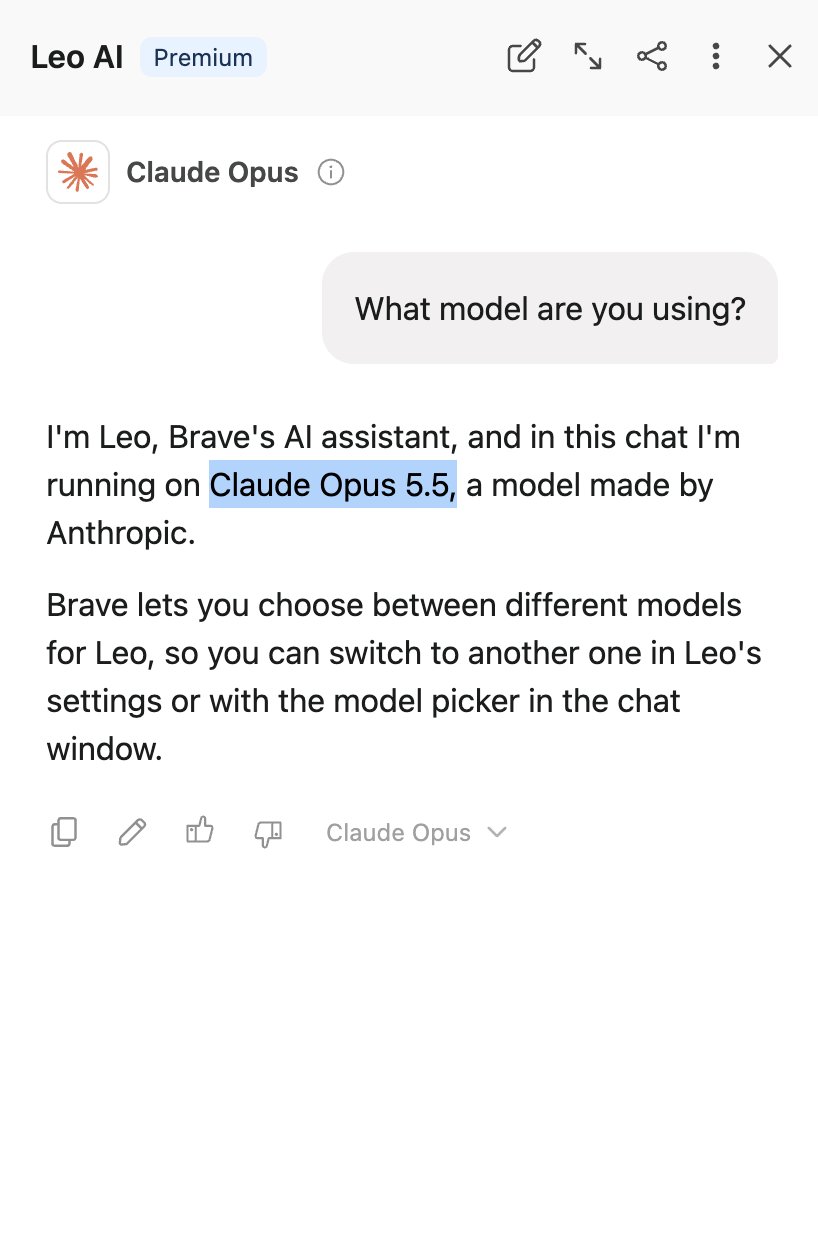
오. DSV4.1 1017이 나오자마자 기다렸다는듯이 Minimax 가 블라인드테스트중인 스페이스버니를 Minimax 3.1 Flash로 출시함.
슬슬 중국모델들 발표가 시동이 걸리나요.


MiniMax M3.1 Flash: Space Performance + Bunny Speed
🚀🐰 Yes, Space Bunny - which has topped global leaderboards with 200T+ tokens - was an earlier version of M3.1 Flash.
💰Redefining the performance economics of agentic AI. M3.1 Flash achieves frontier-level intelligence across key tasks such as Cowork (Automation-Bench: 62%; ALE: 30%), Coding (DeepSWE: 74%) and Visual Reasoning (BabyVision: 91%), at 1/3 the cost of M3 and 3x the speed.
API pricing (flat rate): $0.15 / $0.60 per 1M input/output tokens, with cache reads at $0.015 / 1M tokens.
Model weights will arrive on Oct 23.
API: platform.minimax.io
M Plan: minimax.io/m-plan
MiniMax Code for desktop: agent.minimax.io/download



테크형 retweeted

A good buddy of mine did his PhD on this and now works on WiFi spatial mapping at a big tech company and It’s way more accurate than you’d imagine. You can map an entire college campus in real-time like Batman just with WiFi. Crazy stuff

breathing is enough to give you away
each breath slightly changes how Wi-Fi waves reflect off your chest. with the right receiver and processing, those tiny changes can reveal your breathing rhythm
the graphs in this animation use real WiRe-Breath recordings: orange is the rhythm extracted from Wi-Fi, gray is a reference breathing sensor
i broke down how this works, and what else you can pull out of the radio waves around you, in the article below ↓