
https://xitter.cf/t.co/9IYwpWNr6i
Joined August 2022
- Tweets98
- Following133
- Followers14
- Likes111


SumCool AI retweeted

整理下我最近一个多月写过的 Grok Bot 系列教程干货,大家可以转发、收藏、或者一次性发给你的 Grok @bot ,没想到不知不觉写了那么多了✌️明天我也会有新更新!
1️⃣ 工程师如何用好 Grok bot?xitter.cf/KinGao476942/status/20…
2️⃣ 非工程师怎么用好 Grok Bot?xitter.cf/KinGao476942/status/20…
3️⃣ 做自媒体怎么用好 Grok bot?xitter.cf/KinGao476942/status/20…
4️⃣ 我如何用 Grok bot 做时间管理?xitter.cf/KinGao476942/status/21…
5️⃣ 如何用 Grok Bot 稳定注册并订阅 Claude Code?(不是 100% 防封)xitter.cf/KinGao476942/status/21…
6️⃣ 如何把 Grok Bot 接入你的微信?保姆级新手指南来了xitter.cf/KinGao476942/status/21…
7️⃣ 马斯克的“大一统AI会员”来了!新手小白和老用户该怎么选?一站式搞定 Grok Bot、X 会员、Cursor 会员xitter.cf/KinGao476942/status/21…
8️⃣ 如何把 Grok bot 军团连接到你的飞书?保姆级新手教程
xitter.cf/KinGao476942/status/21…


SumCool AI retweeted

OpenAI 又抢入口了
mcp-extensions 开源,插件能做成 ChatGPT 原生功能
github.com/openai/mcp-extens…
先码住,怕用的时候找不到


开源了一个小工具:用耳机/键盘的 PLAY 键控制 macOS 语音输入 🎙️
按一下 PLAY → 自动切换输入法 → 开始语音
再按一下 → 停止
默认适配豆包输入法,支持自定义其他输入法,一条命令安装。
基于 Hammerspoon,纯 Lua 实现,MIT 协议。
github.com/Asxing/hammerspoo…
SumCool AI retweeted

好不容易翻墙出来不要只看片,多看英推优质信息源,看不大懂阿绎给你翻译拆解系列04(中英字幕):
damn,51分钟,老哥把Claude Cowork讲的太细太透了,
都给我收藏起来!靠这套设置Claude Cowork从聊天机器人秒变你的AI参谋长!
很多人打开Claude Cowork,敲完问题只得到一堆泛泛的回复,总觉得是AI不够好用,却从来没怀疑过是自己的打开方式从根上就错了😅
这条视频把Claude Cowork的正确用法,拆得明明白白。
Cowork从来不是一个更高级的聊天框,你只给它一个问题,它就只能给你通用的答案。
它需要先完整认识你,才能真正帮到你。
你是谁,你的工作模式,正在推进的项目,团队的状况,当前的优先级,这些信息给足了,它才能从一个通用工具,变成和你无缝衔接的AI参谋长。
这套能落地的系统,核心分为三个层面。
第一层是全局指令:写清楚你的身份、工作方式,还有你给Claude划定的边界。
第二层是连接器:打通Slack、Gmail、谷歌日历、Notion这些你日常在用的工具,让它能接入你的真实工作流。
第三层是电脑里的文件夹体系:这是Claude的长期记忆库,三者结合,它才能真正成为你的私人工作伙伴。
真正能拉开差距的,是技能模块的搭建。
每个技能都是一个markdown文件,精准告诉Claude该怎么做好一件具体的事,写工作简报,做决策指导,做项目复盘,都能做成独立的技能。每个技能都有专属的文件夹,放好相关的背景资料、案例范本和成功标准,它就能一次做对,不用你反复教。
视频里现场搭建了三个核心技能,每一个都能直接照搬。
第一个是CEO决策教练,
输入你的业务背景、领导风格和公司目标,再抛出具体的决策问题,它就能给出完整的利弊分析、衍生影响和风险评估,帮你把决策想的更周全。
第二个是多方智囊团系统,
设置好执行者、质疑者、客户代言人、财务伙伴、法务风控顾问五个角色,输入待决议题,每个角色会独立给出评估,再由主智能体整合反馈,等于随时能开一场专属董事会。
第三个是思想领导力内容生产线,
从选题评分、创意捕捉、发布节奏到语气校准,全基于你的专业领域和受众特征搭建,从灵感到成稿,全程不用你反复打磨细节。
整套系统的核心纽带,是工作区导航图。
这份顶层文件会告诉Claude,
你的整个设置体系是什么样的,文件夹怎么分布,
技能在哪里,该怎么调用。没有它,
Claude要到处搜寻信息,
有了它,就能直击目标,精准完成任务。
更难得的是,这套配置是完全可移植的。
整个文件夹体系,在Cowork、Claude Code和Codex里都能用,推送到私人GitHub仓库后,手机端的Claude Code能随时访问,也能通过Claude Dispatch直接调用。
它还能无限复制,你只要选一个自己的高频任务,创建文件夹,搭建技能模块,添加正反案例,测试优化,就能完成一个技能的搭建,每做好一个,就等于招了一个过目不忘、不用重复培训的专属员工。
AI工具的进化速度越来越快,
现在花时间搭建好这套系统的人,
未来会拿到十倍的优势。
我给这条视频做了完整的中文字幕版,
从零到一的搭建过程全拆解,看完就能直接上手。
链接放在评论区,收藏起来,
别再把Cowork当成普通聊天框用了!

How to set up Claude Cowork so it actually works like an AI chief of staff (not just another chatbot):
1. Most people open Cowork, type a message, and get generic output. It's not a Claude problem. It's a setup problem. Cowork needs context before it can help you. Who you are. How you work. What you're building. Your team. Your priorities. Give it that, and every session feels like picking up a conversation with an executive assistant.
2. The setup has three layers:
a) Global instructions (who you are, how you work, what Claude should never do).
b) Connectors (Slack, Gmail, Google Calendar, Notion)
c) And a folder structure on your computer that acts as Claude's long-term memory. That combination is what takes it from generic to personalized.
3. Skills are the real leverage. A skill is a markdown file that tells Claude exactly how to do one thing well. Write my newsletter. Coach me on a decision. Review a case study. Each skill lives in its own folder with context, examples, and a definition of what success looks like.
4. We built a CEO coach skill in the video below. Gave it business context, leadership style, company goals. Then tested it with a real decision: should we increase our newsletter from once to twice a week? It came back with trade-offs, second-order consequences, and risk assessment.
5. Then we built a multi-agent advisory board. Five subagents, each with a defined persona:
a) the operator
b) the skeptic
c) the customer advocate
d) the finance partner
e) the legal/risk advisor.
You feed it a decision. Each agent evaluates independently. The main agent synthesizes the feedback. It's like having a board meeting on demand.
6. Third skill: a thought leadership content pipeline. Topic scoring, idea capture, distribution cadence, tone calibration. All built from your actual expertise and audience. Designed so an executive can go from idea to published post without starting from scratch every time.
7. The workspace map is what ties it all together. It's a top-level file that shows Claude how to navigate your entire setup. Which folders exist, what skills live where, how to invoke them. Without it, Claude has to search for everything. With it, Claude goes straight to what it needs.
8. Everything you build is portable. The folder structure works in Cowork, Claude Code, and Codex. Push it to a private GitHub repo and you can access it from your phone through Claude Code, or use Claude Dispatch.
9. The pattern is repeatable. Pick a task you do often. Create a folder. Build a skill. Add examples of what success looks like, and what a bad output looks like. Test it. Workshop it. Move on to the next one. Each skill is like onboarding a new employee who never forgets and never needs to be re-trained.
The people who invest in this setup now are the ones who will have a 10x advantage when these tools get even better. And they're getting better fast.
I sat down with @alexlieberman on Human In The Loop and we built all three of these live from scratch. Full breakdown in the video below..
I tried to explain this as clear as possible for my non-developer crowd.
Send it to someone who should be using Cowork but isn't yet. Or bookmark it to level up when you're ready.
Watch 👇🏼





SumCool AI retweeted

ChatGPT 单台主数据库 + 50 从数据库(只负责读取),就可以处理的了 8 亿用户的负载,厉害

@PostgreSQL has long powered core @OpenAI products like ChatGPT and the API. Over the past year, our production load grew 10× and keeps rising. Today we run a single primary with nearly 50 read replicas in production, delivering low double-digit millisecond p99 client-side latency and five-nines availability. In our latest OpenAI Engineering blog, we unpack the optimizations we made to to scale @Azure PostgreSQL to millions of queries per second for more than 800M ChatGPT users. Check out the full post here: openai.com/index/scaling-pos…


SumCool AI retweeted

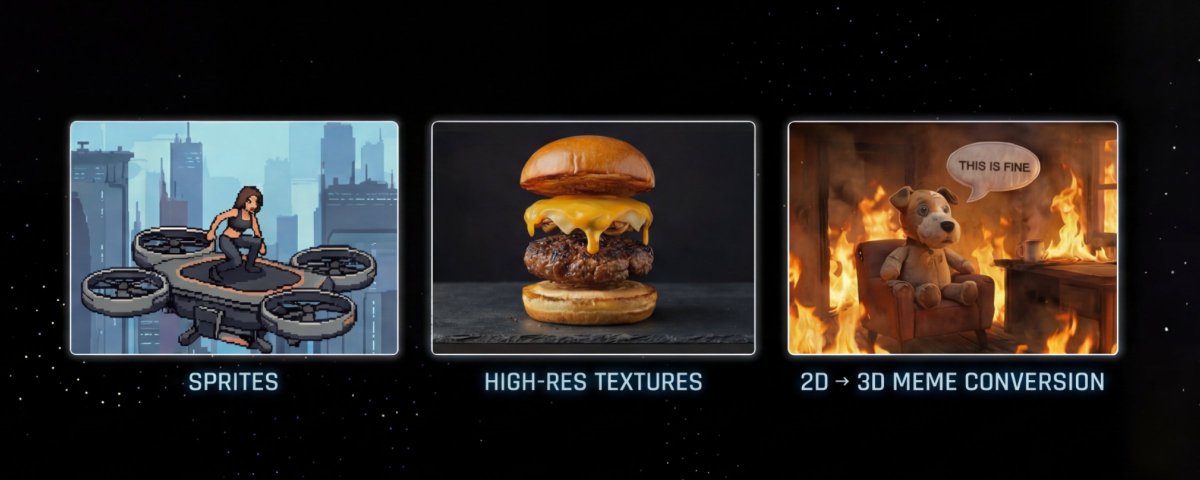
预订本年度最有价值提示词 —— 生成既有质感,又能随意修改文字的完美 PPT
大家都很喜欢 NotebookLM 生成的 Slide Deck(幻灯片)风格也很棒。👇

I finally solved the biggest issue with NotebookLM Slides. 🚫✍️
We all love the aesthetic of NotebookLM's auto-generated Slide Decks, but there's a catch: they are static images. You can't edit the text, and you can't tweak the content.
Want that specific style but with full control over every word?
I built a workflow + prompt template that lets you customize everything. Here is how it works. 👇




SumCool AI retweeted

Stanford's ALL FREE Courses [2024 & 2025]
❯ CS230 - Deep Learning
❯ CS234 - Reinforcement Learning
❯ CS236 - Deep Generative Models
❯ CME295 - Transformers & LLMs
❯ CS336 - Language Model from Scratch
❯ CS224N - NLP with DL
Find links inside:
SumCool AI retweeted

MIT's "Foundations of Reinforcement Learning & Interactive Decision Making"
PDF: arxiv.org/pdf/2312.16730
