
👋 Available for work 🖤 Design Systems Consultant 🛠 Front-End Architect 🦋 https://xitter.cf/t.co/puTaAyiDU2
- Tweets372
- Following4
- Followers5.8K
- Likes64.2K


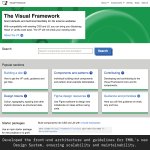

ALT A composition of elements from the Visual Framework homepage for EMBL, showcasing design system guidelines, component examples, and accessibility features. The design employs a green and white colour scheme. The caption reads, 'Developed the front-end architecture and guidelines for EMBL's new Design System, ensuring scalability and maintainability throughout the project.'

ALT A composition of elements from the Elements Design System homepage, featuring clean layouts, design tokens, and component guidelines. The design utilises a light theme with blue accents. The caption reads, 'Assisted with front-end work across multiple sites, helped create the new Design System documentation site, implemented design tokens.'

ALT A composition of elements from the UCL site-wide search system, highlighting search functionality, filters, and a clean user interface. The design features a modern layout with blue and white tones. The caption reads, 'Created the front-end for a comprehensive site-wide search system, enhancing UX and the existing Design System.'

ALT A composition of elements from the Monotype Marketing Design System, featuring interactive type specimens, bold typography, and a user-friendly interface. The design adopts a minimalist aesthetic with black and red accents. The caption reads, 'Created the Monotype marketing Design System, developed tools for interactive type specimens, launched the Shopify storefront.'


ALT A close-up of a printed newspaper-style advertisement featuring various job seekers in the tech industry. The highlighted section reads "Front-End Developer" and states: "Seeking short/mid-term contracts to create stunning user experiences. Expert in CSS, design systems, tokens, and component libraries." The text is surrounded by a red circle for emphasis.

ALT A screenshot of a social media posting interface for "SkyTrunk" platform. The interface includes: • Orange "SkyTrunk" logo in the top left corner • A menu button in the top right • A text input field labeled "What's happening?" (currently empty) with 0/300 character count • An image upload section marked as optional with a "Choose File" button (no file selected) • An alt text field for accessibility with placeholder text "Describe the image for accessibility" • A checked checkbox option to "Also post to Mastodon" • An orange "Post it" button • Footer text reading "Made with ❤️ by @sturobson" The interface appears to be designed for posting content with accessibility features and cross-posting capability to Mastodon.