

Security analyst & Technical analyst📈📉💹 🧐 Gold XauUsd trader —Strongly on LIQUIDITY & MARKET STRUCTURE 🧐🧐
Nigeria
Joined December 2021
- Tweets3.4K
- Following2.5K
- Followers178
- Likes24.6K


Pinned Tweet
Gold Xauusd my love #30DayRantChallenge
#30daysrantchallenge
#XAUUSD
@toni__iyke
@TyroneTradesFX
@thissdax
Help a trader please


3
544
Sheddy D Gold digger retweeted

BREAKING: TradingView now plugs straight into Claude.
Here's how to build a profitable trading bot with it:
Step 1: Connect TradingView to Claude
Open Claude, go to Settings, Connectors, Add custom connector, and paste mcp.tradingview.com/mcp.
Then sign in with your TradingView account. It's in Claude's connector directory too.
You need a paid TradingView plan.
Step 2: Check it works
Ask Claude: "Search my scripts and list the inputs of the last strategy I saved."
If it comes back with your inputs, Claude can read your TradingView.
Step 3: Build the strategy
Paste this prompt:
"Write a BTCUSDT 1h strategy with 1 trend indicator, 2 confirmation indicators, 1 volatility filter, an ATR stop and a fixed risk to reward. Validate it, fix any compile errors, save it, then run a deep backtest from 2023 with 0.1% commission and report net profit, profit factor, max drawdown, win rate and trade count."
Claude writes the Pine Script, compiles it on TradingView's own servers, and backtests it with TradingView's own Strategy Tester.
Step 4: Do the volume elsewhere
Every backtest counts against a daily limit, 10 a day on the cheapest plan.
I ran 60,845 this year.
So use TradingView for writing the script and the final check on real data. Run the hunt on tradingkit.com, which does thousands a day with 99.9% parity to TradingView, then bring the survivors back to Step 3.
Step 5: Keep what passes
For each strategy you need 100+ trades to see if it's potentially profitable.
Max drawdown under 30%, profit factor above 1.1 and it needs to beat buy and hold.
Step 6: Forward test
With the strategies that passed the backtest threshold, forward test 3 months on paper.
Ask Claude once a month: "Re-run the deep backtest on the last 30 days only."
If the edge is gone, bin it.
Step 7: Go live
In TradingView, create an alert on the strategy. Go to trigger.trade, pick your exchange and paste in API keys that can trade but not withdraw. Copy trigger.trade's webhook link and message into the alert, set it to fills only, save. Now every signal places the trade for you. 1 to 3% of the account per trade, 5x leverage max.
Claude builds and tests. TradingView fires the alert. trigger.trade places the trade.


Sheddy D Gold digger retweeted

A guide on how to get rid of the annoying new #TradingView mobile update! 😭
Please engage with this post so it reaches more traders. I know this will be useful to a lot of people! 🙏❤️


Sheddy D Gold digger retweeted

Everyone seems to be looking for a TradingView alternative right now, so we spent the last 24 hours researching, exploring, and testing some of the best options out there.
Here are our top 3 picks so far:
1. @openmarket_xyz
The closest alternative to TradingView in terms of UI. They're also actively building and seem focused on creating an even better product.
2. @velacharts
Backed by Lux Trading Group, with interesting potential to give developers more flexibility and control.
3. @gocharting
One of TradingView's long standing competitors. They've been consistently improving their platform and steadily gaining ground.
These are our top picks after nearly a full day of research and hands on testing.None have paid to be listed.
Did we miss anyone? Drop your favourite TradingView alternatives below.👇

Sheddy D Gold digger retweeted

TradingView just limited free users to 30 drawings.
I switched to FreeChart - thefreechart.com/?ref=FED
It comes completely FREE with:
✅ Unlimited drawings
✅ 8 multi-charts
✅ Market Replay from 2004
✅ Realistic Trading Simulator (spread + commission + swap)
✅ Custom timeframes
✅ Telegram alerts
✅ Built-in journal
No signup needed.
Try it: thefreechart.com/?ref=FED
Stop paying for basic charting tools.

Sheddy D Gold digger retweeted

BİLGİSAYARIN EN ÖNEMLİ KISAYOLLARI
Temel Düzenleme Kısayolları
CTRL + A — Tümünü seç
CTRL + C — Kopyala
CTRL + X — Kes
CTRL + V — Yapıştır
CTRL + Z — Geri al
CTRL + Y — İleri al (yeniden)
CTRL + S — Kaydet
CTRL + P — Yazdır
⸻
Metin Biçimlendirme
CTRL + B — Kalın
CTRL + I — İtalik
CTRL + U — Altı çizili
CTRL + SHIFT + > / < — Yazı boyutunu büyüt / küçült
⸻
Fonksiyon Tuşları
F1 — Yardım
F2 — Yeniden adlandır
F3 — Dosya/arama bul
F4 — Adres çubuğu / açılır liste
F5 — Yenile
F6 — Bölmeler arasında geçiş
F10 — Menü çubuğunu etkinleştir
⸻
Pencere ve Sistem Kısayolları
ALT + TAB — Açık uygulamalar arasında geçiş
ALT + F4 — Pencereyi kapat
ALT + SPACE — Pencere menüsü
ALT + ENTER — Özellikler
CTRL + ESC — Başlat menüsü
CTRL + ALT + DEL — Görev yöneticisi / güvenlik menüsü
WIN + L — Bilgisayarı kilitle
WIN + D — Masaüstünü göster
WIN + E — Dosya Gezgini
WIN + R — Çalıştır
⸻
Dosya İşlemleri
CTRL + SÜRÜKLE — Kopyala
SHIFT + SÜRÜKLE — Taşı
CTRL + SHIFT + SÜRÜKLE — Kısayol oluştur
SHIFT + DELETE — Geri dönüşümsüz sil
BACKSPACE — Üst klasöre dön
⸻
Belge İçinde Gezinme
HOME — Satır başına git
END — Satır sonuna git
CTRL + HOME — Belgenin en üstüne git
CTRL + END — Belgenin en altına git
PAGE UP / PAGE DOWN — Sayfa yukarı / aşağı
CTRL + → — Sonraki kelime
CTRL + SHIFT + → — Kelime seç
⸻
Windows Gezgini Ağaç Yapısı (NumPad)
* — Tümünü genişlet
+ — Seçileni genişlet
– — Seçileni daralt
⸻
Özel Karakter ALT Kodları (Türkçe Karşılıklarla)
‘ — alt 0145 (Açılış tek tırnak)
’ — alt 0146 (Kapanış tek tırnak)
“ — alt 0147 (Açılış çift tırnak)
” — alt 0148 (Kapanış çift tırnak)
– — alt 0150 (Kısa tire – en dash)
— — alt 0151 (Uzun tire – em dash)
… — alt 0133 (Üç nokta)
• — alt 0149 (Madde işareti)
®️ — alt 0174 (Tescil işareti)
©️ — alt 0169 (Telif hakkı)
™️ — alt 0153 (Ticari marka)
° — alt 0176 (Derece işareti)
¢ — alt 0162 (Cent işareti)
¼ — alt 0188 (1/4)
½ — alt 0189 (1/2)
¾ — alt 0190 (3/4)
⸻
Ekstra Güçlü Kısayollar (Yeni)
Windows
WIN + SHIFT + S — Ekran görüntüsü alma
WIN + V — Pano geçmişi
WIN + . — Emoji paneli
WIN + CTRL + D — Yeni sanal masaüstü
WIN + CTRL + ← / → — Masaüstleri arasında geçiş
WIN + SHIFT + M — Küçültülmüş pencereleri geri getir
Tarayıcı
CTRL + T — Yeni sekme
CTRL + SHIFT + T — Kapalı sekmeyi aç
CTRL + L — Adres çubuğuna git
CTRL + W — Sekmeyi kapat
CTRL + SHIFT + N — Gizli sekme
Kaydedin lazım olur.


Sheddy D Gold digger retweeted

🚨 TRADINGVIEW LIMIT! 👀
With TradingView limiting free users to just 30 drawings, traders are now looking for better alternatives.
So here's a challenge for the community:
Can you find a reliable charting platform that offers similar features without these restrictions?
🎁 We'll reward someone who finds and shares the best alternative!
Drop your suggestions below. Let's help traders find better options. 👇

Sheddy D Gold digger retweeted

Let everyone be proud of their choices, DNA is a test to prove whether you are proud and responsible for your choices or actions. Na men dey cheat..
But na women dey fear DNA test...make una on light I wan understand something...


Check out Xauusd's video! #TikTok vm.tiktok.com/ZSgs6gr1e/ This post is shared via TikTok Lite. Download TikTok Lite to enjoy more posts: tiktok.com/tiktoklite

6


Sheddy D Gold digger retweeted
$2,000 for 10 traders‼️
October is here, and we’re kickstarting more traders again.
Since July, I’ve been putting aside $2,000 every month to help traders who have the knowledge but simply don’t have an account to trade with yet.
We’ve done this consistently, and October is no different.
Another $2,000 is going towards helping more traders get started this month.
If you currently do not have a trading account,
- Repost this post and comment:
“I need an account.”
That’s all.
I want to see how many people in this community are still being held back simply because they don’t have an account to trade with.
Let’s change that for a few people this October.
Sheddy D Gold digger retweeted

🚨🎙️ Nuno Mendes on why he unfollowed Cristiano Ronaldo but still follows Lionel Messi;
🗣️Nuno Mendes: “I have nothing against Ronaldo personally, but I never really connected with the way he carries himself. Sometimes it feels like everything has to be about him — the attention, the praise, the worship, everything. He wants people to see him as the centre of everything.
“Messi is different. He gives people their respect, celebrates his teammates and makes those around him feel important. He doesn’t need everyone to worship him. He wants everyone to benefit from playing with him, and that’s the kind of person I respect. That’s why I still follow Messi.”


Sheddy D Gold digger retweeted

This weekend, I’m giving $200 each to five traders who have the skill but need capital.
You can use it to fund a brokerage account or purchase a prop firm challenge.
Make sure you're on my channel to get access to the cash 🔗 t.me/thedaxbrand


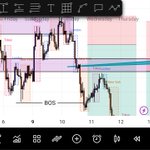
Analysis on Gold (Xauusd) , first is a Buy before we Sell , from what I've analyze, we're bearish on Gold, so a little buy then we sell . and BTC we sell to Buy #TradingSetup #xauusd #btc #bitcoin #GoldSignals


1
17