

Transform mindless scrolling into meaningful learning, one micro-learning session at a time.
Stanley, NC
Joined January 2025
- Tweets41
- Following6
- Followers2
- Likes2






New video preview for our @YouTube Channel! This one walks iOS users through setting up an Admin account now that we are live on the @Apple App Store. Watch the full video and more 👉 bit.ly/4uTwTzV
In case you missed our announcement last weekend, ScreenIQ is officially available on the iOS Play Store! Ready to give it a try? We put together this quick guide bit.ly/4jdvQsv to help you get started. @Apple users, start your 14-day FREE trial now! #smarterscreentime

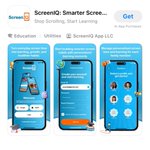
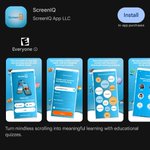
It’s official, ScreenIQ is now available on the @Apple App Store! iPhone and iPad users, click 👉 bit.ly/4dPqRum to download and start your 14-day FREE trial today. Less #doomscrolling, more #brainbuilding. Smarter Screen Time Starts Here!
#ScreenIQ #iOS #screentime

Stay tuned for some exciting ScreenIQ news tomorrow. We've got an official announcement that iPhone and iPad users are going to want to hear. Can you guess what it is? 🍎 Smarter Screen Time Starts Here!
#ScreenIQ #ScreenTime #iOS

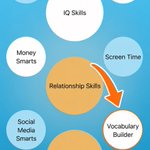
NEW LEARNING CATEGORY DROP! "Vocabulary Builder" is now available across all user levels, with questions customized based on age. Add it to any profile now to start building a stronger vocabulary. Less doomscrolling, more brainbuilding. Smarter Screen Time Starts Here!


Did you catch this news from @Apple? We love seeing this direction and recommend taking advantage of these features. They complement our app well as another way to create more intentional screen habits. Less doomscrolling, more brain building. Smarter screen time starts here!

Apple has released a new set of parental control tools across iOS 27, iPadOS 27, and macOS 27, giving parents more control over the content their children see, who they can communicate with, and how much time they spend in apps.
thatappleguide.com/articles/…

How about a little Labor Day learning?! Think you know the answer? Take a guess before looking it up in the comments. This is just another example of how we turn a few minutes of screen time into an opportunity to learn something new. Smarter Screen Time Starts Here!

ScreenIQ profiles allows admins to see the learning happening. Track lessons completed, scores, time spent learning, and top-performing categories - all in one place. It’s another way we help turn doom scrolling into smarter screen time.
#ScreenIQ #ScreenTime #DigitalWellness

In case you missed our announcement last weekend, ScreenIQ is now officially available on Google Play! Ready to give it a try? We put together this quick guide bit.ly/4qIHNYG to help you get started. @Android users, start your 14-day FREE trial now! #smarterscreentime

What an encouraging step forward for healthier screen time! This represents a growing recognition that young people need more boundaries around tech. It also reinforces why we built ScreenIQ. The goal isn’t simply less screen time. It’s helping young people make better use of it.

Breaking: Meta agreed to an $18 billion settlement with 48 states over child-safety claims and will create new safeguards for users under 18 on.wsj.com/4zJ3BYw

It's official, ScreenIQ is LIVE on Google Play! @Android users, click bit.ly/4cTF9cQ to download and start your 14-day FREE trial. This is a major milestone and we're just getting started. Smarter Screen Time Starts Here!
#Screentime #Android #GooglePlay #Microlearning

A simple dashboard where each user gets their own personalized experience. From here, you can select a profile and easily make adjustments to learning categories, screen time limits, and more. Smarter Screen Time Starts Here!
#ScreenIQ #Microlearning #ScreenTime #DigitalWellness

Age-customized learning designed to build IQ skills, knowledge, and everyday smarts. Choose topics that best fit the interests and goals of each user profile. Make adjustments as often as you like. Smarter Screen Time Starts Here!
#ScreenIQ #ScreenTime #IQSkills #Microlearning

This is what smarter screen time looks like. A microlearning session completed, something new learned, SIQ points earned. And apps are automatically unlocked. Smarter screen time starts here! #ScreenIQ #DigitalWellness #MicroLearning #ScreenTime

This is where smarter screen time begins. When a screen time limit is reached, it's not about blocking access. It's about completing a customized microlearning session that activates the brain and builds new skills. Smarter Screen Time Starts Here!
#DigitalWellness #ScreenTime

Final video preview for our @YouTube Channel! This one walks admins on iOS devices through setting up a profile for others (kids or adults) on both devices. Watch the full video and more 👉 bit.ly/4uTwTzV
Continuing video previews for our @YouTube Channel! This one walks iOS users through setting up a Self Profile for the Admin. Watch the full video and more 👉 bit.ly/4uTwTzV
More video previews for our @YouTube Channel! This one walks iOS users through setting up TestFlight and an Admin account. Watch the full video and more 👉 bit.ly/4uTwTzV
Back to video previews for our @YouTube Channel! This one walks admins on Android devices through setting up a profile for others (kids or adults) on both devices. Watch the full video and more 👉 bit.ly/4uTwTzV