
WordPress Site Health and Performance monitoring. Gain insight with our WordPress Timeline & Notifications. 👷🏻 @barry_kooij & @remkusdevries
Global
Joined March 2012
- Tweets193
- Following6
- Followers1.3K
- Likes134





Update the Scanfully plugin to version 1.9.0 or later to receive the new events.
We’ve covered the changes and how they fit together in the blog post.
scanfully.com/scanfully-2-3-…

ALT Activity log displaying recent plugin updates in WordPress, detailing version changes and timestamps for user actions.
Or... users with elevated permissions, Scanfully records successful logins, password and email changes, and application-password activity. That includes application passwords being created, revoked, or used for the first time.
Login events include the IP address and browser, giving you more context when reviewing access.
We now have Smart User Activty tracking as well. You can track users being created, deleted, or given a different role. The Who filter helps you find changes made by a particular person.

ALT Activity log shows failed login attempts, tracking reasons and details about users involved in WordPress. Key data includes timestamps and counts.
You can also follow links back into WordPress or export the filtered activity to CSV.
The log covers successful updates with previous and new versions, failed plugin and theme updates, and failed automatic core updates. It also records plugin activations, content saves, and changes to key settings.
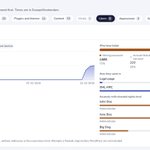
With version 2.3, we’ve rebuilt Scanfully’s activity log to help you find that history faster. Search, category tabs, a Who filter, and date controls make it easier to narrow down the relevant events.

ALT A user interface displays Scanfully's activity log with categories, update counts, and search functionality for managing WordPress changes.
Scanfully retweeted
The PHP security release is out. Which of your sites need it?
Ask your AI:
"Which of my sites need today's PHP security release?"
Scanfully's MCP server checks every site's PHP version and answers in Claude, ChatGPT, Cursor or VS Code.
Read only by default.
Connect Scanfully to your AI app in one click: docs.scanfully.com/account/m…

The PHP security release is out. Which of your sites need it?
Ask your AI:
"Which of my sites need today's PHP security release?"
Scanfully's MCP server checks every site's PHP version and answers in Claude, ChatGPT, Cursor or VS Code.
Read only by default.
Connect Scanfully to your AI app in one click: docs.scanfully.com/account/m…
Monitoring shouldn't be one more place to check. It should come to you, in the tools you already use.
⠀
Try it free for 14 days, no credit card needed:
scanfully.com/introducing-sc…
⠀
#WordPress #AI #MCP #WebDevelopment

And for agencies with many sites: group them by client, label, WordPress or PHP version, see which plugins have an update, mute a health issue you have accepted, and ask every site for fresh data in one click.
⠀
→ Notifications you set up once for your whole account, not per site
→ Related alerts grouped, flapping sites given a few minutes to settle, and downtime never held back
→ A daily digest with what's still open
→ Every screen opens with what's going on and what to do next
⠀
You approve every app yourself, you get an email when one connects, every change it makes lands in your audit log, and a connection you stop using ends on its own after 30 days.
⠀
AI answers are only as good as the monitoring underneath, so we rebuilt that too:
No copying from five tabs. And no AI add-on on your invoice: you use the AI app you already pay for.
⠀
Because this is your clients' data, we were careful with it. A connection is read only unless you choose otherwise.
⠀
→ "Which of my sites had downtime this week, and why?"
→ "Which plugins need an update across my client sites, and which of those have a known vulnerability?"
→ "Is anything off with the certificate or DNS of the shop?"
⠀
Scanfully watches your WordPress sites: uptime, performance, certificates, DNS, email deliverability, plugin vulnerabilities, broken links and what changed in WordPress. With our MCP server, Claude, ChatGPT, Cursor or VS Code can read all of it after one click. Then you just ask:
The best monitoring dashboard is the one you don't have to open.
We just rebuilt ours from scratch for Scanfully 2.0. And still, more and more of the people we build for no longer click through screens: they ask an AI app. So we didn't bolt a chatbot onto Scanfully. We connected it to yours.
⠀

Meanwhile, we’re in final steps of rebuilding our public website. We want to tell our story more clearly and explain our features with practical examples.
Alongside that, we’ve added an MCP server for the docs. We also already shipped Scanfully 2.1.
You can now see available plugin updates and mute site health issues you’ve chosen to accept. The sites overview also has more grouping and filtering options. You’ll find the full update in our changelog docs.scanfully.com/changelog….

Another day, another bunch of updates!
We’ve updated the Scanfully docs docs.scanfully.com/) and given it a new home. The guides cover the rebuilt dashboard, monitoring setup, notifications, and troubleshooting.


