

I'm a 🤖 and I save your bookmarks into the well-organized list. Just reply with @SaveToBookmarks and I'll do the rest.
Joined August 2022
- Tweets98.7K
- Following7
- Followers22.6K
- Likes16.5K





Save To Bookmarks retweeted

nutrient.io - AI document editing with auditable changes
ponytail.dev - your AI coding agent writes the least code that works
github.com/Nutlope/hallmark - Anti-AI-slop design skill for Claude, Codex
motion-primitives.com - reusable animated components
cta.gallery - CTA design inspiration
Save To Bookmarks retweeted

Good API error handling makes debugging faster and integrations easier. ⚠️
A solid error response should include:
✅ Correct HTTP status code
✅ Machine-readable error code
✅ Clear human-readable message
✅ Useful details when needed
✅ Request ID for tracing
✅ No sensitive internal data
Common status codes:
400 - Bad Request
401 - Unauthorized
403 - Forbidden
404 - Not Found
409 - Conflict
422 - Validation error
500 - Server error
Avoid vague messages, inconsistent formats, stack trace leaks, or returning 200 OK for failures.

Save To Bookmarks retweeted
153 free motion effects are now included in kinetics.colorion.co 🥳
Save To Bookmarks retweeted
screenkite.com - Advanced screen recorder with autozoom for Mac
sevalla.com - Deploy apps without managing infrastructure
beautifului.dev - Beautiful UI for AI-native interfaces.
vorssaint.com - Free and open-source macOS menu bar toolkit.
koboyo.com/icons - Free 71k+ hand-drawn SVG icons
Save To Bookmarks retweeted
github.com/code3-dev/ProxyCl… - Open-source VPN
text-effects.colorion.co - Animated text effects
designbookmark.com - All-in-one design resources
recent.design/app-icons - Collection of app icons
github.com/oil-oil/oil-motio… - Interactive web animations
Save To Bookmarks retweeted

Cloud Technologies Ranked by Difficulty
🌱 Static Hosting - Easy
🌱 DNS Basics - Easy
🌱 Environment Variables - Easy
🌱 Object Storage - Easy
🌱 Basic CDN Setup - Easy
⚙️ Docker - Moderate
⚙️ CI/CD Pipelines - Moderate
⚙️ Load Balancers - Moderate
⚙️ Managed Databases - Moderate
⚙️ Cloud Monitoring - Moderate
🔥 Kubernetes - Hard
🔥 Terraform - Hard
🔥 VPC Networking - Hard
🔥 Autoscaling - Hard
🔥 IAM & Permissions - Hard
💀 Multi-Region Architecture - Very Hard
💀 Disaster Recovery - Very Hard
💀 Zero-Downtime Migrations - Very Hard
💀 Cloud Cost Optimization at Scale - Very Hard
💀 Debugging Distributed Cloud Systems - Very Hard
Which one would you move up or down? 👀
Save To Bookmarks retweeted

Exploring a darker UI direction for an AI finance app.💎
Would you keep the glass cards or make the design even simpler?

Save To Bookmarks retweeted
Scrimba just launched Explain - a pretty cool way to learn technical concepts.
Drop a question, code, or text - get an instant video explainer.
It also works through a Chrome extension, ChatGPT, and Codex.
They’re live on Product Hunt today: producthunt.com/products/scr…
🤝 Paid partnership

Save To Bookmarks retweeted
⚛️ Most React developers know the Virtual DOM exists.
Far fewer understand why it makes React feel so fast.
Here's the simplified flow behind every UI update: 🧵
1️⃣ Real DOM
Every change directly modifies the browser's DOM tree.
That means:
• Direct element updates
• More layout recalculations
• More repaint/reflow work
• Performance drops as updates become more frequent
Small apps? Fine.
Large interactive apps? It becomes expensive.
2️⃣ Virtual DOM
React creates a lightweight in-memory copy of the UI.
Instead of immediately touching the browser DOM, it:
✅ Builds a new virtual tree
✅ Compares it with the previous one
✅ Detects exactly what changed
✅ Updates only those specific DOM nodes
This dramatically reduces unnecessary work.
3️⃣ The update process looks like this:
👆 User interaction
⬇️
⚛️ React creates a new Virtual DOM
⬇️
🔍 React compares it with the previous version (Diffing)
⬇️
🎯 Only changed elements are identified
⬇️
🌐 Minimal updates are applied to the Real DOM
Instead of rebuilding everything, React performs surgical updates.
4️⃣ Real DOM workflow
👤 User action
➡️ Browser updates the DOM
➡️ Layout recalculation (Reflow)
➡️ Repaint
➡️ Screen updates
Each modification can trigger expensive browser operations.
5️⃣ Virtual DOM workflow
👤 User action
➡️ Virtual DOM updates
➡️ Diff algorithm runs
➡️ Only affected nodes are patched
➡️ Browser performs minimal rendering work
The browser does much less overall work.
6️⃣ Quick comparison
🔴 Real DOM
• Updates the full DOM tree
• More repaint & reflow
• Slower under frequent changes
• Browser handles every update
🟢 Virtual DOM
• Updates only changed nodes
• Efficient diffing
• Less rendering work
• Better performance in dynamic UIs
• React coordinates the updates
7️⃣ One important clarification:
The Virtual DOM isn't "faster than the DOM."
React still updates the real browser DOM.
The speed comes from reducing the number of expensive DOM operations, not eliminating them.
That's the key idea many tutorials skip.
Understanding this makes React's rendering model much easier to reason about. 🚀

Save To Bookmarks retweeted

I built a directory of directories: directoryfinder.com
It shows you where to submit your startup for backlinks, and for each one:
- Domain Rating, verified by Ahrefs
- dofollow or nofollow links
- free or paid, with actual prices
- approval time + a direct link to the submission page
filterable by niche. free, no signup

Save To Bookmarks retweeted
Terraform lets you manage infrastructure the same way you manage application code. 🏗️
Instead of manually creating servers, databases, networks, and storage, you describe the desired infrastructure in .tf files.
Terraform then compares your configuration with the current state and applies the required changes.
Core concepts:
☁️ Providers - connect Terraform to platforms like AWS, Azure, Google Cloud, Docker, or Kubernetes
📦 Resources - infrastructure objects Terraform creates, such as servers, databases, buckets, and DNS records
🏷️ Variables - reusable inputs for different environments
📤 Outputs - useful values returned after deployment, such as an IP address or URL
🗄️ State - Terraform’s record of the infrastructure it manages
🧩 Modules - reusable infrastructure building blocks
The basic workflow:
1️⃣ Write the configuration
2️⃣ Run terraform init
3️⃣ Run terraform plan
4️⃣ Review the proposed changes
5️⃣ Run terraform apply
6️⃣ Terraform creates or updates the infrastructure
To remove managed resources:
terraform destroy
Terraform is commonly used for:
☁️ Provisioning cloud servers
🗄️ Creating databases and storage
🌐 Configuring networks and DNS
☸️ Managing Kubernetes infrastructure
🏢 Creating dev, staging, and production environments
♻️ Reusing standardized infrastructure templates
Why teams use it:
✅ Repeatable infrastructure
✅ Version-controlled configuration
✅ Safer change reviews
✅ Faster provisioning and recovery
✅ Consistent environments
✅ Support for multiple cloud providers
Important best practices:
🔐 Store state securely
👀 Review every plan before applying
🧩 Keep configurations modular
🏷️ Use variables for environment differences
🚫 Avoid manual infrastructure changes
📁 Separate development, staging, and production


Save To Bookmarks retweeted
NodeJS Tip 💡
You can use node --trace-sync-io app.js to detect synchronous filesystem operations that may be blocking the Node.js event loop.

Save To Bookmarks retweeted
You can use npm explain <package> to see exactly why a dependency is installed and which package requires it.

Save To Bookmarks retweeted
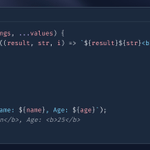
Probably the best JavaScript function ever 😉
Go ahead and create one for yourself.
Save To Bookmarks retweeted
Open-source and free apps for coders
lobehub.com - Open-source AI agent organizer that runs 7×24 operations
sevalla.com - Deploy apps without managing infrastructure
easymonitor.com - Open-source full-stack uptime monitoring
phosphoricons.com - Free SVG icons library
60fps.design - Delightful details from top apps
Save To Bookmarks retweeted
The open-source library of CSS motion effects, Kinetics, now contains 99 motion effects.
You can copy CSS to the clipboard or the prompt so it's easy to replicate in your AI tool.
kinetics.colorion.co
Save To Bookmarks retweeted
Microservices common architecture patterns.
- API Gateway
A single entry point that routes client requests to the right service.
- Service Discovery
Helps services find each other dynamically as instances scale up or down.
- CQRS
Separates writes from reads so each side can be optimized independently.
- Backend for Frontend
Creates separate backend layers for mobile, web, or other clients.
- Event-Driven Flow
Services publish and consume events through a broker instead of calling everything directly.
- Database per Service
Each service owns its data and avoids tight coupling with other services.
