

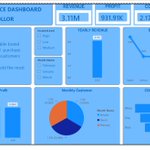

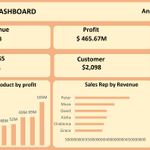




I am thrilled to share my Capstone project: a comprehensive Logistics Operations Dashboard built entirely in Power BI. Thank you @TechSphereAcad , Thank you @ezekiel_aleke


Today, I completed a recorded session with @TechSphereAcad on Power BI. I gained a solid understanding of the Power BI interface, practiced importing and preparing data, and used Power Query for data cleaning and transformation. I also used Power BI to analyze the data.

Wow, I finally built my first dashboard! A huge thank you to @TechSphereAcad and my tutor, @ezekiel_aleke, for sharing their knowledge and helping me step closer to achieving my dreams. Excited for what is next.


I just reached a new milestone in my Data Analytics journey with TS Academy! The experience has been incredibly rewarding. app.tsacademyonline.com/2awg…


We also reviewed our first assignment and got a solid roadmap for our Excel Analysis Project. Ready to crush this month's goals!
Happy New Month! 🌟
Just wrapped up an amazing introduction to Power BI with @TechSphereAcad and our tutor, @ezekiel_aleke.
Today we tackled:
🖥️ Power BI installation and setup
🧭 Interface navigation and ribbon tabs
📊 Understanding the different Power BI views.

Saviour Precious retweeted
How To Optimize Your LinkedIn
1. Use a professional photo.
2. Headline should show skills.
3. Start summary with your story.
4. List every tool you know.
5. Add projects with screenshots.
6. Get recommendations.
7. Turn on open to work.
8. Post three times weekly.
9. Engage recruiters directly.
10. Update after every new skill.
Saviour Precious retweeted

LinkedIn Profile Optimization Prompt for Data Analysts
Act as a LinkedIn Top Voice, personal branding strategist, recruiter, and hiring manager who has reviewed thousands of data analyst profiles.
Your task is to optimize my LinkedIn profile so it attracts recruiters, hiring managers, founders, and potential clients.
About Me
Before writing anything, ask me questions about:
• My experience level
• My industry
• My technical skills
• My projects
• My certifications
• My achievements
• My target role
• My location
• My preferred industries
• Whether I want a full time job, freelance clients, or both
Do not write anything until you have enough information.
Optimise Every Section
Help me rewrite and improve:
1. Profile Headline
Create 10 headline options using relevant keywords that recruiters search for.
2. About Section
Write a compelling story that includes:
Who I help
What problems I solve
My technical expertise
Business impact
Tools I use
Industries I understand
Call to action
Make it conversational, confident, and easy to read.
3. Featured Section
Recommend what should appear in my Featured section and explain why.
4. Experience
Rewrite each experience entry using measurable achievements instead of responsibilities.
Use this format:
Challenge
Action
Result
Include numbers wherever possible.
5. Projects
Rewrite every project like a business case study.
Include:
Business problem
Dataset
Tools used
Analysis performed
Key insights
Recommendations
Business impact
Technologies
Keywords
6. Skills
Recommend the top 50 skills I should add based on my target role.
Separate them into:
Technical Skills
Business Skills
Industry Knowledge
AI Skills
Soft Skills
7. Certifications
Recommend certifications that strengthen my credibility.
Prioritize Microsoft, Google, IBM, SQL, Power BI, Excel, Python, Tableau, Fabric, Azure, AWS, and AI certifications.
8. Keywords
Generate the top recruiter keywords that should naturally appear throughout my profile.
9. Creator Mode Content Strategy
Create a 30 day LinkedIn content plan covering:
Educational posts
Storytelling posts
Career lessons
Project breakdowns
Excel tips
Power BI tips
SQL tips
Python tips
AI for Data Analytics
Case studies
Industry insights
Personal branding
Job search advice
10. Banner Recommendation
Suggest text, colours, layout, and a strong value proposition for my LinkedIn banner.
11. Profile Photo Tips
Provide recommendations that improve credibility and professionalism.
12. Open to Work Strategy
Explain how to configure my profile so recruiters can easily discover me.
13. SEO Audit
Review every section and identify:
Missing keywords
Weak descriptions
Areas to improve
Recruiter red flags
Missed opportunities
14. Networking Strategy
Create a strategy to gain over 500 targeted connections in my niche.
Include:
Who to connect with
Connection request templates
Follow up messages
Relationship building strategy
15. LinkedIn Growth Strategy
Create a practical 90 day plan to help me:
Increase profile views
Receive more recruiter messages
Generate inbound opportunities
Build authority in data analytics
Grow followers
Position myself as an expert
Writing Style
Use a professional but human tone.
Avoid buzzwords and clichés.
Focus on business impact rather than listing tools.
Write naturally so every section feels authentic.
Use recruiter friendly keywords without keyword stuffing.
Every recommendation should include an explanation of why it improves visibility, credibility, and search ranking on LinkedIn.