








Starting today, this page will be inactive. For all the latest product updates, please head over and follow @CorelSoftware. Need some help? We'll chat with you on @CorelSupport or you can start a ticket with our team at corl.co/34cJ6cF. See you there!
2
1
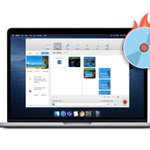
Enjoy all the tools needed to burn, copy, convert, capture, edit & secure your media - to disc or #digital. Enjoy a redesigned #interface, new dark mode support, new media browsing capabilities, & more smart filtering & autocomplete options than before. corl.co/3v0Subo

1
How do you use long exposure when taking a #photo? Find out how long exposure techniques can be good for both image quality & for rendering certain #visual effects! corl.co/3o88llR

1
Create smart slideshows and movies using the power of AI with Highlight Reel in Creator NXT 9!
Learn more: corl.co/2QygnIy
#filmediting

1
@itskevin thanks for reaching out. We suggest you to check out the tech specs mentioned on our product website for your reference
roxio.com/en/products/easy-v…
If you wish to seek further guidance with this version please contact our support team at corel.com/en/contact-us/
Thank you.
Interested in landscape #photography? Check out these helpful tips on how to take better landscape images using a telephoto lens!
#photo #photoediting corl.co/3aA6vVs

1
The user interface in Toast 20 makes it simpler than ever to drag, drop, and get #creative. We've built the power of MyDVD menu creation into the central application to streamline your #workflow. corl.co/3tBOTjl

1
Learn to create videos like a storyteller! Click to find some excellent tips beginner video editors can take to step up their filmmaking skills. corl.co/3vQy4Cf
1
Creator NXT 9 brings you tools to ensure your #audio is crisp & clear. Identify & remove background noise, change the pitch of an audio clip, & enable a more immersive listening experience using multi-channel mixing. corl.co/3wfQCvB
#audioediting #digitalmedia

1
Preserve, share, capture & combine your favorite #digitalmedia assets and experience an efficient #workflow when burning, converting & editing photo, #video & #audio files. Find the right Roxio tool for your digital media projects here: corl.co/3hAyuZx

1
Roxio Toast 20 is here to fast-track your disc burning & #digitalmedia projects! Explore a streamlined interface, workflow enhancements & #audio editing tools! corl.co/3tBOTjl

1
1
Hummingbirds are small, fast & have attributes that make them difficult to #photograph. If you like hummingbirds & are interested in a challenge, here are some helpful tips you can take! corl.co/3uYjVmp

1
Toast 20 includes a redesigned #interface and media browser to help you discover and complete any #workflow more intuitively. Learn more: corl.co/33mFPnc

1
From wildlife conservationist and photographer Donal Boyd, check out these tips on safely capturing images of an active volcano.
#photography
corl.co/3tU0gT6

3
Which version of Toast 20 is right for you?
Compare the features and formats of Titanium and Pro here: corl.co/3uYM50l

1
How do you use long exposure when taking a #photo? Find out how long exposure techniques can be good for both image quality & for rendering certain #visual effects! corl.co/3o88llR

1
Keep your private information secure with banking-level #encryption when saving to disc or USB. Learn more about the industry-leading file security in Toast 20: corl.co/3fue6X3

Roxio Creator NXT 9 is here! The all-in-one tool for capturing, editing & disc burning on #Windows includes new customized DVD menu creation, easy file conversion & more. Explore the fully-loaded #multimedia suite & create engaging #digitalmedia projects. corl.co/3phsWqo

Interested in landscape #photography? Check out these helpful tips on how to take better landscape images using a telephoto lens!
#photo #photoediting corl.co/3aA6vVs

4
Toast 20 can do more than just burn CDs and DVDs. Explore #creative tools to record your screen, edit and enhance #audio files, even transform photos into paintings with the power of AI! corl.co/2SPTild
#photoediting

1