

Rows will be joining Superhuman.
Porto | Berlin
Joined October 2017
- Tweets2.1K
- Following519
- Followers8.6K
- Likes1.9K





Pinned Tweet
Big news: Rows will be joining @Superhuman
Over the past 9 years, we’ve worked to make business data easier to connect, analyze, and act on.
Now, we’re excited to bring that experience to Superhuman and contribute to building their AI productivity platform at a broader scale.
We’re grateful to everyone who built Rows with us, our community, and our team.
rows.com/blog/post/rows-is-j…


📆 Monthly Release Recap
We kicked January with (another) big update to the AI Analyst, new conditional formatting options, and MERGE CELLS!
Here's a quick rundown of the January release:
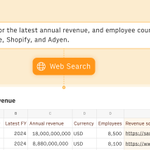
AI Analyst 6.4 with Web search 🌐
You can now ask AI to look up data on the web or scrape a URL to create a table in Rows or enrich an existing one.
Chat feedback 👍👎
At the end of every AI thread, you can now give quick feedback with thumbs up/down icons.
File preview 👁️
When you import a PDF or image, the original file is now stored directly in your table.
This lets you preview or open it and easily compare it side-by-side with the extracted data, so you can verify accuracy without switching contexts.
Merge cells 🧬
You can now merge two contiguous cells into one.
Just because you all asked for it.
Scale colors 🌈
You can now apply color scaling to your columns, setting different backgrounds based on the value distribution.
Or use manual formulas, like PERCENTILE, to set up formatting rules.


Welcome, Claude. Seriously.

Claude in Excel is now available on Pro plans.
Claude now accepts multiple files via drag and drop, avoids overwriting your existing cells, and handles longer sessions with auto compaction.
Get started: claude.com/claude-in-excel
Hello, File Preview 👋
A simpler way to audit your PDF and image extractions.
Importing PDFs or images now keeps the original file in your table, so you can preview it, open it, and compare it directly with the extracted data.
Also available in the cell context menu (right-click → Insert file).


Introducing AI Analyst 6.4 with Web Search 🌍
AI Analyst can now search the web and scrape URLs.
Turn online data into structured tables you can analyze, join, and model.
Prompt away.

new year, new you.
in 2026, automate your data analysis work

First Monday of the year.
You want to look good.
Show a quick summary of the website traffic over the holidays.
Something you can copy-paste to Slack.
Try this in @RowsHQ:
Go to GA4 and do a quick summary of the traffic of [your website] over the holiday period (total numbers, top sources, top pages), and compare it with the same period in 2024.
Summarize it into a textbox into something I can copy-paste to Slack

2025 was the year AI ✨ truly arrived for business teams, and we were right there making it happen.
The numbers speak for themselves: we doubled our user base, and reached 30,000 active teams using Rows weekly.
But what matters most is that we moved significantly closer to our mission: giving business teams full autonomy over their data.
We did this by focusing on how teams ingest unstructured data, generate code-level insights, automate key workflows and build models from scratch. All with natural language.
We shipped A TON of new features, here are the highlights:
The AI Analyst 🧠 got smarter and faster. It now:
- 🔗 Connects with third-party data integrations
- 🐍 Executes Python scripts & builds exotic charts
- 🏗 Builds from scratch complex models and calculators
- 🔘 Rolls back easily with checkpoints
- ⏭️ Automates workflows with Replays
- 🦠 Works directly in the cell
- 💬🛠️ Can switch between ‘Build’ and 'Chat' mode
We introduced Rows Vision, a new way to ingest unstructured data:
- 📄🖼 Turns batches of PDFs and images into editable tables
- 🖋 Follows your own custom instructions
- 🔌 Is available also via API, Make, and Zapier connectors
We shipped many productivity boosts, including:
- ⚡ Faster formulas and key operations
- ✏️ Text boxes for richer reports
- 📥 Import tables from other spreadsheets
- ☁️ Google Drive integration
- ⏱️ Automated time comparisons in Data Tables

Rows retweeted
Use this prompt to do a Year in Review for your personal website or blog in @RowsHQ
"Imagine that you are doing a 2025 Year in Review analysis for my blog [website domain]."
Pull data from GSC and GA4 and create my Year in Review.
Import the data, summarize it, and give me the main insights in a Spotify Year in Review style."
here's mine:
Rows retweeted
Over the last two weeks, we’ve been quietly adding new capabilities to the Analyst. One of my favorites is turning the Analyst into a Stock/Crypto Analyst.
In this example, I’ve asked it to compare the Airbnb vs Booking stock performance this year.
And just with that prompt, it:
- Imports the stock price.
- Adds a column with base-100 calculation
- Creates a chart with the stock price per day, and head-to-head at the same base.
- Changes the chart color to match the brand colors.
If you’re a solo trader or a financial institution, here are a few other prompts you can try:
1. What’s the current correlation between Bitcoin and the NASDAQ-100?
2. Plot the stock price of Microsoft since January 1, 2015.
3. Plot Bitcoin’s price over the last 2 years with daily candles.
4. Overlay Tesla’s stock price with the NASDAQ index since 2020.
5. Plot Ethereum’s price since the Merge and highlight major volatility spikes.
6. Show 50-day & 20-day moving averages for AMD and identify golden/death crosses.
7. Plot RSI, MACD, and Bollinger Bands for Meta (META) for the last 6 months.
8. Is Shopify trading above or below key Fibonacci retracement levels from its last major swing high?
Let me know how it works! We’re investing in adding new capabilities to the analyst every day.
🔌New: Rows Vision now works with Make & Zapier!
⚡ Automate data-extraction workflows at scale, in seconds.
Charts, tables, invoices… turn PDFs and Images into structured data you can actually use, and save yourself hours of manually copy-pasting data to a spreadsheet.
Live on:
- Zapier: zapier.com/apps/rows/integra…
- Make: make.com/en/integrations/row…

Rows retweeted
@RowsHQ read unreadable documents.
Like this supermarket invoice!!!
If it can extract data from this, it can basically extract it from any document.
(now also available via API)

Recent Instructions 👓
You can now easily access and reuse the Rows Vision instructions from PDF and image uploads.
Get started quickly with our video tutorial and guide:
📹 youtube.com/watch?v=psWm5ZkT…
📖 rows.com/docs/using-rows-vis…
