

Helping you with reading your books on iOS. Now available! Crafted by @FrankSolleveld and @klemensstrasser.
- Tweets233
- Following4
- Followers371
- Likes241



ALT Bento style promo graphic of PocketShelf. The center shows the app icon and logo, with the slogan: "Track your reading. Remember what matters". Other items show: "Read with Calming sounds", "Track all your Books", "AI summaries of your reading Notes", "Designed for Liquid Glass", "Create a Glossary" and "100% indie made"


ALT PocketShelf on an unfolded iPhone Duo, using both screens. The left screen shows a reading timer for The Hobbit at 2:32, from page 26, with a pause button. The right screen shows a “Where You Left Off” recap of the story so far and a glossary entry for the Eagles, with buttons for voice and written notes.

ALT PocketShelf on iPhone Duo during a reading session of The Hobbit, where the iPhone Duo is in standing (laptop like looking) mode. The book cover sits above a large timer showing 2:18, started from page 26. Below are an ambient sound picker set to None, a large pause button, and buttons for voice and written notes, all on a forest green background.


ALT Sunset view from a beach bar on the Adriatic coast. The low sun glows above a distant tree-covered headland, casting a golden reflection across the choppy blue sea. In the foreground, red and yellow bar stools stand beside a stone wall lined with red geraniums, and an orange-and-white life ring hangs from a wooden post

ALT App Store featured listing for PocketShelf: TBR Book Tracker, subtitled 'Sync your data with iCloud.' The preview artwork shows an illustrated girl in a blue skirt running with an open suitcase spilling books, set against a pastel pink sky with clouds.


ALT Five App Store screenshots for PocketShelf on a deep blue background with teal accents. The first panel reads "Track your Books" with a "What previously happened" card summarizing The Fellowship of the Ring, plus an "App of the Day" badge. The second shows an iPhone with Currently Reading titles including Born a Crime, Onyx Storm, and Wuthering Heights. The third highlights the note-summary feature and reading progress for Dune at 3%. The fourth shows an Apple Watch playing calming ocean sounds alongside The Odyssey. The fifth displays a glossary for The Hobbit with entries for Hobbiton, Erebor, Hobbits, and The One Ring.


ALT Screenshot showing an article on the App Store. Text above says: "With these apps, you can plug in your preferences and find great recommendations that will keep you interested. You can also track your progress through your reading stack, motivating you to keep turning those pages". Below are five apps: PocketShelf, Goodreads, StoryGraph, bookie and Bookly.


ALT Promo graphic showing the PocketShelf logo on top over the app icon. At the bottom is the text "150 Subscribers!"

ALT Promo graphic for the New Years sale. The left side shows the PocketShelf App icon over the PocketShelf logo. Underneath is the text: New Years Sale, 50% off the first year. On the right side is an iPhone showing the book Atomic Habits in PocketShelf, overlapping an iPad with PocketShelf running on it.

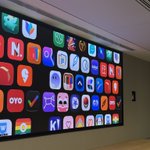
ALT Screenshot of an App Store Feature called “26 Apps for 2026”. It starts with a big graphic featuring an orange square with '26' and a magnifying glass, surrounded by icons like a basketball, light bulb, and music notes. Underneath is a row of app icons, including the one of PocketShelf, ChatGPT and Strava The text underneath says: “Ah, 2026, the year that sounded so futuristic not too long ago. Time moves fast, however, and that's why us App Store Editors are here to help you get the most out of what we're given. We've chosen 26 apps for you to hit the ground running and achieve the goals you set. Here's to an incredible 12 months!”

ALT Screenshot of the feature section in this article about PocketShelf. It says: PocketShelf Hands up - whose resolution is to read more? If you raised your hand, PocketShelf is for you. This nifty book tracker helps you keep a neat record of the time that you spend reading, where you are in any given book, and the notes section allows you to summarise what happened in your last reading sessions. Great for readers who might get a little sidetracked from time to time.