

I've been riding bicycles for the mind since 1982. I still haven't fallen off. @onegeekarmy@mastodon.social
Belgium
Joined May 2011
- Tweets896
- Following251
- Followers259
- Likes1.3K





Jean-Michel Durand retweeted

Time to finish up the PowerBook 160 with a BlueSCSI kit from @OneGeekArmy!
This card does SCSI solid state storage and SCSI ethernet emulation (which means Wi-Fi support for this 1992 machine). I’ve never soldered castellated joins before; they’re pretty fun!


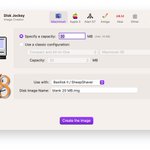
Disk Jockey v3.4 is out!
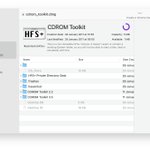
It now understands HFS+ and lets you extract files from it (preserving resource forks, of course).
Speaking of resource forks, did you know ProDOS supported them through Extended Files? Well, DJ does too, now. Unleash your HyperCard for IIgs stacks!

And of course, there are little quality of life improvements all over the place (like file pickers to help you better organise the files DJ creates).
Grab it here:
diskjockey.onegeekarmy.eu
Disk Jockey Jr 2, the command line Disk Jockey, is also out!
It's been completely revamped and allows you to run (and automate) your disk image creation, analysis and conversion.
For the first time, it's available for Linux (x86_64 and arm64)!
diskjockey.onegeekarmy.eu/dj…


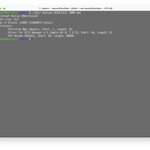
Disk Jockey for macOS 3.2 is out. You can now export the structure of your disk images as a JSON file for further analysis and use.
diskjockey.onegeekarmy.eu
But wait...
... is that a penguin?!

Thanks for the boost!

Further in this issue
📰 buttondown.email/PixelProphe…
@lizaledwards
@mreliptik
@onegeekarmy
@backblaze
@UncrankdPD
@XaniaLasagna
@yaazarai
@LukePlunkett
@edzitron
@MrLovenstein
among others
(2/2)
Disk Jockey for macOS v3.1 is out, with a little treat for the Atari ST fans: DJ now understands images in the MSA format, allows you to retrieve files from them and also to convert them to regular .ST images.
Enjoy!
diskjockey.onegeekarmy.eu


It's a #marchintosh miracle! Disk Jockey v3 for macOS is out!
It can now create disk images for many old machines! Atari ST! Amiga! Apple II! Akai samplers!
And its image analyzer is much smarter and knows a bunch of new image formats too! It can even export whole directories.


Jean-Michel Durand retweeted

I assembled and tried MSX Beer202 for the 1st time, but the CF card adapter inserted on top had bad solder for IDE pin from AliExpress, It was a terrible solder. Fixed and works OK…
#KerosMacMods #MSXBEER


Jean-Michel Durand retweeted
I redid the design "VGA card for AppleII" because PCB companies have a size limit of 100 x 100 mm for making PCBs cheaply.
There are currently multiple cards including cloners, but I would like to clear them all before producing.
#KerosMacMods #AppleIIVGA

Jean-Michel Durand retweeted
I tested VIC-20 and #TAPuino for the very first time… Looks like I need a joystick for this.
#Commodore #VIC20 #KerosMacMods
#SMC

Jean-Michel Durand retweeted
My friend Katherine Stark reprogrammed the SmartportSD a few years ago to run TotalReplay. I ported it to Pro Mini. So small…But we plan to make it even smaller!
#AppleII #KerosMacMods #SmartportSD #SMCDAO


Jean-Michel Durand retweeted

Booting a Macintosh LC with a @BlueScsi device assembled by @OneGeekArmy 😍
Those old 90s floppy disks speaking again🥹

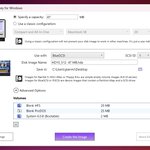
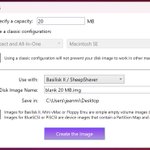
Disk Jockey for Windows has been updated!
You can now create multiple partitions on a single disk image for @BlueScsi or @realpiscsi
Disk Jockey creates blank HFS and ProDOS partitions, allows you to inject your existing volume images, and it can install a bootable System.
Disk Jockey is free and it's available here:
diskjockey.onegeekarmy.eu
And help can be found here:
diskjockey.onegeekarmy.eu/wi…

Here's a video explaining how to use the new partitioner to boot a Mac Plus from scratch with a BlueSCSI. It was made using the Mac version of Disk Jockey, but the Windows version can do it too, now.
youtu.be/iYZ_fzYy1yY


