
Writing, note taking, task and file management. All in one app. For iPad, iPhone, Mac and PC.
Salzburg, Austria
Joined January 2014
- Tweets1K
- Following28
- Followers1K
- Likes99


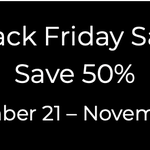

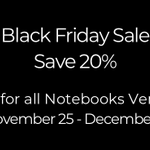
☀️ End of Summer Promotion - Get 25% discount on all versions of Notebooks. notebooksapp.com/#get-notebo…
For a limited time, enjoy a 25% discount on all versions of Notebooks! Don't miss out on this special offer and save big! notebooksapp.com
#notetaking #notes #organization
Take advantage of our Black Friday promotion and save 30% on all Notebooks products. notebooksapp.com #BlackFriday #Notes #notetaking #noteapps

Notebooks updates are ready for download. Find all the details at
notebooksapp.com/notebooks-1… and
notebooksapp.com/notebooks-3…
#Notes #notetaking #Organization #noteapps
Hi, you find all the details and a trial version of Notebooks for macOS at notebooksapp.com/mac
15 years ago, first half of August, I started writing the first lines of code for Notebooks. We have come a long way 😀 notebooksapp.com/these-days-…
Yes, Handbook style and line spacing are the relevant settings here. Notebooks' default theme uses different margins, paddings and colors, which is why quotes look different. You have become a Notebooks expert within just a few days 😉
Oh, this is how Notebooks displays quotes. So in a formatted document, select the paragraph style "Quote" from the popup, in Markdown prefix the line with ">".
If you are wondering if Notebooks supports iCloud's end-to-end encryption, you find all the details in our FAQ at
notebooksapp.com/faqconc/adv… (The short answers is: Yes, it does).

Notebooks updates are ready for download. Find all the details at
notebooksapp.com/notebooks-1… and
notebooksapp.com/notebooks-3…
#Notes #notetaking #Organization #noteapps
Weekend reading: How to utilize Notebooks' storage locations. notebooksapp.com/storage-loc…
Sorry for the late response. Apple adjusted the exchange rates on its stores on May 9, and we used this date to adjust our prices too - which have have not done in a couple of years.
Über die ••• Extrataste gibt es die Option, den aktuellen Standort einzufügen. Mit dem Schalter legt man fest, ob dabei nur die Koordinaten als Text, oder auch ein Kartenausschnitt eingefügt werden.
Notebooks retweeted

@NotebooksApp - One app to do it all: Take notes, write reports, prepare lessons, manage tasks and projects. Keep records and store files, organized and linked in nested structures. - All in One Place.
Download now - bit.ly/3YbZYpL

You can use the "Share" options, or save Notebooks' Bookmarklet (notebooksapp.com/ios/import/…). Then there is copy/paste/drag/drop in multiple formats, but this is probably not what you are looking for 😀 All that said, providing a dedicated clipper is on our todo list.
We are pleased to announce that the Educational App Store @eduappstore has awarded Notebooks five stars in their review. educationalappstore.com/app/…
#edchat #edtech #apps #teachers

