

Leading the way in remote PC management for 33 years, NetSupport Manager is the award-winning multi-platform remote control solution from @NetSupport_Corp
United Kingdom
Joined July 2021
- Tweets846
- Following60
- Followers75
- Likes109







Remote support, without an audience
Some IT tasks involve information you don’t want displayed on the remote user’s screen.
With NetSupport Manager, you can blank the Client screen while continuing to view and work on the device remotely.

Remote support is more than screen takeover 🖥️⚡
Jumping straight into remote control disrupts user workflows. With NetSupport Manager, IT teams get a complete toolkit to diagnose & resolve issues behind the scenes first.
👉 Try it today: buff.ly/gagfmW3
#ITSupport

A support session you can revisit
Need a record of what happened during a remote support session?
NetSupport Manager’s Replay Files can record screen, keyboard and mouse activity during a remote-control session, ready to be played back later.
Watch at: buff.ly/NAZvOSf

What’s actually installed on this PC?
NetSupport Manager lets your IT team remotely view hardware and software inventory, installed applications and OS hotfixes, helping technicians get the information they need before they start troubleshooting.
buff.ly/ssq4rZg

Always nice to hear good things about NetSupport Manager 👏
‘NetSupport Manager has always been one of our top choices for on-premises remote support.’ PC PRO 2026
It’s great to see NetSupport Manager still being recognised as a trusted option for IT teams.
#RemoteSupport
No desk visit required.
With NetSupport Manager, technicians can diagnose and resolve many IT issues remotely, whether the user is down the corridor, on another floor or at another site.
Sometimes the quickest route to a user's desk is not going there at all.


Remote support or remote systems management? There's a difference. 👇
Basic remote support often looks like this:
Connect → view → control → disconnect.
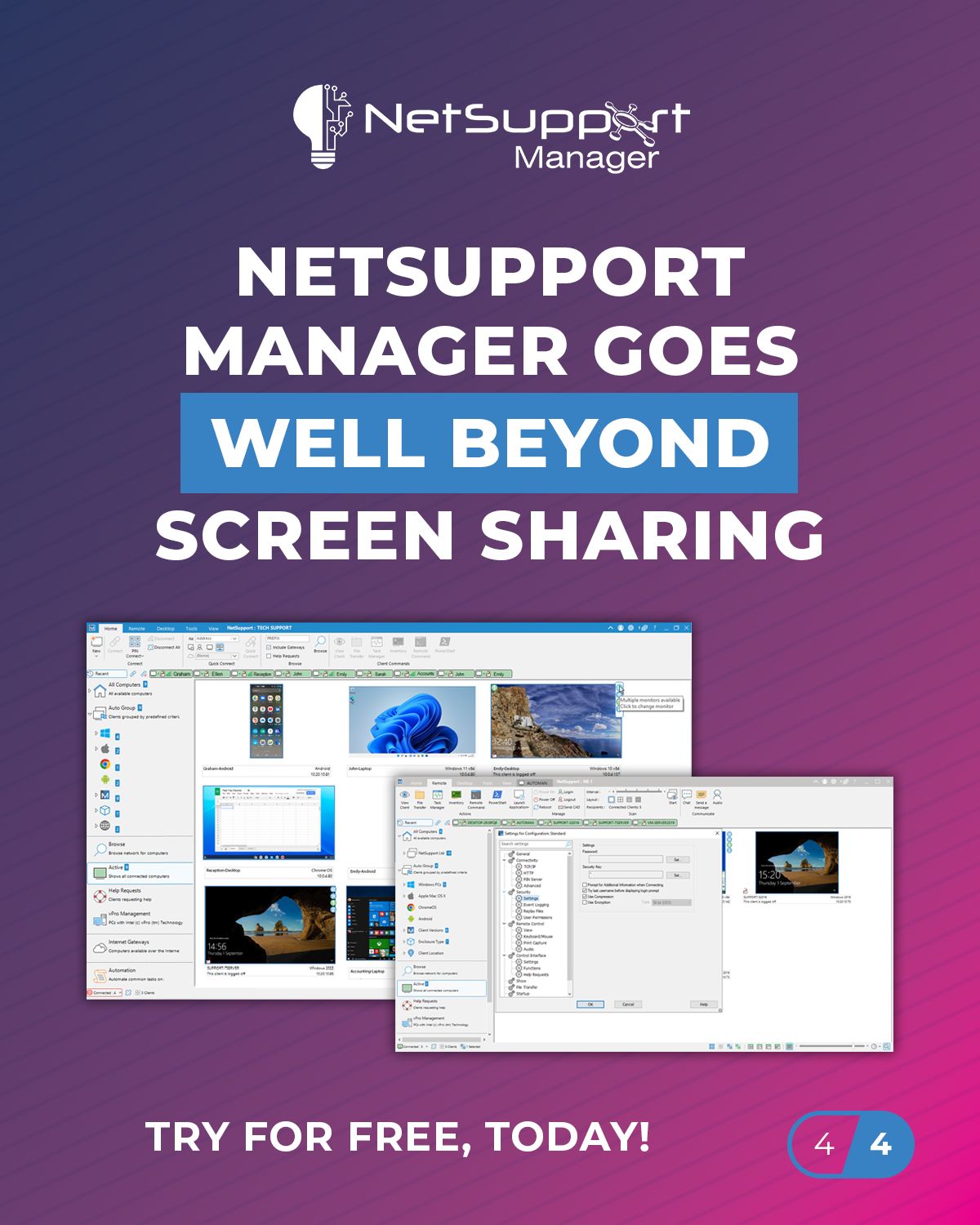
NetSupport Manager goes much further:
Monitor → diagnose → control → automate → distribute → communicate → audit.


Before you let someone remotely control a company PC, there are a few questions worth asking.
That's why NetSupport Manager includes layers of security and control to help organisations decide who can connect, what they can do and how remote activity is managed.


Long before remote and hybrid working became the norm, NetSupport Manager was helping technicians connect to computers, troubleshoot issues and keep organisations running.
37 years of developing remote control technology.
#NetSupportManager #RemoteSupport #ITSupport
IT support doesn't always have to interrupt the working day.
With NetSupport Manager, technicians can carry out a range of management tasks remotely in the background, while the user continues working.
Less disruption for employees. More efficient support for IT.
#ITSupport
It’s been a busy few days for the NetSupport team in Chile!
We’ve been meeting with partners, customers and organisations from across the region, discussing current IT challenges and exploring how our solutions can support teams in their operations.
#ITManagement #RemoteSupport


Need to send the same file to 100 PCs?
Don't do it 100 times. 📁
With NetSupport Manager, you can distribute files and folders to multiple workstations simultaneously, saving IT teams from repeating the same task device by device.
#NetSupportManager #ITSupport #ITManagement

Remote support doesn't have to mean putting another service in the cloud. ☁️
With NetSupport Manager, you can keep your remote support infrastructure under your organisation's control.
Remote support. Your infrastructure. Your rules.

Not every IT fix needs to interrupt the person using the PC.
With NetSupport Manager, technicians can remotely:
⚡ Run PowerShell
💻 Open Command Prompt
⚙️ Manage processes and services
📦 Check hardware and software inventory
📁 Transfer files
🔄 Restart devices

With NetSupport Manager, IT teams can connect to and interact with multiple devices simultaneously, while Monitor Mode gives you real-time thumbnails of connected screens so you can quickly see where attention is needed.
View, scan, switch and support multiple devices at once.

Did you know? If you use NetSupport Manager, you already have NetSupport School included for free in your installer!
Upgrade your onboarding, training and workshops with powerful, built-in features. Learn more and explore the features: buff.ly/Dn7nMuu
#StaffTraining

Remote support doesn't stop at viewing a screen.
With NetSupport Manager you can do more...
✔️ Restart or power off devices remotely
✔️ Wake sleeping PCs with Wake-on-LAN
✔️ Run PowerShell commands
✔️ Redirect print jobs to PDF for troubleshooting
#RemoteSupport #PowerShell
You can't fix what you can't see.
NetSupport Manager lets you remotely view hardware specifications, installed software, OS updates, running processes and system services, all without interrupting the user.
Get the information you need before you start troubleshooting.
Many organisations still choose on-premise remote control to meet security, compliance and data governance requirements. For sectors such as healthcare, finance and government, keeping remote support within their own environment offers greater control and peace of mind.
