

The official account of Microsoft Customer Service & Support; YouTube: https://xitter.cf/t.co/c3H7DRI9rL│Support community: https://xitter.cf/t.co/iJ33w2eGkt
- Tweets532K
- Following57
- Followers591K
- Likes1.3K




ALT Text: HOW TO FOLLOW A GAME ON YOUR XBOX CONSOLE 1. Highlight the most recently played game, press the Menu button on your controller 2. Select Game card > Go to official club 3. Under the Welcome tab, select Add to Home Image: Partial screenshot of a game title's official club page with "Add to home" highlighted




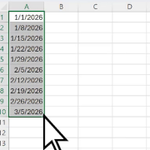
ALT Bracket in Microsoft Excel. Text reads "Make a sweet little bracket using Microsoft Excel."

ALT Text: ADJUST PLACEMENT OF TOUCH CONTROLS ON CLOUD GAMING Image: Xbox cloud icon

ALT Text: 1. Launch a game that supports touch controls. Look for the touch icon on the game Image: Screenshot of the mobile app with various game titles shown with the touch icon highlighted

ALT Text: 2. Tap the controller icon in the upper-left corner of your screen (next to the Xbox button) Image: Screenshot of a game played on mobile with the Controller icon highlighted

ALT Text: 3. Make your customizations using touch gestures; when done, tap the Confirm button in the upper-left corner Image: Screenshot of a game played on mobile with touch gesture options shown with the Confirm button highlighted


ALT Text: HOW TO ENABLE HIGH CONTRAST ON A WINDOWS PC 1. Select the Start button, and then select Settings > Accessibility > Contrast themes 2. To turn on contrast themes, select the theme you want from the Contrast themes drop-down menu, and then select the Apply button 3. To turn off contrast themes, select the None option from the Contrast themes drop-down menu, and then select the Apply button Image: Screenshot of the Contrast themes menu on a Windows 11 PC


ALT Text: XBOX WIRELESS CONTROLLER ON WINDOWS DEVICES Things to keep in mind: If you’re using an Xbox Series X|S, Xbox Elite Wireless Controller Series 2, or Xbox Adaptive Controller, connect your controller by using a USB-C cable. If your Windows device can’t detect your controller after waking up from sleep, press the Xbox button on your controller to turn it back on, or unplug it from your device then plug it back in. Image: Render of a black Xbox Series controller


ALT Image: Partial screenshot of a game's information card with the HowLongToBeat metrics shown


