








ALT The Dart logo and the word "Dart" are positioned on the left, separated by a vertical line from an orange circle icon containing curly braces and dots followed by the text "Cloud Functions" on the right. This graphic represents the integration or support of the Dart programming language within Google Cloud Functions.


ALT Top 3 Folders for Agentic AI coding in Flutter ai_??? ai_specs ai_docs



ALT Tired of doing this manually? android { namespace = "com.example.test_3_27" compileSdk = flutter.compileSdkVersion - ndkVersion = flutter.ndkVersion + ndkVersion = "27.0.12077973" compileOptions { - sourceCompatibility = JavaVersion.VERSION_1_8 + sourceCompatibility = JavaVersion.VERSION_17 - targetCompatibility = JavaVersion.VERSION_1_8 + targetCompatibility = JavaVersion.VERSION_17 } kotlinOptions { - jvmTarget = JavaVersion.VERSION_1_8 + jvmTarget = JavaVersion.VERSION_17 } ... } # Script to update Gradle, Java and other Android project settings in a Flutter project # See: https://gradle.org/releases/ DESIRED_GRADLE_VERSION="8.9" # Build errors often show the required Java version DESIRED_JAVA_VERSION="17" # See: https://developer.android.com/ndk/downloads DESIRED_NDK_VERSION="27.0.12077973"




ALT Initial Setup: 1. Run `brew install fastlane` (on macOS) 2. Run `fastlane init` from the ios folder 3. Configure `Appfile` with your Apple credentials 4. Add a lane to the `Fastfile` default_platform(:ios) platform :ios do desc "Upload screenshots to App Store Connect" lane :upload_screenshots_and_metadata do upload_to_app_store( skip_screenshots: false, skip_metadata: false, skip_binary_upload: true, ) end end How to Upload: 1. Update the screenshots 2. Save the changes to git 3. Run the lane fastlane upload_screenshots_and_metadata Once done, all the screenshots will be uploaded to App Store Connect! 🚀 Android setup is very similar: - Run fastlane init inside the android folder - Use the upload_to_play_store action in the Fastfile


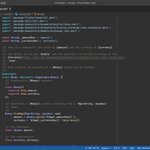
ALT class AppListTile extends ConsumerWidget { const AppListTile( {super.key, required this.totalTasksCount, required this.app}); final int? totalTasksCount; final App app; @override void debugFillProperties(DiagnosticPropertiesBuilder properties) { super.debugFillProperties(properties); properties.add(DiagnosticsProperty<App>('app', app)); properties.add(IntProperty('totalTasksCount', totalTasksCount)); } @override Widget build(BuildContext context, WidgetRef ref) { ... } }
![Text(
currentTimeFormatted,
style: const TextStyle(
// Set this font feature to ensure all digits are rendered with a fixed width (monospace)
// Useful when showing numbers or dates that update in realtime
fontFeatures: [FontFeature.tabularFigures()],
fontFamily: "Roboto",
fontSize: 48,
fontWeight: FontWeight.w700,
),
)](https://pbs.twimg.com/media/Ge7sRWGXQAINgoq.png?name=orig)
ALT Text( currentTimeFormatted, style: const TextStyle( // Set this font feature to ensure all digits are rendered with a fixed width (monospace) // Useful when showing numbers or dates that update in realtime fontFeatures: [FontFeature.tabularFigures()], fontFamily: "Roboto", fontSize: 48, fontWeight: FontWeight.w700, ), )