

Leading independent provider of school support services across the North West. Curriculum consultant and computing specialist 💻
Joined January 2023
- Tweets153
- Following61
- Followers22
- Likes124





Today at @stannestanley1 Year 4 have started to choose their images that they are going to use in front of our green screen. We also explored titles and sounds in iMovie.

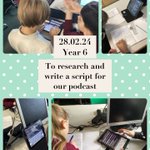
Today at @stannestanley1 Year 6 have started to research topics for their podcasts. They then started to write heir scripts for it, focus@ing on making it sound natural!

Today at @stannestanley1 Year 1 have started their robotics unit. We practiced inputting simple commands in the Bee-Bot app and coding safari before using the Beebots in our next lesson!

Yesterday at @teresaoflisieux Year 4 and 5 did some activities all themed around #SaferInternetDay2024. We spoke about how to inspire change in how we use technology and had a great time doing activities around this.


Today at @teresaoflisieux Year 3 have been continuing to learn about algorithms and they explored a new website today, Micro:Bit. We talked about how it is similar to other coding programs such as Scratch. @MGLWorldNews

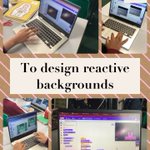
At @teresaoflisieux Year 6 have been working on designing reactive backgrounds for a space invaders game in Scratch. They customised their backgrounds and coded them to change including sound. Well done! @MGLWorldNews

On Wednesday at @stannestanley1 Year 4 looked at inputs and outputs and how these can be used in coding. We used the arrow keys on the keyboard for our input and made our sprite move got the output. Well done!

On Wednesday at @stannestanley1 Year 6 designed some reactive backgrounds for a space invaders game. They customised their backgrounds and coded them to transition. Well done! @MGLWorldNews

On Wednesday Year 1 at @stannestanley1 worked on understanding what an algorithm is using some instructions to draw a character and also using code.org! Well done! @MGLWorldNews

Today at @teresaoflisieux Year 3 have spent this lesson understanding what algorithms are and why sequencing is important in programming. We spoke about algorithms we use in everyday life and why they need to be followed in order. @MGLWorldNews

Yesterday at @stannestanley1 Year 4 started their new unit on Scratch which will be focusing on designing a game using repeat loops. In this lesson we focused on what inputs we can use to control our sprite in our programmes. @MGLWorldNews

Today in @stannestanley1 Year 6 have started their new unit of work on programming a game in Scratch. They designed different backdrops for their game and programmed them to switch before their game started. A brilliant start well done! @MGLWorldNews

Today at @stannestanley1 Year 1 have been introduced to algorithms. We discussed instructions and how they need to be precise. Then we practiced our skills on code.org! @MGLWorldNews

Yesterday at @teresaoflisieux Year 5 explored the Micro:Bit website for the first time. We talked about how it is similar to Scratch and block coding and programmed the Micro:Bit to display a simple message. @MGLWorldNews

Today at @teresaoflisieux Year 4 explored inputs and outputs and how we can relate this concept to coding with Scratch. We used our input of the keyboard to create an output of the sprite moving on the screen. Well done! @MGLWorldNews

Today at @teresaoflisieux Year 3 developed their coding skills even further by looking at coordinates. We discussed how coordinates can be used to move our sprites and we created our own unique animations including different ways of moving. Well done! @MGLWorldNews

Today at @teresaoflisieux Year 6 looked at different coding platforms including Edublocks and hour of code as well as delving in to the world of AI. It was a great interactive lesson with lots of exploration, well done! @MGLWorldNews

Today at @stannestanley1 Year 3 worked on their coding skills by exploring sounds on scratch. We looked at how we can incorporate sound in to our code and also made a musical band. Well done! @MGLWorldNews

Today at @stannestanley1 Year 5 continued to develop their coding skills by introducing a variable to their game today. We worked through the different aspects of code together and customised our games to take off lives when we run in to the bad guy! Well done! @MGLWorldNews

Today at @stannestanley1 Year 1 explored using some of the different buttons on the keyboard. We used the different keys to make capital letters, spaces and we practiced this on Jit 5. We also practiced our typing skills on dance mat typing. @MGLWorldNews
