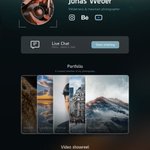
Catch every conversation that could improve your business. Free live chat, AI replies & customizable contact pages for startups, SMBs and freelancers. ↓

Palo Alto
Joined July 2026
Make it easier for users to reach you. Add live chat to your website, app, or Contact Page — and reply directly from Telegram. Free to start. No credit card required. Try Knocket: knocket.trtc.io/ #Knocket
5
398
A great portfolio usually ends with a contact form — and that's where the conversation stops. The timing is the issue: people have a question while your work is still on screen. A contact page keeps that moment. They ask, you answer from your telegram. #Knocket
7
A great portfolio usually ends with a contact form — and that's where the conversation stops. The timing is the issue: people have a question while your work is still on screen. A contact page keeps that moment. They ask, you answer from your telegram. #Knocket
1
21
One link for everything ⬇️: Chat, social profiles, store links, videos, portfolio, bookings, and offline QR codes. Start from a template or ask AI to generate a full-page draft from one sentence. Customize it with 18 flexible blocks. Free to start: knocket.trtc.io/products/con…
20
A sick video from @Ranjits41771 !!!! Thank you soooo much for contributing this.❤️
Replying to @shuoxin_wang
@shuoxin_wang I liked your product and congratulations on product Hunt launch. a small contribution from my side.
2
2
52
A little treat for the builders out there! 🎁 1,000 → 5,000 AI conversations 💜 Follow the steps in the quoted post to grab yours. 🚀
前段时间,还有个商家找我,问有没有免费的 AI 客服方案。 还真有了。腾讯出的 Knocket,把在线聊天、AI 客服、知识库和转人工,一套配齐,核心系统承诺永久免费。 一个人做生意,很容易遇到这种情况: 你在忙交付,客户来问报价;你终于睡了,海外用户刚好打开网站。 对方已经看完介绍,只想确认一句:“付费版支持批量处理吗?” 等你第二天回复,他可能已经买了别家的。 开发、推广都做了,好不容易把人带到定价页,离成交可能就差一个答案。可你总不能一天到晚守着消息。 Knocket 就能帮你先把这些咨询接起来。 给网站加一个聊天窗口,访客不用注册,就能直接发消息。把产品文档、套餐说明、常见问题放进知识库,接好模型,AI 就能根据这些资料回答。 你忙的时候,常见问题先交给 AI;需要你确认的事,再转人工接手。 几个入口的对话汇总到同一个收件箱。连好 Telegram 后,人离开电脑,也能用手机回复,消息实时回到访客那边。 套餐区别、使用方法这些问题,不用每次都从头解释。你能把时间留给需要认真聊的客户:确认需求、讨论定制、给出报价,把有机会成交的咨询继续聊下去。 可以接到哪里: • 有网站的,直接加聊天入口。 WordPress、Shopify、Webflow,以及用 React、Next.js、普通 HTML 做的网站,都可以接。前提是你有网站编辑权限,平台允许插入外部脚本。 • 有 App 的,把聊天放进应用。 iOS、Android、React Native 和 Flutter,都可以通过 WebView 接入。 • 还没网站的,先做一个联系页。 放上介绍、作品、服务和在线聊天,挂到社交主页、简历或邮箱签名里,别人看完就能来问。接设计单、做咨询、展示个人服务,也能用上。 具体上手,可以照着这五步来: ① 先配好聊天窗口 注册后进入控制台,打开 Web Widget,设置颜色、欢迎语和在线时间,开启 Live Chat,保存。 ② 把入口装到网站上 打开 Installation,复制系统生成的脚本,放到网页的 前,或者建站平台允许插入脚本的自定义代码区。 发布后刷新页面,检查聊天窗口是否出现。 ③ 把 AI 要用的资料加进去 打开 AI Agent → Knowledge: FAQ:填问题和答案,比如套餐区别、退款规则。 URL:添加公开的定价页、帮助文档。 File:上传已有的 PDF、Word、Markdown、CSV、Excel 等资料。 等状态显示 Indexed,资料才能供 AI 检索使用。 ④ 接好模型,设好接待规则 打开 AI Agent → Setting: 在 Bot 中,设置名称、欢迎语和回答规则。 在 LLM 中,选择模型服务商,填写 API Key、兼容接口地址和模型名称,点击 Test Connection。 连接成功后,开启 AI,选中要接待的网站、App 或联系页,设置全天回复或仅离线回复,再配置转人工触发词和通知渠道,保存。 ⑤ 自己当一次访客 问一个套餐问题,再输入“转人工”,检查 AI 能不能找到答案、人工能不能收到通知并接上对话。 先整理最常被问的几个问题,就可以开始用。后面遇到重复咨询,再往知识库里补。 而且,对早期产品来说,这些聊天还有另一层价值: 你终于有机会知道,用户为什么迟迟没下单。 总有人问某个功能包不包含在套餐里,就检查定价页有没有讲清楚。 有人问“能不能导出 Excel”,就多了一条具体的需求线索。 有人想买,但一直卡在使用方法上,就看看教程和上手流程是不是还不够清楚。 这些问题聊明白了,你才知道下一步该补功能、改介绍,还是把已有能力演示给对方看。 光盯着访问量,很难看到这些。 有人愿意停下来问一句,就是商机,先把这句话接住 最后还有个粉丝福利: 转发这条推文,repost / quote 都可以,通过评论区的专属入口注册 Knocket,再把注册邮箱私信给 @Knocketai,会话额度就能从 1000 提升到 5000。
2
49
Knocket | Free Live Chat & Contact Page retweeted
我给网站搭了客服,一分钱没花, 不是试用,永久免费,叫Knocket,腾讯出品的。 在线聊天、AI 客服、知识库、转人工, 别家大多按月 / 按坐席收费,而它直接打包免费。 【操作超简单】: 网站贴一行代码,聊天框直接上线。 访客不用注册,点开就能咨询订阅售后。 不在电脑前,Telegram 就能回复,消息实时给到用户。 AI 先扛,搞不定自动转我真人。 【特别适合】:独立开发者做单人出海项目, 售后沟通入口应该砍掉付费工具 评论区还有福利⬇️
14
4
2
10
2,054
That's right! Replying from Telegram will save builders time a lot. Huge thanks to @LauraLuo992 ❤️.
What I like about @Knocketai: visitors message your website, and you reply from Telegram. I'm helping bring it to more people with the @TencentRTC team. If you run a small website, how do visitors reach you today?
1
52
You heard it right! 👀💜 More conversations, more connections, more possibilities. Huge thanks to @ModengSir for sharing the love! 🎁 1,000 → 5,000 AI conversations Follow the steps above to claim your bonus!
Replying to @ModengSir
【粉丝福利】: 转发我这条内容,用我的专属链接注册 Knocket,把注册邮箱私信给 @Knocketai,会话额度就能从 1000 提到 5000。 链接👇 sc-rp.tencentcloud.com:8106/…
1
63
Big thanks to @LufzzLiz for the love! 💜 Yes, the perks are real! 🎁 Get your AI conversation credits boosted from 1,000 to 5,000 by following the steps in the original post. Can't wait to welcome you to Knocket! 🚀
Replying to @LufzzLiz
Knocket 专属注册链接:sc-rp.tencentcloud.com:8106/… 领取福利:转发本条推文(repost / quote 均可)→ 使用上面的专属链接注册 → 将注册邮箱私信给 @Knocketai。 会话额度从 1000 提升到 5000。
37
Huge thanks to you and your friends' support. ❤️
my pleasure onboarding my friends also to support this launch so that u stay at the top
1
47
We are upgrading our product. Looking forward to your genuine feedback ❤️
This sounds like a really cool idea. I'm excited to see what you all come up with.
39
Thanks for the support 🚀!
Replying to @shuoxin_wang
Yayyy. Congrats On the Launch. Upvoted :) @shuoxin_wang @Knocketai
41
Thanks for the shoutout, @AskZaratech ! Your AI tool recommendations and updates are always on point. Excited to have Knocket featured by you 🚀
Congrats on the milestone and Product Hunt launch
39
Really appreciate the support, @AliceInfoAi ! You’re one of the best people to follow for discovering useful AI tools and keeping up with what’s happening in the space. Thanks for sharing Knocket with your community 🙌
Huge congrats on 1,500 users and the Product Hunt launch what a milestone!
1
42
Knocket | Free Live Chat & Contact Page retweeted
knock knock at ai
1
1
30
Knocket | Free Live Chat & Contact Page retweeted
1500 users and Product Hunt launch is massive milestone, congrats
1
1
1
21
Huge thanks for the congrats. We are preparing for the next milestone. 🎉
Congrats on crossing 1500 users and best of luck for the Product Hunt launch
28
Knocket | Free Live Chat & Contact Page retweeted
Congrats on crossing 1500 users and best of luck for the Product Hunt launch
1
1
44
We're live on Product Hunt 🚀 Knocket: one inbox for every message — from your website, your app, or a shareable link. If you like what we're building, we'd love your support: Share your feedback — we build from what you tell us ✉️ #Knocket
2
132