





Networking in the homelab hypervisor is one of the more interesting aspects of the solution that includes sites, subnets, virtual routers, and even a custom OpenFlow SDN controller. greenreedtech.com/homelab-hy…
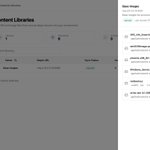
Working on the syncing capability of the home lab hypervisor to sync content like ISOs from a stateful system that allows the hypervisor to be ephemeral in nature.

Finished wiring up the guest agent for the homelab hypervisor to report status, operating system, and ip address. Also finished up the terraform provider to provision new instances.


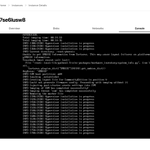
Added flow logs to the homelab hypervisor to quickly see what ports and protocols a given application being tested is using.

More updates to the homelab hypervisor including downloading popular cloud images and snippets which can be used when provisioning new instances for things like ipxe scripts, cloud-init scripts, and more.


Install Nutanix community edition nested on the homelab hypervisor for some migration testing. Having an extremely lightweight virtualization solution makes tinkering infinitely easier.


Finally got cloud-init working with the metadata service in the homelab hypervisor. Setting the hostname and running user data scripts.

Spent time getting the network visualizer in the homelab hypervisor working. Now I can quickly see what subnets a VPC has and what instances are connected to those subnets.

Working on adding network visualization to the homelab hypervisor to quickly see what subnets I've got workloads connected to while working on OpenFlow flows.

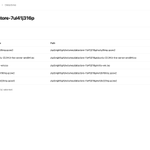
Added support for browsing the datastore files for the homelab hypervisor to simplify file management.

I would argue all VMware replacement conversations should start with what applications the business needs to run. The features and ecosystem support the workloads running on the virtualization platform. Do dev and test workloads need data protection or HA?
Speed has been the focus of the homelab hypervisor that I've been working on and being able to go from not installed to ready to run virtual machines in a matter of seconds accomplishes the goal. The OS installation is stateless and I usually run it from a USB on real hardware.
More UI work on the homelab hypervisor. Just removed the need for a separate VNC client with a built-in VNC client in the UI.

Iterating on the Terraform provider for the custom homelab hypervisor. The stateless hypervisor and lightning fast deployment allow for spinning up VMs for testing extremely quick and easy.


New hardware is in for the homelab and the first test for the custom hypervisor is nested Nutanix AHV for migration testing. Next up are HPE Morpheus VM Essentials and Red Hat OpenShift w/Virtualization.


Finishing up development on the homelab hypervisor before the new hardware arrives in a few days and adding a Terraform provider for good measure.

Adding more capabilities to the homelab hypervisor to automate the creation of virtual machine templates. The hypervisor now natively hosts the kickstart files that are defined during the creation of the instance.


