

Connecting schools and MATs with 300+ ICT suppliers through a clear, compliant and supported procurement service.
England, United Kingdom
Joined September 2014
- Tweets2.4K
- Following541
- Followers774
- Likes810






The proposed national data spine could change how schools share pupil information.
Find out what it could mean for MIS contracts, data protection and ICT planning, plus steps schools can take now.
#SchoolICT #EducationTechnology #SchoolLeadership

A cyber incident in a school can quickly become an operational crisis. Email, finance, safeguarding and teaching may all depend on the same digital infrastructure.
Government research continues to show where that exposure often begins. Phishing remains overwhelmingly the most commonly reported threat among schools, and one compromised account can give an attacker a route into wider systems.
Three areas deserve particular attention:
⚠️ Phishing
Convincing emails can lead staff to share their login details. Regular awareness training helps staff spot phishing attempts, while multi-factor authentication (MFA) makes stolen passwords harder to misuse.
⚠️ Unpatched systems
Unsupported hardware and software, alongside delayed security updates, can leave known vulnerabilities exposed.
⚠️ Third-party access
Suppliers and external support teams often need access to school systems. Access should be limited to what is needed and revoked as soon as it is no longer required.
A serious cyber incident can take key systems offline and create a long, complicated recovery process.
School leaders should know who owns cyber risk, which protections are in place and when the response plan was last tested. These are governance questions with practical answers.
Our cyber security checklist gives school leaders a clear place to start:
everythingict.org/resource/c…
#CyberRisk #Ransomware #SchoolCyberSecurity #SchoolLeadership #CyberSecurityAwarenessMonth

A lot can change in half a term. AI has changed more than most.
KCSIE 2026 is now in effect, with greater attention on the safeguarding implications of generative AI. Ofsted’s updated school inspection toolkit is also in use, with clear expectations around leadership and governance.
At the same time, staff may have discovered useful AI tools that are not yet on the approved list or covered by the school’s data protection checks. AI tutoring tools may also be entering the conversation.
So, would your current policy help you make a confident decision about a new tool tomorrow?
Before half-term, it is worth checking:
• Who approves new AI tools?
• When is a DPIA needed?
• Do staff know what information must never be entered?
• Is responsibility for oversight and review clear?
• Does the policy reflect current safeguarding guidance?
A focused 30-minute review could be enough to spot the most urgent gaps and agree what happens next.
Our AI Policy Considerations guide is a practical starting point for reviewing what you already have:
everythingict.org/ai-policy-…
#AIPolicy #AIGovernance #KCSIE #SchoolLeadership #Ofsted

Planning your next school ICT purchase? Frameworks can save time, but the right route depends on your budget, requirements and supplier choice.
Find the right route for your school or trust.
#SchoolICT #SchoolProcurement

If your filtering and monitoring setup was last reviewed two years ago, it is worth another look. The DfE guidance has moved on.
Three priorities are especially relevant for IT teams.
1️⃣ AI is now part of the review
Schools should consider how their systems handle real-time, dynamic, personalised and AI-generated content. If generative AI tools are being introduced, check where content is created and what your current controls can actually see.
2️⃣ Monitoring needs a clear response process
The standard expects weekly reports that highlight incidents, with immediate reporting for anything classed as high risk. Make sure someone owns the review, knows when to escalate and records what happened next.
3️⃣ Reviews need to be regular and recorded
Filtering and monitoring should be reviewed at least once every academic year. SLT, the DSL, IT support and the responsible governor should all be involved. A further review may be needed when new technology, major software updates or network changes are introduced.
A system can be working exactly as configured and still need a rethink because the risks, technology and guidance have changed.
Our guide looks at filtering and monitoring within the wider DfE digital and technology standards:
everythingict.org/reviewing-…
#Filtering #OnlineSafety #KCSIE #DfEStandards #SchoolICT

Hidden dependencies are tricky because they often sit outside normal refresh conversations. Nobody has needed to think about them.
Until one fails.
It could be the ageing server quietly handling a cloud MIS connection, the only workstation capable of running specialist CAD software, or the core switch that has routed the network since 2013.
When one of these devices stops, the problem rarely stays contained to one box. Staff may lose access to the MIS, a department may lose a key part of its curriculum, or the whole network may go offline.
Before the next budget round, it is useful to ask: which devices support critical services, and what would recovery look like if one failed tomorrow?
That gives IT teams a chance to map the risk and gives SLT time to plan, budget and make decisions without the pressure of an outage.
Read more about moving from reactive replacement to a sustainable device strategy:
everythingict.org/is-your-sc…
#SchoolICT #ICTStrategy #DeviceLifecycle #NetworkResilience #SchoolIT

Work experience for pupils, digital skills for families and refurbished devices for communities. School ICT contracts can offer all three.
Our latest blog shares ways to agree and track social value commitments with suppliers.
#SchoolICT #SocialValue

A cyber incident in a school can quickly become an operational crisis. Email, finance, safeguarding and teaching may all depend on the same digital infrastructure.
Government research continues to show where that exposure often begins. Phishing remains overwhelmingly the most commonly reported threat among schools, and one compromised account can give an attacker a route into wider systems.
Three areas deserve particular attention:
🔹 Phishing
Convincing emails can lead staff to share their login details. Regular awareness training helps staff spot phishing attempts, while multi-factor authentication (MFA) makes stolen passwords harder to misuse.
🔹 Unpatched systems
Unsupported hardware and software, alongside delayed security updates, can leave known vulnerabilities exposed.
🔹 Third-party access
Suppliers and external support teams often need access to school systems. Access should be limited to what is needed and revoked as soon as it is no longer required.
School leaders should know who owns cyber risk, which protections are in place and when the response plan was last tested.
Our cyber security checklist gives school leaders a clear place to start: everythingict.org/resource/c…
#CyberRisk #Ransomware #SchoolCyberSecurity #SchoolLeadership #CyberAwarenessMonth

Less chasing suppliers. Less time gathering quotes. More time for your school.
Everything ICT takes care of your ICT procurement, with a personalised service built around your requirements.
We manage the process and keep you informed, so you can make decisions without having to do all the work behind them.
And through our partnership with @Ecologi_hq, every accepted quote helps fund tree planting. 🌱
Find out how we can help: everythingict.org/
#ICTSupport #SchoolProcurement #EducationTechnology #Ecologi

Where does AI fit into the new Ofsted report card?
AI has no separate grade, but how schools manage it can inform inspectors’ evaluation of leadership, teaching and safeguarding.
#Ofsted #AIGovernance
ICT procurement is an operational task and a governance responsibility.
Ofsted’s updated toolkit considers how effectively leaders and governors use resources, including digital technologies. Boards need assurance that procurement decisions are compliant, documented and offer value for money.
Five questions for your next committee or board meeting:
• Are we publishing procurement notices on Find a Tender where required?
• Are agreed social value commitments measurable and monitored?
• When do our main ICT contracts expire, and when will planning begin?
• Have we compared a suitable framework with running our own procurement?
• Are suppliers meeting their contractual commitments?
These questions can help boards identify where further assurance or support is needed.
Everything ICT helps schools and trusts compare suppliers, choose an appropriate procurement route and maintain a clear audit trail.
If you are planning an ICT purchase or renewal, contact us early to discuss your options.
#SchoolGovernance #SchoolProcurement #ICTGovernance

Better value from school ICT starts before a device is bought and continues long after.
The cheapest option upfront may cost more over its lifetime. So what should schools look for?
✅ Devices that stay secure, supported and useful for longer.
✅ Options to maintain, repair, refurbish and reuse.
✅ Suppliers who can explain ongoing costs and what happens at the end of use.
These choices can help budgets go further while reducing waste and the need for new equipment.
Extending device life can reduce environmental impact and replacement costs, provided equipment remains secure, reliable and fit for teaching and learning. Planning maintenance, reuse and timely replacement helps schools manage spending without compromising performance.
Planning your next ICT purchase? Our guide explores how schools can bring long-term value and environmental responsibility together:
everythingict.org/sustainabl…
#SustainableICT #CircularEconomy #SchoolProcurement #LongTermValue

October is Cybersecurity Awareness Month. Rather than another reminder that cyber security matters, here’s a 60-second check for your school.
1️⃣ Have you tested and logged a backup restore this term?
That means successfully restoring data—not simply checking that a backup ran.
2️⃣ Have user accounts and access rights been reviewed this term?
Dormant accounts belonging to former staff, pupils and contractors still create risk.
3️⃣ Have staff completed cyber security awareness training in the last 12 months?
It should cover phishing and how to report suspicious messages.
4️⃣ Is your cyber incident response plan current and tested?
Check that named contacts and escalation routes are correct, and that a recent exercise is on record.
5️⃣ Is MFA enabled for all staff cloud and remote-access accounts, and all IT administrator accounts?
Check email, cloud platforms, remote access, MIS and finance systems.
Your score:
✅ 5 yes answers: A strong start on these five essentials
🟠 3 or 4: Good progress, with gaps to close
🔴 0 to 2: Your priority list for October
Make this the month you close the gaps.
#CybersecurityAwarenessMonth #CyberResilience #SchoolCyberSecurity #SchoolICT #CSAM2026
A clear device refresh business case brings together the evidence, costs, risks and options governors and trustees need to make an informed decision.
We’ve brought together the main points to cover.
#SchoolICT #EdTech #SchoolGovernance #MATs

The DfE's (@educationgovuk) six core digital and technology standards for schools and colleges in England cover broadband internet, wireless networks, network switching, digital leadership and governance, filtering and monitoring, and cyber security.
Every standard matters. But a serious cyber incident can have especially severe and immediate consequences.
Broadband outages disrupt lessons. Wireless and switching weaknesses affect reliability and performance. Leadership gaps weaken oversight. Filtering and monitoring failures create safeguarding risks.
A ransomware attack can halt operations and compromise pupil data. If personal data is breached, the incident may also need to be reported to the Information Commissioner’s Office.
Five cyber checks for your school:
✔ MFA enabled for all staff accounts accessing cloud services or on-site systems remotely, and for all IT administrative accounts
✔ Centrally managed, actively monitored and up-to-date anti-malware installed on all devices
✔ Qualifying vulnerability fixes applied within 14 days of their release
✔ Backups tested and logged termly, including recovery and restoration
✔ Firewall traffic actively monitored, with alerts enabled
This Cyber Security Awareness Month, check where your school stands and close any gaps.
Find practical guidance and resources from the DfE Cyber Security Hub:
cyber-security-hub.education…
#DfEStandards #CyberSecurity #SchoolICT #CyberResilience #CyberSecurityAwarenessMonth

We know that AI is already finding its way into classrooms, staffrooms and school offices. The question now is whether everyone knows the rules for using it.
Before rolling out AI tools, schools need a clear written framework. That could be a standalone AI policy or part of existing policies.
Not as a compliance checkbox, but as practical protection for pupils, staff and the school itself.
A good AI policy framework does three things:
1️⃣ Takes away the guesswork
Which tools are approved? Who can use them? What information must never be entered? When must a person check the output?
Staff should not have to make up the answers as they go.
2️⃣ Protects pupils
AI use needs to connect with data protection, DPIAs where appropriate, and existing safeguarding procedures.
KCSIE 2026 now explicitly recognises that nude or semi-nude images may be digitally altered or wholly generated using AI, including deepfakes.
3️⃣ Makes accountability clear
Leaders and governors need oversight of how AI is being introduced, managed and reviewed.
Without clear rules, pupil data could be entered into unapproved tools, staff may respond differently to AI-assisted work, and leaders may struggle to show how risks were considered.
An effective AI policy framework does not need to be lengthy. It needs to be clear, current and understood by the people expected to follow it.
AI is moving quickly. School governance needs to keep up.
Download our free AI policy considerations:
everythingict.org/ai-policy-…
#AIGovernance #AIPolicy #SchoolLeadership #EdTech #AIinEducation

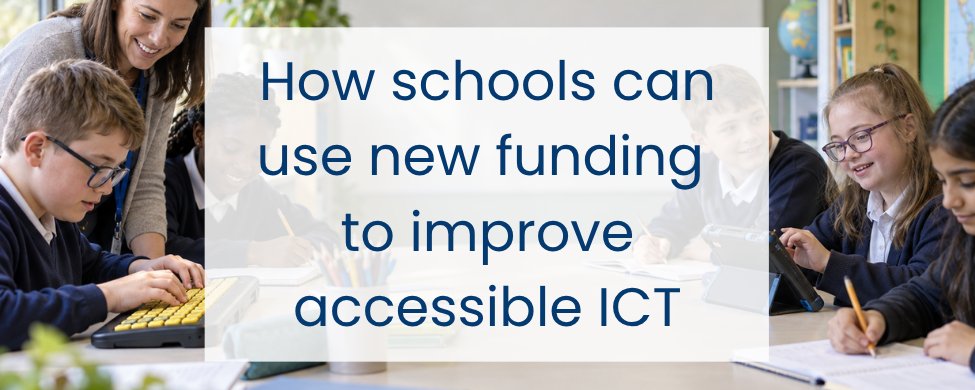
As schools plan how to use their Inclusive Mainstream Fund allocation, accessible ICT is worth exploring.
The right technology can help pupils with SEND communicate, learn and take part in school life.
#SEND #AccessibleICT #InclusiveMainstreamFund
Refurbished or new?
It’s one of the most common questions in school device procurement, and the answer depends on what your school needs.
Refurbished devices can cost around 30–50% less than comparable new equipment. They can also extend the useful life of existing technology and reduce electronic waste. For everyday tasks such as browsing, email, document creation and web-based MIS access, professionally refurbished devices can be an excellent fit.
New devices may be more appropriate where schools need the latest specifications, the longest possible lifecycle or support for demanding applications such as video production or locally run AI workloads.
Whichever route you consider, look beyond the purchase price. Think about:
🔹 Intended use and required lifespan
🔹 Security support and system compatibility
🔹 Warranty, battery condition and technical support
🔹 Whole-life cost and sustainability
Both new and refurbished devices can deliver good value. The best choice is the one that matches your specification, budget and lifecycle plan.
Considering refurbished devices? Download our guide to understand where they can work well for schools:
everythingict.org/resource/r…
#DeviceRefresh #SchoolICT #RefurbishedTech #SustainableICT #EdTech

Is your school on track to meet the six DfE digital and technology standards by 2030? Find out what to review now and how to turn the findings into a practical roadmap.
#DfE #EdTech #SchoolIT #CyberSecurity #DigitalStrategy
Your school’s responsibility for an old device doesn’t end when it leaves the building.
Simply deleting files may leave recoverable data behind. Key steps in the disposal process should include:
🔒 Verified data sanitisation or, where necessary, secure destruction, in line with NCSC guidance and supported by a clear audit trail
♻️ Assessment for refurbishment, reuse, donation or resale
🖥️ WEEE-compliant treatment by an authorised provider when equipment cannot be reused
📄 A record or certificate confirming erasure, sanitisation or destruction, as appropriate
Donating equipment to staff, charities or community groups can be a great way to extend its useful life. Before any transfer, schools should ensure that data has been securely sanitised and the appropriate checks have been completed.
Done correctly, IT disposal protects sensitive data, recovers residual value and prevents reusable technology from becoming unnecessary waste.
Through Everything ICT, schools can access pre-approved suppliers offering secure device disposal and refurbishment.
Find out more: everythingict.org/refurbishe…
#WEEE #SustainableICT #DataProtection #SchoolICT #EWaste
