

eReader (Thailand) (@EreaderTh) header
eReader (Thailand) (@EreaderTh) profile picture

eReader in Thailand

Joined May 2022
Photo by eReader (Thailand) (@EreaderTh)Photo by eReader (Thailand) (@EreaderTh)Photo by eReader (Thailand) (@EreaderTh)Photo by eReader (Thailand) (@EreaderTh)Photo by eReader (Thailand) (@EreaderTh)Photo by eReader (Thailand) (@EreaderTh)Photo by eReader (Thailand) (@EreaderTh)Photo by eReader (Thailand) (@EreaderTh)Photo by eReader (Thailand) (@EreaderTh)Photo by eReader (Thailand) (@EreaderTh)
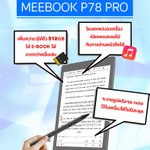
🙊🙊P78Pro supports handwriting in mainstream formats such as PDF, EPUB, TXT, FB2, etc., which is convenient for taking notes and making #annotations. #meebook #p78pro #handwriting #FridayFeeling fr.shopping.rakuten.com/offe…
1
3
6
How to optimize the third party app in meebook?🤔 Long Press App icon for more seeting!😉 ❤️Full screen mode/A2 mode/Bleaching function 💙Application refresh rate 🧡 Image brightness adjustment 💚DPI adjustment 💜Contrast adjustment #Meebook #reader #Tips #application #Android
3
4
How to #transfer boos by WIFI? 🙉🙉 1) Reader and computer are connected to same WIFI. 2) The computer opens the WIFI transfer web page 3) After all the books on the web are uploaded successfully, the books will be added to the Library automatically. #tips #meebook
🤔Does the Meebook P78 Pro allow me to add my own templates to use in Notepad? 😁Yes, sure you can! 😁Just copy your templates file (PGN/JPEG) to Meebook as followed path: Internal shared storage\notes\template\Create new folder\Your own templates file #template #calender
4
7