

try https://xitter.cf/t.co/tfF4iwG1HB Join my free Private Network below or apply to join a YouTube MCN/CMS ↓
🇫🇮
Joined May 2023
- Tweets1.3K
- Following1.1K
- Followers1.5K
- Likes6.6K





Pinned Tweet
All of my discord servers, tools, providers and CMS/MCN applications are now linked in a single place ↓ linktr.ee/eliushq/


the best impression tested YouTube channels provider Highimpression just restocked & lowered prices highimpression.org/?a=Elius/

Robin really cooked here
YouTube automation course sellers are about to have a very bad year
now you can simply click a button and a team of AI agents runs a channel for you
the agents find your outliers, write your scripts, make your thumbnails and upload for you
scaling new channels has never been easier
link in comments


Elius retweeted
open a ticket on this Discord Server if you want to apply to join a YouTube CMS/MCN discord.gg/3mxXag4UUw

discord.com/invite/vtW5mhuvW… if you haven’t joined yet

Elius retweeted

👀 join the Discord for more updates discord.com/invite/vtW5mhuvW…
join the Vidform Discord Server to be the first one to know discord.com/invite/vtW5mhuvW…
Elius retweeted
impression tested YouTube accounts highimpression.org/?a=Elius/


major update coming to Vidform this weekend discord.gg/82QKFXHw9k
many of you have asked about this. yes, you can turn off the text boxes, diagrams, subtitles or whatever you like. you can customize almost everything in Vidform.
here is a 8 minute AI-avatar sample video with Vidforms default generation settings that you get for the price listen on the front page with text, diagrams etc disabled. (also digital products website CTA disabled for this one)
Everything in this video was generated using Vidform. the avatar, the script and of course the video itself. You need no external tools to make videos using Vidform but you can for example upload your own avatar or voiceover if you wish to do so. the default settings on Vidforms AI-avatar tool and on the video below are:
- host lip-sync 25%
- AI video clips 25%
- images or diagrams 50%
but the splits are understandably not completely accurate since our software calculates what type of footage fits the best on which in this video resulted in:
- host lip-sync 24%
- AI video clips 28%
- images 48%
in general you can expect a couple % change mostly for the % of the images in the video to go down and for AI video and lip sync to go up. also the share of AI footage and avatar lip sync stays consistent thru out the video so videos are not left with spots in the middle where you can't see the character for multiple minutes like some tools do.
if you are interested to test out Vidform, the link is in the comments 👇
Highimpression is restocked, link in comments
if you’re looking to buy aged YouTube accounts that actually perform, Highimpression is the place I use: highimpression.org/?a=Elius
every channel is tested and verified to pull real impressions and organic traffic, so you’re not left guessing whether it’ll actually get views once you start uploading


impression tested YouTube accounts highimpression.org/?a=Elius/
Elius retweeted
Vidform is getting a ton of improvements and new features soon
join the Discord Server to be the first one to hear when the update drops discord.gg/82QKFXHw9k
many of you have asked about this. yes, you can turn off the text boxes, diagrams, subtitles or whatever you like. you can customize almost everything in Vidform.
here is a 8 minute AI-avatar sample video with Vidforms default generation settings that you get for the price listen on the front page with text, diagrams etc disabled. (also digital products website CTA disabled for this one)
Everything in this video was generated using Vidform. the avatar, the script and of course the video itself. You need no external tools to make videos using Vidform but you can for example upload your own avatar or voiceover if you wish to do so. the default settings on Vidforms AI-avatar tool and on the video below are:
- host lip-sync 25%
- AI video clips 25%
- images or diagrams 50%
but the splits are understandably not completely accurate since our software calculates what type of footage fits the best on which in this video resulted in:
- host lip-sync 24%
- AI video clips 28%
- images 48%
in general you can expect a couple % change mostly for the % of the images in the video to go down and for AI video and lip sync to go up. also the share of AI footage and avatar lip sync stays consistent thru out the video so videos are not left with spots in the middle where you can't see the character for multiple minutes like some tools do.
if you are interested to test out Vidform, the link is in the comments 👇
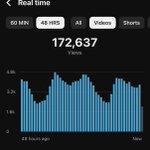
having a video rank high on YouTube search is nice, but when you have hundreds of videos each getting thousands of views daily on search that’s when it gets fun


open a ticket on this Discord Server if you want to apply to join a YouTube CMS/MCN discord.gg/3mxXag4UUw
Elius retweeted
ive been testing Vidform.ai last few days and getting good results this ai avatar shit is too op
