

DAGameKDrEphHTcA8CjSAsSwjDujfyWmvPSzVJbqBqXH https://xitter.cf/t.co/amS8xS5GQV
Joined June 2026
- Tweets158
- Following22
- Followers149
- Likes134


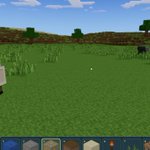

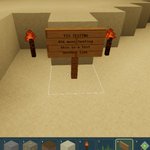

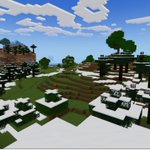
Imagine getting paid to play a block game.
Stop imagining. ⛏️
Deep Ascent is now playable on Solana.
deepascent.net
Deep Ascent 0.4.6 released!
- P2E is finally here -
DEEP CRYSTALS AND THE EXCHANGE
- Deep crystals are here. Stone you uncover deep underground can turn into glowing Deep crystal ore. The deeper you dig, the better your odds, and the more dangerous it gets.
- Mine the ore with an iron pickaxe. It takes 30 seconds, or 60 if you run out of food.
- Dungeon chests can hold Deep crystals the first time they are opened, more often in deeper dungeons.
- Sell your crystals for DAG at the Exchange at spawn. Each sale pays a share of the day's budget; the price drops with every sale and resets at 00:00 UTC. You need a linked wallet to sell.
- Your DAG history now lists your Exchange sales.
TOOLS AND FOOD
- Tools wear out: stone tools last 150 blocks and iron tools 250. A bar on the slot shows what is left, and the tool breaks on its last use. Tools you already had start new.
- Switching tools halfway through a block starts that block over.
- Mining uses a little food, about one hunger segment every 25 blocks. With no food you can still mine, but twice as slow.
ACCOUNTS
- New accounts sign up with Google or X. Wallets still work: link one from Account to sell crystals.
- If your account only had a wallet, link Google or X once to keep playing. Your name, inventory and wallet stay the same.
CONNECTION
- Terrain loads at full speed on connections that deliver packets slightly out of order.
- Movement responds immediately on high-latency connections.
And of course, the wiki!
deepascent.net/wiki/
It has everything you need to know about the game, in detail.
Enjoy!

New version released:
Deep Ascent 0.3.10 - Hunger, Food & Wildlife
Added:
- Hunger is live in survival. A full reserve lasts about an hour, healing burns extra food, and an empty stomach stops health regeneration.
- Food: hold the place action for 1.5 s to eat. Apples restore 4 hunger, cooked mushrooms 6.
- Apples drop from natural tree leaves. Player-placed leaves drop nothing.
- Sheep roam in more independent flocks, and animals left alone eventually wander off.
Fixed:
- Terrain loads at full speed on unstable connections, and no longer disconnects you while loading.
- Movement responds instantly on high-latency connections.

Version 0.3.5 released!
First pass of survival mode:
- Survival health: 25 HP that regenerate over time. You take damage from falls, lava, drowning and cactus.
- New HUD: a health and air bar above the hotbar, a red flash when you get hurt, and a beating heart when health is low.
- Death: your inventory drops where you died, and anyone can pick it up for about 15 minutes. A gravestone on the compass points back to it.
- Death screen: you stay where you died until you press Respawn. Chat keeps working.
- Dead players lie on the ground for everyone else to see.
- /respawn is creative-only now.
- 3D dropped items: they're small spinning copies of their block, lit by the place where they lie.
- Compass and coordinates now sit in separate boxes, without the degrees row.

A brief playthrough of Deep Ascent in its current state: Craft, mine and discover!
Please drop your like and share it around :)


Version 0.3.0 released!
- New terrain system built from scratch: Among others it includes mountains, overhangs, valleys, beaches, lakes and caves.
- Climate: temperature and humidity-based biomes, broad climate regions, and climate-dependent vegetation colors, snow and ice.
- Underground: revised ore distribution, naturally generated diamond ore and small dungeons with loot.
- Vegetation and artwork: ferns, reeds, mushrooms, cacti, dry shrubs and fibrous plants.
- Crafting: vegetable fiber and rope. Stone and iron tools require one stick and one rope.
- Water: translucent and swimmable and can no longer be mined. Continuous flow after modifying nearby blocks is not implemented yet.
- Animals: persistent sheep and ducks that wander, rest and react to players. Combat, feeding and breeding are not available yet.
- Signs: standing and wall-mounted wooden signs with four lines of permanent text.
- Spawn: expanded the no-claim area to 15×15 chunks, retaining the 9×9 area protected against building and mining. The Protection viewer distinguishes both boundaries.
- Performance: improved frame rates, reduced stutters, faster visible chunk loading, more efficient shadows and particles.


Version 0.2.2 released!
A small release:
- Added a Full screen toggle beside Settings for supported desktop and mobile browsers.
- Improvements to creative mode (admins only)
- Auto-jump enabled by default (to help mobile players). It can be disabled on settings.
Version 0.2.1 released!
- New trees: Ash, Beech and Juniper, with distinct shapes, foliage and bark.
- More varied forests: woodland, taigas and jungles now feature broad clearings and gradual transitions into open terrain.
- Faster terrain loading: parallel generation improves loading when joining and exploring.
- Cleaner terrain synchronization: cleared trees no longer briefly reappear when reconnecting or revisiting edited areas.
- Visible spawn borders: a subtle boundary appears nearby, with improved daylight visibility and notices when entering or leaving.

Version 0.2.0 released!
Big update today, also I will release a Deep Ascent Wiki soon :)
- Land protection: Protection cores cover a 3×3 chunk area, with member permissions and a Protection viewer that reveals nearby land boundaries.
- Chest ownership and recovery: Chests retain their individual owners. Chests and their contents can be recovered after land release or ownership changes.
- Real $DAG integration: Added Solana mainnet deposits and withdrawals, wallet balances, transaction history, confirmation progress, and Solscan links.
- Spawn protection: Expanded the protected spawn area to 9×9 chunks, with clear messages when an action is restricted.
- Mining progression: Added copper and silver deposits, expanded gold generation, and introduced tool requirements for mining ores.
- More materials and recipes: Added universal planks and sticks, charcoal, raw metals, ingots, and iron tools. Metal blocks convert to and from 10 ingots.
- Furnaces and smelters: Added separate stations for producing charcoal, glass, and metal ingots, with persistent inventories and processing progress.
- More building options: Added crafting recipes for glass, stone bricks, polished rock, metal blocks, and glowstone.
- Wooden doors: Added two-block-tall doors with opening and closing, physical collision, multiplayer synchronization, and land permissions.
- Inventory and crafting redesign: Separate tabs, recipe icons, larger previews, ingredient availability, search, and category filters.
- Fixes and reliability: Fixed nearby block-placement flickering and prevented repeated inventory actions from consuming materials twice.

Currently you can't build peacefully because anyone can come and destroy your work.
Not for long ...
Chunk protection in the works :)

Version 0.1.2 released!
- Added the recipe to craft chests. Each chest holds 27 stacks and saves its contents between server restarts.
- Closing the inventory with Escape restores mouse control.
- Compact mobile controls, compass and hotbar leave more room to see the world; all nine slots fit in landscape.
- Rotating a phone now keeps the game at the correct screen size.


Version 0.1.1 released!
- Survival mode is now live. Your inventory is saved between sessions, so gathered materials and crafted items stay with your character.
- Inventory management: move, combine and store stacks using clicks, touch, dragging or keyboard navigation.
- Hand crafting: craft stone pickaxes, axes, shovels and torches directly from your inventory.
- Tools have a purpose: pickaxes speed up mining stone and ores, axes work faster on logs, and shovels help with soil and sand. Each tool has its own first-person model and animations.

- Progressive mining: hold to break blocks, with material-specific timing, spreading cracks and distinct break particles. Releasing or changing targets resets progress.
- Torches break with a single tap, just like tall grass, with bare hands or any tool.
- The inventory hotbar remains usable with F1 enabled, even when the rest of the interface is hidden.
- Fixed stale world edits after lag, lingering chunks when changing render distance, and connections or controls left behind after a failed start.
