
Program Manager @AzureCosmosDB (prev @VisualStudio)
Joined March 2012
- Tweets40
- Following28
- Followers429
- Likes1




Pinned Tweet
So excited to announce GA of @AzureCosmosDB autoscale! Thanks to all who gave feedback in the preview.
You can now:
🚀Set any custom max RU/s
📈Enable autoscale on existing databases/containers
👩💻Use ARM templates and our latest .NET & Java SDK to create autoscale resources

Announcing: Autoscale GA and new "serverless" offering for @AzureCosmosDB.
devblogs.microsoft.com/cosmo…
#MSBuild #CosmosDB

Check out the latest preview of @AzureCosmosDB built-in Jupyter notebooks support! With C# notebooks you can:
✅Run C# code interactively
📦Bring in NuGet packages
🪐Use our built-in Cosmos .NET SDK
🎨Visualize your data
...all from #CosmosDB Data Explorer in the Portal!
Announcing: Support for C# notebooks in Azure Cosmos DB
Read the blog post by @ChenDeborah Check out all the cool things you can do now!!!
devblogs.microsoft.com/cosmo…
#MSBuild #JupyterNotebooks @dotnet
One of the most fun things about building the demo in @th0maswe1ss and I's session for #MSBuild was working on the notebook in #CosmosDB's Data Explorer and saving the changes immediately📔
You can check out the 2 notebooks we demo'd here on GitHub.
github.com/deborahc/ContosoR…

Want to run the notebooks yourself?
Fork the repo, connect your Cosmos notebooks workspace to GitHub, and bring in the repo🎉
Doc: docs.microsoft.com/azure/cos…
The SDK is pretty easy to use too. In our V3.9 of our #CosmosDB .NET SDK, you can now create and manage autoscale databases /containers:
Samples: docs.microsoft.com/en-us/azu…

ALT Code sample for Azure Cosmos DB .NET V3 SDK to create a new container with autoscale provisioned throughput.
And finally, monitor your app with @AzureMonitor or our built-in #CosmosDB portal metrics. Here's an workload that's been running for a while with autoscale.
The blue line shows the actual RU/s the system scaled your provisioned throughput to.
docs.microsoft.com/azure/cos…

ALT Workload with variable traffic pattern between 5000 to 50,000 RU/s using Cosmos DB autoscale provisioned throughput.
Excited to be at #MSBuild this year! Tune in to see us demo the latest in #AzureCosmosDB. 🎉
🙌 💻 It's demo-palooza! Join @ChenDeborah and @th0maswe1ss for “Building scalable and secure applications with #AzureCosmosDB” at #MSBuild.
May 20th, 11:45 IST/15:45 AEST/16:45 JST
May 20th, 5:00pm EDT/2:00pm PDT
May 21st 12:45 BST/13:45 CEST
devblogs.microsoft.com/cosmo…

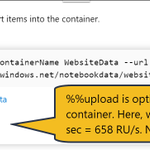
Another nice thing about notebooks - there's a ton of magics that make it easy to work with #CosmosDB.
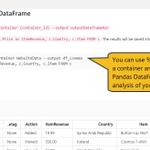
You can query a container and get the result back into a Pandas DataFrame, so you can use a familiar library to analyze the data.


We've got a ton of new features in #Azure #CosmosDB for #MSIgnite, many driven by your feedback:
🚀Autopilot to scale containers
🔍GROUP BY
📒 Nteract support in notebooks
📊New analytical storage engine
👩💻Batch and bulk SDK features
...and more
devblogs.microsoft.com/cosmo…

Ever wanted to know the RU cost of just 1 read and write operation in Azure #CosmosDB, without writing code?
In the RU Calculator, after signing in, upload your sample document, set reads/sec, writes/sec to 1, calculate, and view the RUs!
cosmos.azure.com/capacitycal…

Learn about the new #Azure #CosmosDB .NET V3 SDK, which we GA'd in July. Lots of new features:
🎉Open source on Github
👩💻New, fluent programming model
🌊Stream API for perf
👨🔬Easier to unit test
🔎Change feed processor support
azure.microsoft.com/blog/new…
Try our new tutorial on how to build an ASP.NET Core MVC app with Cosmos V3 SDK.
docs.microsoft.com/azure/cos…
We'd love to hear from you! Log issues and feedback in GitHub.
github.com/Azure/azure-cosmo…
