

Exploring AI agents, developer tools, and the engineering behind them. Sharing what I try, build, and learn at https://xitter.cf/t.co/GiKzGM4knq
San Francisco, CA
Joined November 2010
- Tweets782
- Following529
- Followers1.1K
- Likes2.9K






There's $300k in prizes in @GraySwanAI's prompt-injection competition.
I tried getting a coding agent to leak a credential through a GitHub comment. It spotted my attack immediately.
A quick look inside the Arena:
aiengineering.report/p/insid…

My next favorite Agent Skill from the /r/claudeskills "top skills" thread is the /watch Skill (on Github as bradautomates/claude-video) that has Claude watch Youtube Videos and give you timestamped summary of all the key scenes. Uses Gemini API or local ffmpeg + yt-dlp.
I tested it on a 25-minute tutorial about making product-launch videos with AI. Youtube's description only gave me the broad gist of the video, while the /watch Skill returned six timestamped sections explaining the workflow in much more detail.
As someone who likes to keep a pulse on tech Youtube but doesn't have the time to watch all the videos in full, this Skills is very useful and definitely getting added to my arsenal.
Continuing down the list of top Skills mentioned on /r/claudeskills, task-observer caught my eye. It’s a “meta-skill” that watches your conversations and proposes new Skills or improvements to existing ones.
Usually when I notice a workflow worth turning into a Skill, I’m already in the middle of doing something else. So I either interrupt the actual task to build it or forget about it. task-observer is supposed to solve that by capturing those moments in the background and bringing them up for review later.
I tested it on a situation I’ve run into a bunch of times. I’ll ask an agent for feedback on something I wrote, and it will rewrite the entire draft in AI voice instead of helping me improve my version. Then I have to explain that I wanted targeted feedback, not a full rewrite.
I made that correction once on a sample draft and kept going. task-observer logged the correction, and during the review it proposed a new voice-preserving-editor Skill based on what had happened.
The review and installation process was a little more manual than I expected, but I approved the Skill and installed it. Then I started a fresh Codex session and asked for editing help without mentioning the new Skill at all. It automatically gave me targeted feedback instead of rewriting the whole thing.
Really useful and clever and definitely one I will be using all the time going forward!
I found a thread on r/claudeskills where people named the skill that had been the biggest game changer for them. I'm working down the list trying the top ones.
First was `grill-me` by @mattpocockuk which takes something you're thinking through, such as a product idea you have or an approach to an engineering problem, and turns it into a design tree of questions meant to probe the parts you haven't fully thought through.
It asks a LOT of questions, but provides a set of
possible answers and its recommended answer for each one so you can move through the questions fairly quickly.
I tested it by asking how to approach writing this tweet, which in hindsight was probably too small a problem for an exhaustive design tree. I found a normal back-and-forth more helpful for this simpler use case.
It is a cool idea, and something I would want to run through before investing significant time or money in a bigger project, where overlooking an assumption could be expensive.

Bill Prin retweeted

We just launched Workato Labs — open source tooling that makes it easier for developers and AI agents to build and manage Workato recipes the way dev teams work: locally, in their editors, with git, and alongside their existing AI tools.
Repo’s live here: github.com/workato-devs/labs

At MCP Dev Summit, AWS senior principal engineer says that MCP is still by far the most popular way to connect agents at Amazon. Skills aren't replacing it but combined in "agent configurations" that are distributed across the company. News of MCP death is greatly exaggerated .
Best explanation I've heard for when to use sub-agents, from @trq212 Agent SDK workshop on YouTube: "when you need to do a bunch of work and return an answer to the main agent." Particularly when you need to process a lot of data that you don't want cluttering up the main context window. He gives the example of asking a question about a spreadsheet and just needing the result, but the use case I'm experimenting with is a research agent that has subagents create summaries of longer articles.
I wrote about a workflow for combining language models like Gemini or Claude with Nano Banana Pro to create much better landing pages than just a coding agent would. Nano Banana is a huge step up in image model's ability to design. aiengineering.report/p/beaut…

Here is a great workflow for doing landing page design with Nano Banana Pro, which is MUCH better than previous image models at details like text and layout, making it an amazing UI tool.
1) Use a system design prompt that encourage design thinking, committing to a unique creative aesthetic, making one aspect of the design unforgetabble
2) Make a user prompt for a landing page plan that includes color palette, hierarchy, typography, grid system, etc. You can also include reference images, either other landing pages you like or just cool photography that's aesthetic inspiration
3) Iterate on the page mocks with ASCII until you're happy with the basic concept, layout, and copy
4) Paste this plan into Nano Banana pro and ask for a few iterations on the design
5) It'll probably generate a few unique image assets that will be difficult to code. You want to ask Nano Banana to remove other elements to isolate specific assets
6) Now you have a design system plan, an image mock you like, and invidiaul assets. You can now go back to your favorite coding agent and get it built with the reference image and assets
Nano Banana Pro is one of the best UI design tools ever created. The trick is to COMBINE code/text models with image models, work with Claude / Gemini to come up with a design plan (aesthetic, typography, hierarchy), iterate on ASCII Mocks, then feed that plan to Nano Banana for creative assets, then use that as a reference image while coding.

This morning I very reliably reproduced this Claude Code issue where Skills don't activate, but then I upgraded to the latest CC version and now my test skills seem to almost always activate. I suspect Claude Code team quietly fixed some bugs around skills.

One problem with Claude Skills is they don't always reliably activate, I found this blog post about using Hooks to make them activate much more reliably, very interesting read! scottspence.com/posts/how-to…

One problem with Claude Skills is they don't always reliably activate, I found this blog post about using Hooks to make them activate much more reliably, very interesting read! scottspence.com/posts/how-to…
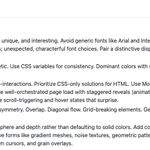
The "frontend design" Claude Code skill by @AnthropicAI is fascinating because its tiny and doesnt provide many specifics. Instead it tells Claude to make "distinctive choices" and "commit to a cohesive aesthetic" and that small guidance massively improves the UI designs created.

A simple use of Claude Code Hooks is to get a desktop notification whenever Claude is done thinking/working. You want to add a hook on the Stop and Notification events. On MacOS can use osascript and afplay as the notification command. Here's what my ~/.claude/settings looks.

Lots of people talk about how using AI to code too much will make you worse at coding.
But AI is also one of the best ways to get better at coding. It knows many best practices and can explain how the most complex codebases work.
It's a net positive if you want it to be.
The Claude Code tip I discovered way to late is --resume which lets you pick a recent convo to resume (or --continue to pick the most recent). Lost a few terminal tabs and didn't know I could recover. Whats also useful to know is all these convos are in JSONL in ~/.claude/projects which lets you archive or run scripts on your conversations after the fact.
My current favorite use of Claude Code has nothing to do with code. I'm organizing all my life + business goals, context, and metrics into a big sets of markdown files and working on turning Claude Code into Claude Life Coach. Pretty fun!
Wrote up a summary of "should MCP exist at all debate".
* @anthropic writes a blog post on how MCP has major problems (eats up too much context, not composable) but code execution can fix it, citing 98.7% improvement on token usage
* Instead of being happy, many in the developer community thinks this vindicates that MCP should not have existed at all
* @stevekrouse writes a viral tweet noting that MCP was created to fix that LLMs could not reliably calls OpenAPI specs, but if now they can reliably call MCP specs, why not just simplify and use those original OpenAPI specs without MCP?
* @theo makes a profanity-laden video with 100k+ views characterizing MCP as completely unnecessary and part of a broader AI bubble
* @badlogicgames looked prescient by writing a blog post citing the _exact_ same problems with MCP Anthropic cites , exactly 2 days before Anthrop9c published! He replaces MCP with a "scripts" system with a README that explains how to use those scripts. It looks an awful lot like Claude Skills
* In a world where LLMs understand text and can write code, the need for a standard protocol is questionable. The Claude Skills approach of having a short phrase that "points" to a longer set of how-to for external tools seems like it solves the same problems MCP does, but much more simply. And while Claude Skills is not an open standard but its easy to roll your own version, as Mario demonstrates
Full writeup here:
aiengineering.report/p/was-m…

Just two MCP tools (Firebase and Github) already take up 20% of my Claude Code context window before I do anything else. Was MCP a mistake?

