

🎯 Practical tips for viral AI videos ✍️ Viral Breakdowns | AI Workflows | Free Prompts 🍳 Cooking with stickman-video-director (7K+ ★)
Get the Skill 👉
Joined March 2023
- Tweets272
- Following116
- Followers18K
- Likes1.3K





Pinned Tweet
I fed 500 viral animated Shorts (7.53B views, $30K+ est. earnings) into Claude Opus to find what their scripts share. They all follow the same 5 beats. Inside: the data, the 5-beat script template, and the copy-paste Claude prompt that writes them for you.

GTA 6 clipper are about to print money.‼️
Whattt?? The distracted driving in GTA 6 is way too realistic💀
I rear-ended a guy while texting, and he didn’t even look up from his phone 🤣
As I always say, the best way to make crazy money from game series is clipping.🔥
I would be dropping a clipping claude skill soon, stay tuned!


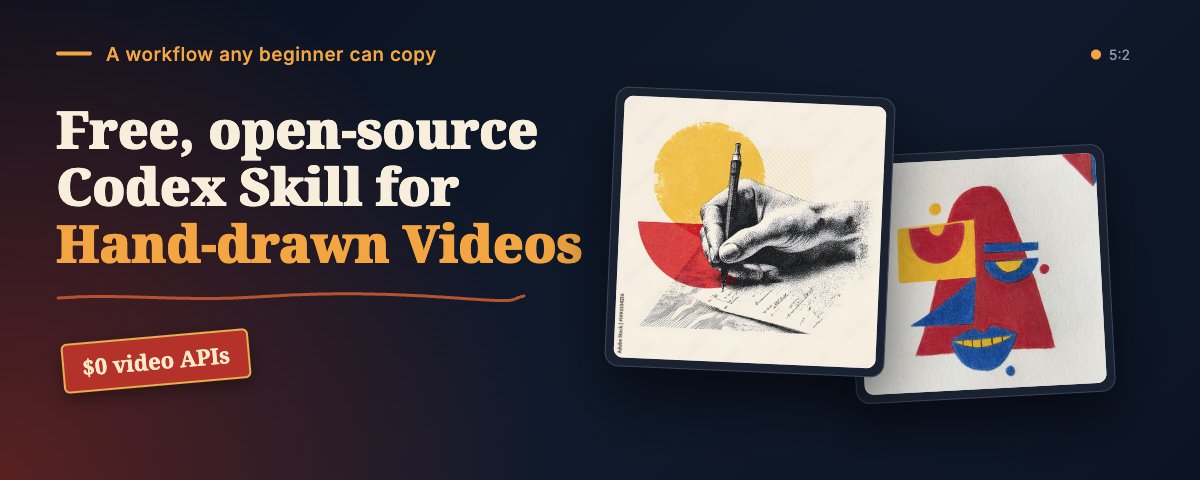
I created this hand-drawn explainer video using Codex under 20 minutes. see skill setup in article.
I’ve made the prompt FREE in the comments below, so creators can make explainer clips and brands can easily create ad videos.
Several creators are bagging gigs worth thousands of dollars from brands and companies for making creative explainer videos like this, and now the skill is free and costs $0.
Remember to bookmark 🔖

3
4
650
<video_request skill="sweety-handdraw-video" fidelity="match_reference">
<settings>
<language>en</language>
<canvas width="1920" height="1080" fps="30" aspect="16:9" />
<length>36 s total; no cover card (the reference opens straight on the first drawing)</length>
<voice provider="elevenlabs" name="George" voice_id="JBFqnCBsd6RMkjVDRZzb" script="elevenlabs_tts.py" />
<hand preset="teacher-pen">Bare-looking hand holding a grey marker, entering from the lower right</hand>
<pictures>Drawn by Claude as SVG, rendered with resvg; outlines first, then flat colour</pictures>
<text>All on-screen words written by the pen, in a clean sans hand (actions text)</text>
<camera>Static throughout; no zooms or pans</camera>
<captions>off (the reference has no subtitles)</captions>
</settings>
<style>
<background>Pure white</background>
<line>Even black outlines, closed shapes</line>
<palette>Red tops (#D63A2F), blue jeans (#3E6DB5), light-blue cape and scroll (#A9C8EE), grey office chair (#4A4A4A), green banknotes (#5E9E4A), red arrows (#E03A2E), gold trophy (#E8C35A), skin (#F2C4A0)</palette>
<shading>Flat fills only</shading>
</style>
<timeline>
<scene id="A" start="0.0" end="13.0">
<draw at="0.0–2.0">Tired woman at a desk, head in hand, with an office chair and a computer monitor. Placed lower left (x 3–40%, y 45–100%). Outline first, then colour.</draw>
<draw at="2.5–3.5">Empty thought bubble above her (x 28–44%, y 28–45%)</draw>
<draw at="6.0–9.0">The same woman standing, hands on hips, smiling, with a light-blue superhero-cape silhouette behind her. Placed right (x 55–95%, y 25–100%) on a short ground line.</draw>
<write at="10.0–11.0" position="top-left, x 20–60%, y 5–10%">Who would you become?</write>
<write at="11.0–12.0" position="below it, y 10–15%">What would you achieve?</write>
</scene>
<scene id="B" start="13.0" end="18.0" transition="cut to white">
<draw at="13.0–15.0">Man with glasses, red top, hand on chin, holding a long unrolling light-blue scroll that trails to the right. Placed centre-left (x 30–65%, y 30–100%).</draw>
<draw at="15.0">"POSSIBLE FUTURE" lettered on the scroll</draw>
</scene>
<scene id="C" start="16.5" end="24.0" transition="scene B fades to 20% while the title is written">
<write at="16.5–18.0" position="top centre, y 4–10%">SELF-LIMITING BRIEFS</write>
<draw at="19.0–20.5">The same man, stressed, hand on his forehead, standing at centre (x 38–62%)</draw>
<draw at="20.5–21.0">A stack of green banknotes on the left (x 20–35%) and a clock with red up-arrows on the right (x 62–78%)</draw>
</scene>
<scene id="D" start="24.0" end="30.0" transition="cut to white">
<draw at="24.0–28.0">An oval vignette of a train carriage: a woman reading and a man on a laptop, with blue seats. Placed left (x 3–43%, y 20–75%).</draw>
</scene>
<scene id="E" start="28.5" end="36.15">
<draw at="28.5–31.0">A man in a red top and blue jeans climbing a staircase that rises to the right (x 45–75%)</draw>
<draw at="31.5–33.0">A gold trophy on the top step (x 80–95%, y 15–35%)</draw>
<hold from="33.0">Final frame holds to the end</hold>
</scene>
</timeline>
<narration status="placeholder">
Exact narration needed, timed to the scenes above:
A 0–13 s / B 13–18 s / C 18–24 s / D 24–30 s / E 30–36 s
</narration>
<notes>
<note>The title keeps the reference's spelling "BRIEFS"; change it to "BELIEFS" if that was a typo.</note>
<note>Scene D has two people. Keep each one simple so the drawing fits the time.</note>
</notes>
</video_request>
3
106
Holy f**ck 🤯
This guy has been pulling millions of views and has already made $20K+ in revenue from videos made with Fable 5.2.
I recreated this one and turned the whole process into a single Claude prompt. You’re free to generate your own video by putting a topic or script of your choice.
📌Although Claude uses a few free third-party tools, and you approve each one with a single click:
- ElevenLabs: text-to-speech for the narration
- Remotion: the animation engine
- ffmpeg: mixes the voice, music and SFX and exports the final MP4
- Nano Banana / FLUX (optional): if you’d rather not build the finger, glove and pen in code, Claude generates them as stills and then animates them
Bookmark and see prompt in comment🔖

2
5
803
<task>
Create an 85-second vertical explainer video titled "How does a touchscreen really work?"
Use the video-making skill first.
</task>
<output_specs>
<resolution>720×1280 (9:16 vertical)</resolution>
<frame_rate>30fps</frame_rate>
<duration>~85 seconds</duration>
<format>H.264 MP4 with AAC audio</format>
</output_specs>
<visual_style>
<mood>Dark, premium "Apple-keynote meets science explainer" look.</mood>
<background>Near-black navy/charcoal (#0d0f14) with faint drifting star particles and a subtle grid.</background>
<objects>Soft 3D: a realistic fingertip with skin texture, a gold-tipped blue ballpoint pen, a grey knit-glove hand holding a modern black smartphone.</objects>
<electricity>ALWAYS shown as glowing gold arcs (#f5b82e with bloom). Under the glass, arcs loop between small white electrode pads.</electricity>
<hero_shot>Magnified cross-section of the screen: a glass top layer, a row of gold arcing field lines, then an RGB subpixel strip (red/green/blue dots), then dark layered substrate. Under the electrodes, monospace readouts show "100".</hero_shot>
<labels>Small white uppercase with thin leader lines (GLASS, CHARGE, WIRES, ROW, CONDUCTIVE THREAD).</labels>
<footnotes>Tiny grey text in the corners: "Magnified illustration", "Values illustrative", "Charge shown in gold, invisible to the eye".</footnotes>
<camera>Smooth moves (slow push-ins, tilts into an isometric 3D grid). No hard cuts unless the scene changes. Every scene keeps moving slightly; nothing sits static.</camera>
</visual_style>
<captions priority="very important">
<style>Word-by-word karaoke captions, centred in the top third, clean sans-serif (Inter/SF).</style>
<colors>Upcoming/spoken words are soft grey; the current word turns white bold.</colors>
<keyword_highlight>Keywords get a "Figma selection box": a thin blue (#3b82f6) rectangle with small circular handles on the corners, which pops on with a quick scale animation.</keyword_highlight>
<emoji>None. Captions are text only.</emoji>
<sync>Captions must be synced to the voiceover using word-level timestamps.</sync>
</captions>
<audio>
<voiceover>Calm, curious male narrator, natural pace.</voiceover>
<music>Soft ambient bed at about -20 dB.</music>
<sfx>Subtle UI clicks, whooshes and electric sparks.</sfx>
</audio>
<scenes>
<scene id="1">
<visual>Cross-section. A fingertip hovers and gold charge leaps up to it. A pen presses hard and nothing happens.</visual>
<narration>Your phone screen reacts to the lightest brush of your finger, and ignores a pen pressed as hard as you can.</narration>
</scene>
<scene id="2">
<visual>Pen lifts away. Push in on the arcs.</visual>
<narration>So what is it actually feeling? It isn't really feeling pressure. It's feeling the electricity in your body.</narration>
</scene>
<scene id="3">
<visual>Glove hand holds a phone with the lock screen at 7:42. An incoming call from "Sofia" appears with "slide to answer". The gloved thumb swipes and nothing happens.</visual>
<narration>Imagine it's winter, and you try to answer a call with your gloves on.</narration>
</scene>
<scene id="4">
<visual>Zoom into the phone. The glass dissolves to reveal a diamond grid of wires. One row lights up (label ROW), then the columns.</visual>
<narration>Under the glass of your phone, there's a grid of wires you can't see. Rows going one way, and columns going the other.</narration>
</scene>
<scene id="5">
<visual>Tilt to an isometric 3D grid of tiles with clips at the crossings. Gold charge arcs at one crossing (label CHARGE). Pull back to show "100" above every crossing as a scanning line sweeps across repeatedly.</visual>
<narration>Everywhere a row crosses a column, the phone holds a tiny electric charge, and it checks every one of those crossings over and over and over.</narration>
</scene>
<scene id="6">
<visual>The fingertip becomes semi-transparent and shows floating Na⁺ and Cl⁻ ions.</visual>
<narration>Your body is mostly salty water, so it conducts electricity.</narration>
</scene>
<scene id="7">
<visual>Cross-section. A bare fingertip glows warm and gold arcs bend up into it. The readouts under it drop from 100 to 81, 62, 84.</visual>
<narration>When your bare fingertip gets close to the glass, it pulls a little of that charge away from the crossings right under it.</narration>
</scene>
<scene id="8">
<visual>Isometric grid. A cluster of tiles shows 95/83/96/81/62/84/94/82. Circle the 62. Cut to the phone, where the 62 lands exactly on the green answer button.</visual>
<narration>The phone sees a small dip at those exact crossings and says, that's a finger.</narration>
</scene>
<scene id="9">
<visual>Grid with TWO dip clusters circled. Then two fingers pinch-zoom a snowy photo on a phone.</visual>
<narration>And because it measures every crossing separately, it can follow two fingers at once, which is how pinch to zoom works.</narration>
</scene>
<scene id="10">
<visual>A knit glove fingertip close-up with fibre loops presses on the glass. The arcs stay perfectly still and the readouts stay at 100. Back to the glove hand failing to answer Sofia's call.</visual>
<narration>But your glove doesn't conduct anything. So your finger is right there, pressing on the glass, and the charge never moves. For the phone, nobody touched it.</narration>
</scene>
<scene id="11">
<visual>Rain falls on the home screen. Random touch ripples appear and apps open by themselves. Cross-section: a water droplet pulls charge like a finger (81 63 86).</visual>
<narration>That's also why your screen goes crazy in the rain. Water conducts too, so every drop looks like a finger.</narration>
</scene>
<scene id="12">
<visual>Glove fingertip cross-section. Silver thread loops light up gold (label CONDUCTIVE THREAD) and carry charge down to the glass. The gloved thumb successfully answers.</visual>
<narration>And it's why touchscreen gloves work. They have thread in the fingertips that conducts, and it carries your body's electricity to the glass.</narration>
</scene>
<scene id="13">
<visual>Extreme macro. A single gold arc peels away into the finger. Callout: "less than 1 pF, Texas Instruments". A big readout ticks down to 71.</visual>
<narration>So your screen never felt your finger. It felt a tiny bit of charge go missing, and your finger was just the thing that took it.</narration>
</scene>
<scene id="14">
<visual>Outro. A share sheet slides up showing contacts Sofia, Daniel, Mei and Lucas. A finger taps a contact and then the blue Send button, with water droplets on the screen.</visual>
<narration>Follow me, and send this to someone whose phone never works with wet hands.</narration>
</scene>
</scenes>
<tools>
<tool name="video-making skill">Load first; it sets the workflow and the render setup.</tool>
<tool name="ElevenLabs">Text-to-speech for the narration, with word-level timestamps for the captions.</tool>
<tool name="Remotion">Animation engine for every scene; use Three.js inside it for the 3D isometric grid.</tool>
<tool name="ffmpeg">Mix the voice, music and SFX and export the final MP4.</tool>
<tool name="Nano Banana / FLUX" optional="true">Generate the finger, glove and pen as stills if they're not built in code, then animate them.</tool>
</tools>
<workflow>
<step>1. Generate the voiceover first and get word-level timestamps, then time every scene and caption to the audio.</step>
<step>2. Build the scenes as code-driven animation. Render 2–3 test stills per scene and look at them before rendering the full video.</step>
<step>3. Mix the voice, the music bed at about -20 dB, and the SFX. Export H.264 MP4 with AAC audio.</step>
<step>4. Watch the final at 1× and fix any caption drift or empty frames.</step>
</workflow>
1
3
247

For all growing brands and creators, I'm putting out this Claude resources for FREE in the replies because no one is buying a product with poor landing page.
Claude now puts out brand sites at this level, and you no longer need to pay a designer!
Virtual try-on, 3D store, bookshelf, dress collection: every site in this video came from a prompt in Claude Fable 5.2
If you have a shop, a designer charges you for every page, but here you just change the prompt and put out your own site in a day 👇
I spent the last 48hours to come up with 7 things you can do to maximize the Fable 5.2 free week.
Have a great read and REMEMBER TO BOOKMARK!

2
4
821

With just one prompt, I created this hand-drawn explainer video using Codex in under 20 minutes.
I’ve made the prompt FREE in the comments below, so creators can make explainer clips and brands can easily create ad videos.
Several creators are bagging gigs worth thousands of dollars making creative explainer videos like this, and now the skill is free and costs $0.
Remember to bookmark 🔖
3
11
964
Use $sweety-handdraw-video to make a short hand-drawn story video from the
brief below. Follow it exactly. Do not add scenes, lines, music or text that
are not listed here.
<format>
<size>Vertical 1080×1920 (9:16). Recheck composition, font size and occlusion for the vertical frame.</size>
<fps>30</fps>
<length>About 17 seconds, set by the narration.</length>
<pacing>Brisk. Each drawing finishes just before its narration line ends.</pacing>
<ending>Short cut to black after the last line.</ending>
</format>
<narration language="English" wording="exact, no additions">
<line n="1">A few years ago, there was a young man named Caleb.</line>
<line n="2">He lived in a rural part of Tokyo with his mum and younger sister.</line>
<line n="3">Their house was small and not in great shape, but they managed.</line>
<line n="4">Caleb's mum worked two low-paying jobs back to back just to put food on the table.</line>
</narration>
<voice>
<preset>friendly-man</preset>
<tone>Calm, clear male narrator, steady storytelling pace.</tone>
<music>None</music>
<sound_effects>None</sound_effects>
</voice>
<hand>
<preset>navy</preset>
<note>The hand draws every element on screen.</note>
</hand>
<art_style type="custom">
<lines>Clean black marker outlines of even weight.</lines>
<color>Flat solid fills. No texture, no gradients.</color>
<background>Pure white. No paper texture, frames or borders.</background>
<characters>Simple, friendly human figures with rounded faces, smiling.</characters>
<order>Draw each element's outline first, then fill it with color, in the same order.</order>
</art_style>
<on_screen_text>
<handwritten>Only the word "Caleb" in green, next to Caleb in scene 1.</handwritten>
<pen_barrel_ad>None</pen_barrel_ad>
<watermark>None</watermark>
<subtitles>quiet (no background plate). If burned-in subtitles can be turned off, leave them off and deliver the SRT only.</subtitles>
</on_screen_text>
<layout>Vertical: stack elements top and bottom. Keep faces clear of the hand and the subtitle area.</layout>
<scenes>
<scene n="1" narration="line 1" time="0.0–3.3s">
<top>A row of five wall calendars, drawn quickly one after another to show time passing, then filled light gray.</top>
<center>Caleb, full body, standing with hands on hips, smiling. Short dark hair, brown long-sleeve shirt, red tie, light gray trousers, black shoes.</center>
<text>Write "Caleb" by hand in green, to his upper right.</text>
</scene>
<scene n="2" narration="line 2" time="3.3–6.9s">
<step>Keep Caleb on the left. On the right, draw a simple map outline showing where he lives.</step>
<step>Clear to a new view: Caleb with his mum and younger sister, standing close, arms around each other, smiling. Outline first, then fill: sister in a red top and gray trousers, Caleb in a teal shirt and gray-green trousers, mum in a brown top and beige trousers.</step>
</scene>
<scene n="3" narration="line 3" time="6.9–10.8s">
<top>A small, plain two-story house: gray walls, brown roof, one chimney, four small square windows, a narrow wooden door. Slightly worn, not fancy.</top>
<bottom>The same family of three under the house. Outline first, then fill with new outfit colors (blue, purple and bright green tops).</bottom>
</scene>
<scene n="4" narration="line 4" time="11.4–16.8s">
<top>A tall stack of dirty plates, then a kitchen sink overflowing with dishes, pans, cups and a green dish brush (her first job). Fill: gray sink, green and olive dishes, orange-brown countertop and shelf.</top>
<bottom>A long buffet table with a green tablecloth, covered in serving dishes, a cake stand, a fruit bowl and bottles (her second job).</bottom>
<hold>Both jobs stay on screen together as the line ends.</hold>
</scene>
</scenes>
<process>
<check>Before rendering the full video, show scene 1 as a single check frame (calendars, Caleb, the green "Caleb" label) and wait for my approval.</check>
<deliver>MP4, cover image, SRT subtitle file, narration script, check log.</deliver>
</process>
2
171
This creative tool is Crazyy and was completely vibecoded with claude!!🤯
I'm sure 90% of people gets a ugly and generic designs for their product or project when using Claude or chatgpt for their website. Well, I found a solution!
It’s called DesignBookmark 🔖
Here’s how it works:
→ Find a design you like(link in comment)
→ Copy its prompt with one click
→ Paste it into Claude or Codex
That’s it. (Watch the video 👇)
The previews show you exactly what each effect looks like, and it only takes a quick edit to make a prompt your own.
It has buttons, cards, input forms, navigation and more.
If you are a creative like me, this tool makes it easy to optimize your UI/UX designs within few min.
🔖Remember to bookmark.

More on prompting:
Vibecoders, 𝗜'𝗺 𝗯𝗲𝗴𝗴𝗶𝗻𝗴 𝘆𝗼𝘂, open your messiest project and paste this into Claude Code or Codex:
"Find all of the implicit state machines in my app. Make the best decision that will elevate all three: the user experience (UX), developer experience (DX), and agent experience (AX) always, without breaking anything. notify me if there is any connection or resources required."
STOP using an ultra-advanced AI as if it were an office intern.
Don't tell CLAUDE “Give me ideas.”
Don't tell ChatGPT “Analyze this.”
Don't tell GROK “Make me a plan.”
Here are 10 prompts that make it think with you, not just for you. Copy them, you’ll thank me later 👇
1. The thinking partner
“Don’t answer my question right away. First, figure out what I’m really trying to solve. Then ask me the 3 questions that would help you give me a much better answer.”
2. The brutally honest friend
The friend who tells you the business idea won’t work before you spend your savings on it.
Prompt this way:
“I’m going to run an idea by you. Your job isn’t to agree with me. Find its 5 biggest weaknesses, challenge my assumptions, point out what I’m missing, and tell me what could make it fail.”
3. The reverse engineer
“I want to achieve [specific result]. Start from that outcome and work backward. Lay out the exact steps, skills, tools, decisions and milestones I need, and show me the most efficient path.”
4. The expert in your corner
“Act as a top 1% expert in [field]. Look at my current approach, tell me what beginners get wrong, explain what experienced pros do differently, and show me how to think at their level.”
5. The decision maker
For those nights you’re lying awake stuck between two choices.
Prompt it this way:
“I’m torn between [option A] and [option B]. Build a decision matrix comparing them on my priorities, risks, opportunity costs and long-term consequences. Then tell me which one is most likely to work out best.”
6. The opportunity spotter
Everyone sees the crowded market. This finds the empty seat.
Prompt it this way:
“Analyze [industry, skill or business]. Find 10 overlooked opportunities most people ignore. Explain why each one exists, who would pay for it, and how I could realistically take advantage of it.”
7. The learning shortcut
Learn the skill the way people who master things fast actually learn it.
Prompt it this way:
“I want to master [skill] as efficiently as possible. Build me a learning system using deliberate practice, active recall, spaced repetition and hands-on projects. Focus on what gives the biggest real-world advantage.”
8. The habit builder
“Help me consistently achieve [goal]. Skip the motivation and random tips. Design a repeatable system with daily actions, triggers, checkpoints, feedback loops and progress I can measure.”
9. The insight miner(very useful for large data and books)
“I’m going to give you [an article, book, transcript or document]. Don’t just summarize it. Pull out the most valuable insights, hidden assumptions, practical uses, surprising lessons and ideas I can apply today.”
10. The strategic advisor
“Act as my strategic advisor. Here’s my situation: [context]. Here’s what I want to achieve: [goal]. Show me my biggest levers, the highest-impact actions, what I should stop doing, and the next 3 moves that would get me the furthest.”
The AI was never the problem. The questions were.
🔖Bookmark this, and tell me which one actually works for you after trial.

2
5
730
Listen up, As long as you just tell ChatGPT, Gemini, and Claude "do this," they'll never give it their all.
Just add one little phrase/reference at the end, and you'll get a better and more logical result.
Remember all five things I'm about to tell you↓↓
① "Ask for any missing information before answering" this is the best way to avoid generic responses.
"If you don't have enough information to answer accurately, ask questions before answering."
→Don't let AI fill in the gaps on its own. Have it answer only once it has all the pieces.
② "Skip the usual answers"
"Leave out the standard answers anyone would come up with."
→Left to its own devices, AI tends to play it safe. This one line gets you a suggestion that goes a step further.
③ "Give me a 60, then make it a 100"
"First give me a 60-point answer, identify what's wrong with it, then make a 100-point version."
→Don't ask for a finished product right away. The trick is to give it the sequence: create → find flaws → fix.
④ "Include perspectives I'm missing too"
"If there are important perspectives or assumptions I haven't noticed, include those in your answer too."
→If you only ask from within your own head, the answer stays within those limits too. Have AI bring in an outside perspective.
⑤ "Challenge it from the opposite side too"
"Assume this answer is wrong, and check it from the other side too."
→This works when you don't want to stop at getting a yes—you want it to surface weaknesses, counterarguments, and other possibilities too.
STOP using an ultra-advanced AI as if it were an office intern.
Don't tell CLAUDE “Give me ideas.”
Don't tell ChatGPT “Analyze this.”
Don't tell GROK “Make me a plan.”
Here are 10 prompts that make it think with you, not just for you. Copy them, you’ll thank me later 👇
1. The thinking partner
“Don’t answer my question right away. First, figure out what I’m really trying to solve. Then ask me the 3 questions that would help you give me a much better answer.”
2. The brutally honest friend
The friend who tells you the business idea won’t work before you spend your savings on it.
Prompt this way:
“I’m going to run an idea by you. Your job isn’t to agree with me. Find its 5 biggest weaknesses, challenge my assumptions, point out what I’m missing, and tell me what could make it fail.”
3. The reverse engineer
“I want to achieve [specific result]. Start from that outcome and work backward. Lay out the exact steps, skills, tools, decisions and milestones I need, and show me the most efficient path.”
4. The expert in your corner
“Act as a top 1% expert in [field]. Look at my current approach, tell me what beginners get wrong, explain what experienced pros do differently, and show me how to think at their level.”
5. The decision maker
For those nights you’re lying awake stuck between two choices.
Prompt it this way:
“I’m torn between [option A] and [option B]. Build a decision matrix comparing them on my priorities, risks, opportunity costs and long-term consequences. Then tell me which one is most likely to work out best.”
6. The opportunity spotter
Everyone sees the crowded market. This finds the empty seat.
Prompt it this way:
“Analyze [industry, skill or business]. Find 10 overlooked opportunities most people ignore. Explain why each one exists, who would pay for it, and how I could realistically take advantage of it.”
7. The learning shortcut
Learn the skill the way people who master things fast actually learn it.
Prompt it this way:
“I want to master [skill] as efficiently as possible. Build me a learning system using deliberate practice, active recall, spaced repetition and hands-on projects. Focus on what gives the biggest real-world advantage.”
8. The habit builder
“Help me consistently achieve [goal]. Skip the motivation and random tips. Design a repeatable system with daily actions, triggers, checkpoints, feedback loops and progress I can measure.”
9. The insight miner(very useful for large data and books)
“I’m going to give you [an article, book, transcript or document]. Don’t just summarize it. Pull out the most valuable insights, hidden assumptions, practical uses, surprising lessons and ideas I can apply today.”
10. The strategic advisor
“Act as my strategic advisor. Here’s my situation: [context]. Here’s what I want to achieve: [goal]. Show me my biggest levers, the highest-impact actions, what I should stop doing, and the next 3 moves that would get me the furthest.”
The AI was never the problem. The questions were.
🔖Bookmark this, and tell me which one actually works for you after trial.

In this pool of Ai tools, Best form of content you can create are voiceless video because THEY WORK IN EVERY LANGUAGE.
There are 2 hidden tricks in this script, and I turned them into a $0 prompt template below for viral shorts.👇
14 seconds. NO dialogue. Just a guy waiting for his girlfriend to wake up, and it pulled 7.4M views 🤯
This guy consistently uses plain grey stickmen and One bedroom then pulled 96.8million views within a week.
Here is the exact 14s script:
0–6s: She’s asleep, kicking her legs. Every kick, a little grey puff. The blanket slowly balloons.
6–9s: Cut to him. Kneeling right by the bed with flowers, inside the cloud. Dead eyes. He’s been there all night.
9–10s: She finally wakes up.
10–11s: Zoom out. A banner. A 3-man band. A tiny ring bearer. They’ve ALL been breathing it 💀
11–13s: The music stops. The flowers have wilted. His eyes are watering.
13–14s: The ring bearer drops the ring and collapses 💀
Trick 1: hide the victims
For 6 seconds you only see her, so you think it’s a sleeping joke. Then you find out he’s been right there the whole time. Then you find out it’s not just him. Every cut makes it worse.
Trick 2: The camera angle.
The smallest one goes down
The flowers wilt and the band slumps, but the tiny ring bearer is the one who doesn’t make it. Smallest character = biggest laugh. That’s the shot people screenshot.
I’m Avery. Every day I break down viral AI videos and practical automation workflows.Steal the $0 prompt template in the comments 👇

1
2
864
<role>
You write 12–16 second stickman comedy Shorts with NO dialogue. The joke lands through visuals, timing and one moment of silence.
</role>
<formula>
"The perfect moment, gassed": someone sets up a big romantic moment at the bedside of a sleeping person and waits all night for them to wake up. The sleeper keeps farting the whole time without knowing. Each cut reveals more victims, and the smallest one doesn't survive.
</formula>
<inputs>
Big moment: [proposal / birthday surprise / anniversary breakfast]
Sleeper: [girlfriend / husband / roommate]
Main character: [who is waiting, on one knee or holding the gift]
Crew: [2–4 helpers, e.g. a band, friends with balloons]
Smallest crew member: [the tiniest character]
Gift: [flowers / cake / balloons]
Setting: bedroom only
</inputs>
<structure>
1. Hook (0–6s): on-screen text "the worst [big moment] ever 😨". Show ONLY the sleeper, tossing and kicking. Each kick lets out a small grey puff. The blanket slowly balloons.
2. First victim (6–9s): cut to the main character kneeling right beside the bed with the gift, inside a grey haze. Dead, tired eyes. He's been there all night.
3. Wake-up (9–10s): the sleeper finally wakes and sits up, clueless.
4. Victim reveal (10–11s): zoom out to the whole crew, banner and props. Everyone is slumped.
5. Silence (11–13s): the music stops dead. Close-up: the gift is ruined. Watery eyes.
6. Final gag (13–14s): the smallest crew member drops what they're holding and collapses.
</structure>
<rules>
- No dialogue. On-screen text only in the hook.
- Grey stickmen, simple bedroom, color only on the gift.
- Keep it cartoonish: grey puffs, a haze, a ballooning blanket.
- Hide the main character for the first 6 seconds.
- Music plays until the wake-up, then stops for the punchline.
</rules>
<output>
1. A shot list with timestamps (shot, action, expression, sound)
2. 3 title options under 6 words
3. The one detail most likely to get comments
</output>
136
STOP using ultra-advanced AI to spam applications. Use it as your personal career strategist.
Use CLAUDE to search for a job.
Use ChatGPT to search for a job.
Use Grok to search for a job.
I'm assuring you 100% someone or a company in the world needs your skill and READY TO PAY FOR YOUR ABILITY, you just need to find each other!
After tweaking this plan for a month, I landed 5 engineering interview calls in the past 7 days, all by using Claude as if it were a hiring manager.
Here are 6 prompts that will turn your job search into a strategic plan.
1. The Hidden Job Market Finder
“Act as my career strategist. Based on my skills, experience, and target role [JOB TITLE], identify 10 companies likely to hire someone with my background. Show me where to find their career pages, how to identify hiring managers, and how to discover opportunities before they’re widely advertised.”
2. The $500/Hour Resume Expert
“Act as an expert resume writer and ATS specialist. Rewrite my resume for [JOB TITLE] using my actual experience and achievements. Highlight measurable impact, relevant keywords, strong action verbs, and transferable skills. Make it ATS-friendly without inventing qualifications.”
3. The Job Description Decoder
“Analyze this job description: [PASTE JD]. Extract the top 10 skills, qualifications, keywords, and responsibilities the employer prioritizes. Compare them against my resume and identify my strongest matches and missing requirements.”
4. The Personalized Cover Letter Generator
“Write a compelling cover letter for [JOB TITLE] at [COMPANY] using my resume and the job description. Connect my experience to the company’s needs, show genuine interest, and explain why I’d be a strong candidate. Avoid generic AI language.”
5. The Cold Outreach Interview Hack
“Write 5 personalized LinkedIn messages to recruiters and hiring managers at [COMPANY]. Use my background and the target role to create short, thoughtful messages that show relevance and genuine interest and encourage a reply without sounding desperate or generic.”
6. The 7-Day Job Search Blueprint
“Build a focused 7-day job search plan for [JOB TITLE] in [LOCATION/REMOTE]. Include daily applications, recruiter outreach, networking, resume customization, interview prep, and follow-ups. Prioritize quality applications and measurable progress. Optimize the plan for [X] hours per day.”
Remember to bookmark.🔖
I'm Avery. Every day I break down viral AI videos, Best Ai utilities and practical automation workflows.
