

Physical Computing Mini-Projects
Joined January 2012
- Tweets968
- Following66
- Followers970
- Likes568


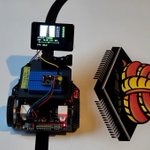


Repurposing a super cheap NMMiner to create an AI companion—it doesn’t speak, it only listens, I think...
@EspressifSystem @Arduino
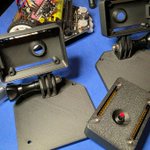
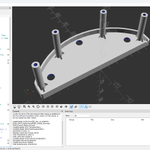
Using #OpenSCAD to add and subtract elements and create the enclosure for mounting the ESP32-S3 board vertically.
#computervision
@EspressifSystem @Arduino @waveshare00

Since the most common orientation of camera sensors is perpendicular to the Flat Flexible Cable, I am going to try mounting the ESP32-S3 board vertically.
#computervision
@EspressifSystem @Arduino @waveshare00

Using the Waveshare ESP32-S3 camera with display as line sensor to control the MAQUEEN Plus. Testing Micropython scripts remotely using WebREPL with Thonny and the ESP32-C6 Super Mini.
#computervision
@EspressifSystem @Arduino @waveshare00

After designing the mount for the Waveshare ESP32-S3 camera with display for the MAQUEEN Plus, I realized I needed to rotate it so the cables would exit from the bottom; it was like mirroring the parts.
#computervision
@EspressifSystem @Arduino @waveshare00

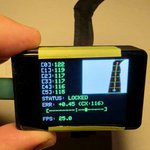
Creating a sensor for a Line Follower Robot using the Waveshare's ESP32-S3 2inch Capacitive Touch Display with camera.(25.0 FPS).
#computervision
@EspressifSystem @Arduino @waveshare00

Finding the brightest 3x3 pixel area in the image (23.7 FPS).
Using the Waveshare's ESP32-S3 2inch Capacitive Touch Display with camera.
#computervision @EspressifSystem @Arduino @waveshare00


Using the ROMI Robot Chassis with a 9V UPS and a custom I2C controller based on the #CH32V003. An #ESP32 running #MicroPython enables experimentation using WebREPL in #Thonny.


Cooling down the ESP32-C3 with a tiny antenna.
With Arduino:
WiFi.stTxPower(WIFI_POWER_8_5dBm);
With Micropython:
sta.config(txpower=8.5)
@EspressifSystem @arduino #esp32


Testing my breakout board for the #CH32X035.
Using the Arduino IDE to generate the hex file, and then using #WCHISPStudio to program it directly via its USB interface.
Not bad for an industrial-grade 32-bit RISC-V microcontroller costing less than 50 cents.

Celebrating the 55th anniversary of Personal Computing.
New Kenbak-1 Ruler layout (connectors on the left side).
Playing with the Video Editor OpenShot ...
#KenbakRuler #KENBAK #retrocomputing
Celebrating the 55th anniversary of Personal Computing,
Giving a 180-degree makeover to the Kenbak-1 Ruler.
#KenbakRuler #KENBAK #retrocomputing


Testing the Demo program from the IMSAI 8048 Manual using a low cost 4 Channel DC 5V Relay Module from Amazon.
#IMSAI8048 #D8748H #D8749H #INTEL #Retrocomputing #MCS48 #Microcontroller
The IMSAI 8048 can download or upload binary data.
I will use an Arduino to convert the paper tape format into Intel HEX, enabling the use of a serial terminal like TeraTerm, PuTTY, etc.
#IMSAI8048 #D8748H #D8749H #INTEL #Retrocomputing #MCS48 #Microcontroller

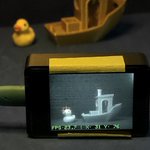
Benchy detected!
Doing some tests to use E18-D80NK ir proximity sensors in simple model trains setups with the IMSAI 8048 replica.
#IMSAI8048 #D8748H #D8749H #INTEL #Retrocomputing #MCS48 #Microcontroller

The relay module has arrived—time to test the relay routine from the IMSAI 8048 manual.
#IMSAI8048 #D8748H #D8749H #INTEL #Retrocomputing #MCS48 #Microcontroller

Replacing my vintage microprocessor trainer's RAM with FM16W08 F-RAM is the best way to enjoy those nostalgic routines without having to retype them or deal with the hassle of a cassette recorder or serial terminal.
#IMSAI8048 #D8748H #D8749H #Retrocomputing #vintagecomputers
