




Still using spreadsheets thinking you can't afford a full ITSM system as a small business?
Consider Alloy Navigator Express, our product edition for small businesses. It gives your small IT team a complete ITSM/ITAM toolkit: help desk, asset management, knowledge base, self-service portal, and built-in AI to help your team do more.
And when you're ready to grow, you can do it within Alloy Navigator at your own pace. Add more structure without replacing the system you started with.
Learn more on our website: alloysoftware.com/industries…
🤖 Made with AI

The latest AlloyScan update makes Analytics more flexible: sort groups your way, show top results on your dashboard, and keep a broader breakdown in Analytics.
Administrators get more control over remote computers, with restarts through Audit Agents and results they can track.
Find out more in our blog: alloysoftware.com/blog/alloy…

“How do I reset my password?”
How many times has your support team answered that one?
A knowledge base turns your team's expertise into answers everyone can use. Engineers reuse solutions, employees help themselves, and AI delivers answers tailored to their questions. Fewer repeat tickets leave more time for issues that need a human touch.
Learn more: alloysoftware.com/features/k…

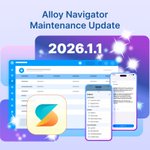
The maintenance update for Alloy Navigator 2026.1 is now available!
Version 2026.1.1 brings more devices from AlloyScan into your ITAM workflows, including Chromebooks, iPhones, iPads, and Apple TVs. It also adds mobile access to built-in AI-powered actions and support for OpenAI’s new GPT-6 model family.
🆕 New for cloud customers: CloudRoll will email your designated technical contacts with the proposed upgrade schedule and a link to reschedule if needed.
Read more in our latest news: alloysoftware.com/blog/alloy…

We’re introducing CloudRoll, a simpler way to plan upgrades for Alloy Navigator in the Cloud! ☁️
For each upgrade, you’ll get an email with the proposed date and time. If the timing works, you don’t need to do anything. If not, use the secure link to reschedule. CloudRoll gives you time to prepare and room to adjust.
See how it works: alloysoftware.com/blog/cloud…

The latest AlloyScan update lets you scan and audit cloud resources without installing or maintaining a local audit service, simplifying setup and reducing local maintenance.
We’ve also made working with collected data easier. In tabular data views, the first column now stays visible as you scroll, keeping the clickable name on screen.
Find out more in our blog: alloysoftware.com/blog/alloy…


A new semester brings students back to campus — and a new wave of IT requests.
With Alloy Navigator, higher education IT teams can manage requests, services, and assets in one place. Students and faculty have a clear way to ask for help, while IT can track equipment, route requests, and keep everyone informed.
Explore Alloy Navigator for higher education:
alloysoftware.com/industries…

📱 The Alloy Navigator mobile app just got a fresh new look!
Our ITSM and ITAM app for IT teams now has a cleaner, more intuitive interface, making everyday work even easier on the go.
✅ Manage tickets and requests
✅ Handle IT assets and approvals
✅ Take care of everything else you do in Alloy Navigator, right from your phone
Now available on the App Store and Google Play for all Alloy Navigator Enterprise and Express customers.
See what’s new: alloysoftware.com/blog/alloy…

A powerful new way to surface the information that matters!
AlloyScan 26.8 introduces more system widgets that use smart grouping to keep inventory data clear and useful for specific data scenarios.
The release also adds custom categories and hierarchy for Analytics, with a new navigation pane for easier browsing.
And notifications are now more actionable, with added context, direct links to relevant AlloyScan pages, and customizable templates.
Find out more in our blog: alloysoftware.com/blog/alloy…

Back-to-school means thousands of Chromebooks are back in use — and K–12 IT teams need a clear view of every device.
With AlloyScan, Chromebooks can be managed alongside Windows devices, Macs, servers, and other classroom tech in one IT asset inventory.
Do you have a complete picture of every device across your district? Consider AlloyScan as a network inventory solution: alloysoftware.com/network-in…
Alloy Software is providing discounts for educational institutions.

Tired of digging through ticket activity? Ask Alloy AI which tickets are aging and why. It finds the relevant context for you and pinpoints what each ticket is waiting on. And that’s just one way it can help.
Meet Alloy AI copilot, built for everyone in IT, from service desk analysts to IT managers. Coming in the Alloy Navigator Fall 2026 Release.

This new AlloyScan update introduces Windows Events log collection, IP-based site access restriction, and more!
See what's new: alloysoftware.com/blog/alloy…

AI-assisted documentation search is now a conversation! 🗣️
Ask a question, follow up naturally, and find the exact Alloy product information you need without starting over or digging through pages.
See what’s new: alloysoftware.com/blog/ai-do…
The July AlloyScan update is here! 🎉
AlloyScan, our cloud-native IT asset discovery and network inventory solution, keeps getting better.
This update brings improved dashboards, a smoother alert subscription experience, faster, more reliable performance, and more.
See what’s new: alloysoftware.com/blog/alloy…

Your ITSM software should connect your IT operations, not create another silo.
Alloy Software products offer a wide range of native integrations. When a built-in option isn’t available, you can connect virtually any tool through the powerful Alloy REST API or third-party automation platforms.
That means less time spent copying data between systems, fewer manual updates, and more consistent workflows across your service desk, asset management, and business applications.
Explore Alloy Software integrations by product, category, or integration type: alloysoftware.com/integratio…
As a New Jersey-based team, celebrations in New York City feel especially close to home. Wishing everyone a bright, joyful, and safe Independence Day!

🌷 The June update to Alloy mobile apps brings expanded IT asset management, easier navigation, AI-powered workflow actions, and usability improvements — helping teams stay productive wherever work takes them.
Watch the video to see what’s new 🎥
And read the news on our website: alloysoftware.com/blog/alloy…
The June 2026 update of AlloyScan brings new amazing capabilities:
- interactive analytics,
- customizable dashboards,
- Jamf integration,
- and Chromebook discovery.
More ways to understand your device data, and act on it faster.
More on the update in the Release Notes: docs.alloysoftware.com/alloy…

Introduced in the Spring 2026 Release, Field-to-Field filtering helps you identify overdue requests, mismatched approvals, and unexpected data patterns. 🕵
Available directly in tabular data views, Kanban boards, and Interactive Analytics—no exports or manual spreadsheet checks required.
See how it works in the short demo below ⤵️