

Emergency Communication for Everyone 👉 iOS and Android available!
- Tweets728
- Following219
- Followers178
- Likes832





ALT Cover of the accesSOS 2025 Annual Report showing a modern layout with the accesSOS logo, strong headline text, and imagery representing emergency alerts, accessibility, and community support.

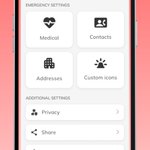
ALT accesSOS User Profile page in an iPhone frame

ALT Interface screens from a multilingual emergency app showing translated text in several different languages. The screens display options for emergency type, location sharing, progress updates, and dispatcher communication.

ALT Screen of the accesSOS app showing a map with a location pin at 3301 Palace Dr. in San Francisco. Below, users can select emergency services needed—Medical, Police, or Fire—without making a phone call.

ALT Home screen of the accesSOS app showing a map with a red location pin centered near Borden Road in Richland. At the bottom are two buttons: a red “Report emergency” button and a white “Test app” button.

ALT Emergency summary screen with location details, medical and police emergency selected, notes of chest pain and bleeding, contact information, and a “Contact Help” button.

ALT Side-by-side mockups of the accesSOS app displayed on two smartphones. The left screen shows an emergency report page with a map at the top, an address listed as ‘3301 Palace Dr, San Francisco, CA,’ and buttons to choose the type of emergency: Medical, Police, Mental, or Fire. The right screen shows the accesSOS logo above a large red QR code with the text ‘Scan to Download’ underneath.

ALT A smartphone screen displaying the ‘Emergency details’ page of an emergency app. The page asks, ‘What happened?’ and shows six selectable options: Physically unstable, Can’t breathe, Traffic accident, Injury, Pain, and Suspicious activity. A red ‘Next’ button and a ‘Skip’ option appear at the bottom.

ALT A smartphone screen showing the ‘Location’ page of the accesSOS app. A map with a red marker pinpoints an exact location labeled 3301 Palace Dr, San Francisco, CA. Below, a message reminds users to confirm their location so emergency services can find them, with a red ‘Next’ button at the bottom.

ALT Woman signing Thank You inside of a red heart

ALT Two phone screens showing accesSOS in action: one with a 911 text thread displaying the user’s emergency details and dispatcher responses, and the other showing the accesSOS screen indicating the app is contacting a 911 dispatcher.

ALT Interface screens from a multilingual emergency app showing translated text in several different languages. The screens display options for emergency type, location sharing, progress updates, and dispatcher communication.

ALT Side-by-side mockups of the accesSOS app displayed on two smartphones. The left screen shows an emergency report page with a map at the top, an address listed as ‘3301 Palace Dr, San Francisco, CA,’ and buttons to choose the type of emergency: Medical, Police, Mental, or Fire. The right screen shows the accesSOS logo above a large red QR code with the text ‘Scan to Download’ underneath.

ALT A smartphone screen showing the ‘Location’ page of the accesSOS app. A map with a red marker pinpoints an exact location labeled 3301 Palace Dr, San Francisco, CA. Below, a message reminds users to confirm their location so emergency services can find them, with a red ‘Next’ button at the bottom.

ALT Smartphone screen showing the accesSOS ‘Emergency details’ page. The header displays ‘Emergency details’ and indicates step 4 of 4. Below the question ‘What happened?’ are selectable icons with labels: Physically unstable, Can’t breathe, Traffic accident, Injury, Pain, and Suspicious activity. A red ‘Next’ button appears at the bottom, with a ‘Skip’ option beneath it.