
Visual work communication tool that helps teams share information faster through instantly shareable videos, gifs, and screenshots

San Francisco, CA
Joined September 2009
Introducing Zight MCP, now available to all Zight users Connect Claude, ChatGPT, and any MCP client directly to your Zight captures. Meeting notes, Transcripts, OCR text, console and network logs are all available to your agent instantly, with zero copy-pasting. 🧵👇
3
2
5
503
Zight is officially SOC 2 Type II certified, audited by @JohansonGroup Your data is in good hands. Link to the full blog post in the comments! #SOC2 #SOC2Compliance #DataSecurity #Continuedmonitoring #Zight
1
1
308
Zight is proud to be a sponsor of #ZendeskRelate 2026. If you’re here, stop by our booth and say hi! We’d love to connect, chat customer support, and show you what’s new at Zight.
1
1
1
358
Tara from Tara Tamiko Ltd has been with us from the beginning. Hearing that Zight is the one tool that consistently works means a lot. We’re glad the AI features are making things even easier day to day. We really appreciate the support and recommendation! #AI #CustomerReview #communicationtool
145
Justin is using request video to get a clearer view into how customers actually use their product. That kind of visibility goes a long way. #Request #UserInsights #UXResearch #SupportTools
97
How many times have you explained the same process this week? Now imagine doing it once… and never again. Zight's AI Agent transforms your screen recordings into a live AI agent that can replay your steps anytime, for anyone. - Onboarding - Support walkthroughs - Internal processes All handled automatically. Want to join the waitlist? Use the link in the comments. #WorkflowAutomation #AI #AsyncWork #ProductivityTools #Automation
1
149
Tired of meetings that could’ve been a quick video? Join our Zight 101 webinar and learn how teams use visual communication + AI to move faster. We’ll be going over: How to create screen recordings, screenshots, and GIFs Practical ways to save time with async workflows Insider tips to get more out of Zight Real-world examples you can apply immediately Ready to work smarter? Sign up for our free webinar through the link in our comments! #AIAgents #ProductWorkflow #Webinar
2
137
Rachael calling out the everyday value. Easy to use, easy to share, and a really useful tool throughout the day. Start capturing your work as you go. #customerreview #asyncwork #easytouse #WorkSmarter #remotework
89
How much time are you losing chasing down files over email? Zight Request Links makes it simple. Share one link, collect videos, images, and files instantly. Request Video → available on all platforms Request Images & Files → web only
269
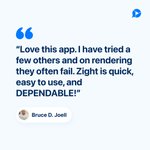
Bruce said it best. Quick, easy, and dependable. #CustomerReview #ScreenRecording #AsyncWork #SaaSTools
113
Juliet said it best, the best part is request video. Try it out and see how easy it is to get exactly what you need.
141
Hearing that our app makes screenshots, annotations, and quick screen recordings easier is exactly what we want for our customers!
1
135
Thanks for the kind words, Valerie Cudnik, and for being with Zight since the beginning. We love hearing how you use recordings to walk clients through tricky tools. Helping your clients feel confident is exactly what Zight is built for. #testimonial #ScreenRecording
142
We just released Request Links! A new way to collect exactly what you need in one request: • Request Video to capture screen, webcam, or both • Add Data Logs when deeper troubleshooting is needed • Request Files for documents, exports, and logs • Request Images for screenshots and visual proof One request. Multiple ways to respond Which request will you try first? Video, Data Logs, Files, or Images? #requestvideo #screenrecording #datalogs #fileupload #imageupload
1
155
Learn more about request links: zight.com/request-links
85
We love hearing how our screenshots and screen recordings are making teaching simpler, clearer, and more enjoyable. #CustomerTestimonial #ScreenRecording #TeachingTool
112