
Workflowy is a better way to organize your mind.
San Francisco
Joined October 2009
- Tweets4.8K
- Following258
- Followers15.8K
- Likes3.3K




Pinned Tweet
The Workflowy Community is a place for focused conversations about the parts of Workflowy we’re actively developing.
We’ll share updates, listen to your responses, and bring what we learn back to the team.
Join the conversation: community.workflowy.com

You can now use the move-up/move-down keyboard shortcuts on tables to move entire rows.
workflowy.com/help/hotkeys
URLs now store pane information. Save your custom setups as regular links in Workflowy.
workflowy.com/help/panes
Our help docs now feature search and are available in 5 languages (English, Español, Française, 日本語, 한국어)
workflowy.com/help

The desktop app is now available in .deb and .rpm flavors for our Linux friends🐧
workflowy.com/download/

Enable 'Today Digest' to receive an email each morning with everything on your calendar for the day.📮
workflowy.com/today-digest/

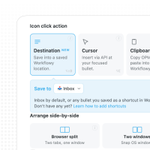
Workflowy Clipper 3.1.4 adds clipping without needing a tab open with the 'Destination' option.⚡️
Chrome: chromewebstore.google.com/de…
Firefox: addons.mozilla.org/en-US/fir…


We've updated our Chrome extension✨
- Custom keyboard shortcuts
- Formatting options
- Split-screen view
- Choose insert position
- Named links
chromewebstore.google.com/de…