

QuestDB (YC S20) is the fastest open source time series database. https://xitter.cf/t.co/g0aLl6RpwB
- Tweets2.6K
- Following265
- Followers2.3K
- Likes750


![QuestDB Enterprise banner titled 'Trading hours, in the filter.', tagged Enterprise · Exchange calendars, with a pill reading #XNYS, a MIC code, not a holiday list. Body text reads: no holiday list, no session window, no timezone math. A MIC code in the time filter, and daylight saving comes for free. On the right, under the heading 'january on the nyse, sessions only,' a code card shows: WHERE ts IN '[2026-01]#XNYS'. Below, under 'one filter, any market,' three rows read: XNYS, no weekends, no holidays, real early closes; XHKG, both sessions, lunch break taken out; and your own, custom sessions, overrides, internal codes. A footnote reads: NYSE, 14:30 to 21:00 UTC in winter, 13:30 to 20:00 in summer. Same filter.](https://pbs.twimg.com/media/HVF4m0wW0AAk4oj.jpg?name=orig)
ALT QuestDB Enterprise banner titled 'Trading hours, in the filter.', tagged Enterprise · Exchange calendars, with a pill reading #XNYS, a MIC code, not a holiday list. Body text reads: no holiday list, no session window, no timezone math. A MIC code in the time filter, and daylight saving comes for free. On the right, under the heading 'january on the nyse, sessions only,' a code card shows: WHERE ts IN '[2026-01]#XNYS'. Below, under 'one filter, any market,' three rows read: XNYS, no weekends, no holidays, real early closes; XHKG, both sessions, lunch break taken out; and your own, custom sessions, overrides, internal codes. A footnote reads: NYSE, 14:30 to 21:00 UTC in winter, 13:30 to 20:00 in summer. Same filter.

ALT QuestDB banner titled 'Compression, without ZFS.', tagged Storage · Parquet, with a pill reading Parquet partitions, open source and Enterprise. Body text reads: Parquet partitions are compressed in the format itself and stay fully queryable. On Enterprise, storage policies convert them by age. On the right, under the heading 'where compression happens,' two stacks compare before and now. Before shows three layers: QuestDB table in native format, ZFS compression struck through as a filesystem layer, and disk. Now shows a pink QuestDB table box labeled Parquet partitions, compressed, sitting directly on disk. Below, a panel headed 'codec, set in server.conf' lists LZ4_RAW as the default, plus zstd, gzip, snappy and brotli. A footnote reads: ALTER TABLE converts existing partitions you point it at.

ALT QuestDB Enterprise banner titled 'Service accounts, not your login.', tagged Enterprise · Service accounts, with a pill reading no groups, nothing inherited. Body text reads: a principal for an application, not a person. Every permission it holds was granted to it explicitly, so the grants are the blast radius. On the right, under the heading 'one table, one protocol, nothing else,' a code card shows: CREATE SERVICE ACCOUNT ingest_app WITH PASSWORD 'pwd'; GRANT HTTP TO ingest_app; GRANT INSERT ON sensor_data TO ingest_app; ALTER SERVICE ACCOUNT ingest_app CREATE TOKEN TYPE JWK; Below, under 'memory limits too,' a card reads: SET MEMORY LIMIT 1G, per account, not inherited. A footnote reads: no personal login in the pipeline.

ALT QuestDB Enterprise banner titled 'Kubernetes operator, fully documented.', tagged Enterprise · Kubernetes, with a pill reading EKS + AKS, docs complete. Body text reads: from installation to the support matrix, everything you need to run QuestDB Enterprise on Kubernetes. On the right, under the heading 'what the docs cover,' ten chips read: installation; getting started on EKS and AKS; migrating an instance; configuration; operator runbook; backup and restore; high availability; troubleshooting; API reference; and limits and support matrix. Below, a panel headed 'no cloud identity, no object store I/O' shows two lanes: operator, with a crossed-out line to your bucket, and db pods, with a green arrow reaching your bucket. A footnote reads: EKS with IRSA, no static Secret at all."

ALT A QuestDB Web Console notebook titled Energy Trading Dashboard in grid layout, with five variables and a 5 second refresh. Nine panels: intraday trading PnL by book in USD with drawdown, front months live with red and green change columns, a PnL and position blotter, limit utilisation now and intraday, the live curve versus last settlement, book as known versus as restated, a PnL explain bar chart across market move, new trades, late bookings, amendments and cancellations, and 1-minute OHLC candles on the front month. Instruments include Brent, WTI, TTF, NBP, JKM, gasoil, EUA, UKA and UK power across the carbon, crude, EU gas, LNG, products and UK power books.


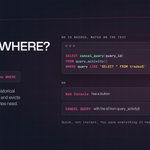
ALT QuestDB banner titled 'Forgot a WHERE? Cancel it.', tagged SQL · Cancel query, with a pill reading SELECT * FROM trades, no WHERE. Body text reads: a runaway scan pulls every historical partition into the page cache and evicts the recent data your live queries need. On the right, under the heading 'no id needed, match on the text,' a code card shows: SELECT cancel_query(query_id) FROM query_activity() WHERE query LIKE 'SELECT * FROM trades%'. Below, under 'or,' two cards read: Web Console, has a button; and CANCEL QUERY, with the id from query_activity(). A footnote reads: quick, not instant. You save everything it has not read yet.


ALT QuestDB Enterprise banner titled 'Enterprise, 30 days, your workload.', tagged Free trial · Enterprise, with a pill reading latest build, no limits on cores or nodes. Body text reads: no discovery call, no demo. Request the trial and get the download link within one business day. The URL questdb.com/enterprise/trial sits below. On the right, under the heading 'try it for real,' five checked cards read: Ingest, your own data shape and rates; Tiered queries, hot storage plus Parquet on S3, GCS, Azure, NFS; Incremental backups; Roles and grants, with SSO and TLS in front; Take a node down, replication and restart-free promotion.


ALT QuestDB banner titled 'Five joins, built on time.', tagged Guide · Time series joins. A pill shows two timestamps, 14:54:42.340 and 14:54:42.323, with a not-equal sign between them, labeled '= returns nothing'. Body text reads: equality joins fall apart for time. Choose by starting from the row you want back. On the right, under the heading 'the row you want back,' five cards pair each join with its use: ASOF JOIN, the state of another series at each event; WINDOW JOIN, a summary of what it was doing nearby; HORIZON JOIN, the value at fixed offsets around it; LT JOIN, the previous bar, no look-ahead bias; SPLICE JOIN, every change on two feeds, neither in charge


