

A dedicated software development company that provides complete business software solutions in the data recovery and partition management industry.
Vancouver, British Columbia
Joined May 2014
- Tweets3.6K
- Following169
- Followers6.3K
- Likes642





💻Running out of space on the C drive in Windows Server?
Extending the system partition can help you gain more room without reinstalling Windows.🌟
Explore methods for Windows Server 2016, 2019, 2022, and 2025: 👇partitionwizard.com/resizepa…
#WindowsServer #DiskManagement

Disk Management Tips #15 - New Striped Volume
👀
Want faster disk performance? ⚡
Learn how to create a striped volume (RAID 0) in Windows Disk Management to improve read and write speeds across multiple disks. 💻
#WindowsTips #DiskManagement #RAID0
🎬 Want to reuse your own TikTok videos on other platforms without the watermark?
Explore 3 ways to save your videos for easier content repurposing.
See how: 👇youtubedownload.minitool.com…
#TikTokTips #ContentCreation

Disk Management Tips #14 - New Spanned Volume 💡
Running out of disk space? 💾
Learn how to create a spanned volume in Windows Disk Management to combine space from multiple disks into one larger volume. 💻
#WindowsTips #DiskManagement #Windows
Windows Fix #17: BitLocker Recovery Key Bypass
🧵[1/8]
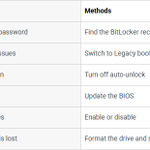
Stuck in an endless BitLocker recovery loop on Windows 10/11? 🛑
Even after entering the correct 48-digit key, your PC keeps asking for it on every reboot?
Don't panic — you don't always have to lose your data.
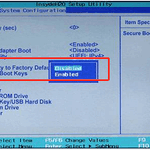
Here are 6 proven ways to bypass & fix it! 👇
#WindowsFix #BitLocker #Windows10 #Windows11
🤖 Made with AI

🧵[7/8]
Clean Install OS
If the key is permanently lost and you can't access data, wipe and start fresh:
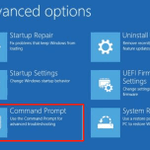
1️⃣ Boot to CMD via Recovery Menu.
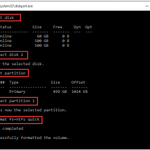
2️⃣ Format drive: diskpart select disk 0 select partition 1 format fs=ntfs quick
3️⃣ Reinstall Windows via USB installation media (or use MiniTool Partition Wizard Bootable).
⚠️ Warning: Erases all data on the drive!
#WindowsFix #DataRecovery

🧵[8/8]
Summary & Wrap-up
📖 Read the full step-by-step guide here:
partitionwizard.com/disk-rec…
💬 Drop your BitLocker questions below!
#WindowsFix #WindowsTips #BitLocker

🔖 Lost your favorite websites from Safari on your iPad?
Before rebuilding your bookmarks from scratch, explore these methods to restore them.
Follow the guide: 👇
minitool.com/ios-recovery/re…
#iPad #Safari #iOS #datarecovery

Disk Management Tips #13 - Add Mirror🌟
Want to protect your data against disk failure? 💾
Learn how to add a mirror in Windows Disk Management to create a duplicate copy of your volume and improve data redundancy. 🖥️
#WindowsTips #DiskManagement #DataBackup
🚀 MiniTool MovieMaker 9.0 is here! 🎬
✨ New WordArt templates
🌊 More transitions, including Fade & Dissolve
⚙️ Bug fixes & workflow improvements
Create eye-catching videos with a smoother editing experience!
Get the latest version: 👇moviemaker.minitool.com/

📱 Finding that messages have disappeared from your iPhone without warning?
Several settings or other issues could be responsible.
Discover possible causes and solutions here: 👇minitool.com/ios-recovery/ip…
#iPhone #iOS #datarecovery

Disk Management Tips #12 - New-Mirrored-Volume 🌟
Want extra data protection on Windows? 💾
Learn how to create a mirrored volume in Disk Management to keep duplicate copies of your data across two disks. 🖥️
#WindowsTips #DiskManagement #DataProtection
Playing an FLV video with no sound?🔇
The issue could be related to your media player or audio codec.
Explore 3 possible fixes to get your audio working again: videoconvert.minitool.com/ne…
#VideoConverter #VideoTroubleshooting #FLV

Disk Management Tips #11 - Create VHD (Virtual Hard Disk)🌟
Want to create a virtual hard disk on Windows? 💻
Learn how to create a VHD using Disk Management and use it to store files or set up a virtual environment. 💾
#WindowsTips #VHD #DiskManagement
📱 Planning to share a video on Threads?
Check the video size and upload requirements before posting to avoid unnecessary hassle.
Learn more about Threads video limits: videoconvert.minitool.com/ne…
#Threads #SocialMediaTips #VideoTips
