

We finally fixed your Email & Calendar! Gmail, Outlook, and Apple got complacent. Then along came HEY. Follow @37signals to get the latest news about HEY.
Joined June 2020
- Tweets5.7K
- Following5
- Followers17.7K
- Likes1.2K


HEY retweeted

New in HEY: Now you can jump to a dedicated page with all your Previously Seen emails. These are emails you've clicked on, read, or sent that aren't marked unread.
Previously Seen remains as a dedicated section at the bottom of the Imbox below New For You as usual, but the dedicated page makes it easier just to see /that stuff/ when you want it. You can also use the "9" keyboard shortcut to jump right there.
Lots of request for this one, we're glad to be able to bring it to you!


HEY retweeted
New in HEY: Bubble Up Now!
Bubble Up lets you float important messages to the top of your Imbox so they're easy to get to on a future date. But sometimes it's helpful to have easy access to an email right now, not later. So, we added an option to bubble up an email immediately!
updates.37signals.com/post/n…

HEY retweeted
New in @heyhey: Send Outlook emails via OAuth2 and API
With Microsoft discontinuing support for SMTP basic authentication, we made the switch to OAuth2 and API delivery.
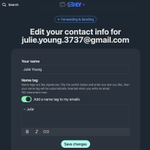
On a web browser, head to your HEY account settings › Forwarding & Sending › Edit › Sending setup › Sign in to Outlook › Accept.

ALT Edit settings for Outlook

We just shipped significant improvements to search.
🔝 HEY will now surface best matches at the top, followed by the most recent threads as before. We've also tinkered with the matching algorithm quite a bit so it should do a better job of finding matches.
📎We added an option that lets you filter results by whether it has an attachment.
✅ You can select emails in search results and apply a label, add to a workflow, or read together–up to you!

ALT Search and filter by attachment

ALT Actions on search results
Introducing HEY for Families — add up to 4 additional HEY accounts for just $179/year total! One person pays and invites everyone, but the accounts remain separate and private. updates.37signals.com/post/n…

HEY retweeted
via @nytopinion “Gmail and virtually all of its competitors assume anyone should be able to email you… Hey assumes that only the people you want email from should be able to email you.”
Welcome to @heyhey @ezraklein nytimes.com/2024/04/07/opini…

New in HEY: Upload and import events via ICS 🗓️
When you make a reservation or book a flight, you sometimes have the option to download the ICS file to add the event to your calendar. On desktop/web, now you can open the HEY menu › Import events via ICS › and upload it here!

ALT Link to "Import events via ICS" from the HEY menu

ALT Form to import events into HEY
You can also use this to migrate from another calendar service to HEY. While you can already subscribe to an outside calendar, now, you can also bring in events by exporting them from your ex-calendar and importing the ICS file.
help.hey.com/article/839-exp…
HEY Calendar is now available for HEY for Domains!

We’ve finished the integration of the new HEY calendar with HEY for Domains accounts. Invitations rolling out today. Sorry for the wait and enjoy this amazing new calendar as a free upgrade! ✌️ hey.com/calendar

HEY retweeted
It's here! The HEY Calendar is available on all platforms for everyone with a hey.com email address. Existing customers, new customers, all. We'll be rolling out our custom domain support soon, as well.
Huge thanks to all the early adopters, and everyone who helped spread the word. And an extra special thanks to those who stood with us during the latest App Store thing — we hope our experience ultimately helps everyone, especially those small developers without a voice, and without leverage.
I thought this would also be a good time to share a single picture that embodies the original inspiration many of the fundamental and philosophical ideas behind the HEY Calendar.
It was our old school huge paper family calendar that we tape up on the side of our kitchen island every month. Below is a picture I shared with our company early in the development of the calendar. It's flexible, it's fun, it's full of personality, it's "messy" (in a comfy, cozy way), and most of all, it's perfectly ours.
Aiming for the Google Calendar, or other digital calendars, would be aiming low. Aiming for the flexibility of paper, is aiming high. 🎯

The HEY Calendar is now available to all customers*, across all platforms, and it's included in the HEY subscription at no additional charge. You can signup at hey.com and you get both email + calendar automatically. Make a fresh start in 2024!
(*HFD coming!)
The HEY Calendar is now available, across all platforms, and it's included in the HEY subscription at no additional charge. Check it out at hey.com/calendar and enjoy both HEY calendar & email!