

HP Support is here to answer questions and share tips and tricks 24/7.
Global English
Joined March 2009
- Tweets445K
- Following25
- Followers90.3K
- Likes1.4K




Pinned Tweet
#DYK about our channel on YouTube?
Watch our #HPSupport #shorts on how to navigate/search within our channel for quick tutorials and videos on troubleshooting issues, unboxing new devices, or even changing parts of your device!
Get started here➡️ hp.care/44SuhFV
Copied something earlier and can’t find it now?
Check out this quick tip to bring it back! 💙
#HPSupport #ClipboardHistory #KeyboardShortcuts
It’s Friday FAQ time! A few quick checks can help get your touchpad working smoothly again. Follow these steps and see if they make a difference. 💙
#FridayFAQ #HPSupport

Seeing lines, weird colors, or blurry scans? a
Try these quick fixes. If the issue continues, reach out to HP Support. 💙
#HPSupport #ScannerTips
@SanataniRahull Based on the physical condition and the observed usage pattern, the issue has been assessed as accidental/usage-related damage and is therefore not covered under the normal warranty terms. The service will be provided on a chargeable basis <2/2>
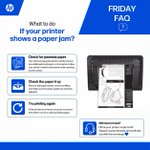
It’s Friday FAQ time! Dealing with a paper jam?
Follow these simple steps, and make sure to use the instructions specific to your printer model when opening access areas. 💙
#FridayFAQ #HPSupport

Your touchpad can do more than you think.
Try these 5 gestures for quicker, easier navigation.
Save this for later. 💙
#HPSupport #TouchpadGestures
@RimjhimShu04 Hi ,
Thank you for reaching out to us. We hear you loud and clear, and we are committed to taking care of this situation.
Could you please send a direct message with your laptop details to take a closer look at this situation? xitter.cf/messages/compose?recip…
Hi ,
Thank you for reaching out to us. We hear you loud and clear, and we are committed to taking care of this situation.
Could you please send a direct message with your laptop details to take a closer look at this situation? xitter.cf/messages/compose?recip…
It’s Friday FAQ time! 💙
Need a quick way to capture your screen? Here are the keyboard shortcuts for taking a screenshot.
#FridayFAQ #HPSupport #KeyboardShortcuts #Screenshot

Built to Dominate. Get your OMEN today & power your next move
hp.social/6014apSBs
#PowerYourPlay #OMEN

Sound not working on your laptop?
Try these simple fixes to get your audio back on track.
Still having trouble? Reach out to HP Support. We’re here to help.💙
#HPSupport #TechTips
It’s Friday FAQ time! 💙 Print quality not quite right? Here are a few simple tips to help.
#FridayFAQ #HPSupport

Every mood. Every idea. Every moment. 💙
Your laptop is right there with you.
#HPSupport #HP
It’s Friday FAQ time! 💙
Want to keep your laptop battery healthy? Watch the charge levels, avoid extreme temperatures, check battery health, use smart power settings and keep your system updated.
Questions? Reach out to HP Support.
#FridayFAQ #HPSupport

Wi-Fi or Bluetooth suddenly disappeared from your laptop?
Watch this quick step-by-step guide to bring them back and reconnect.
Still having trouble? Reach out to HP Support through our social channels. We’re here to help.💙
#HPSupport #TechTips
A new laptop, a fresh start. 💙
Here’s to new ideas, smoother workflows, and everything you’ll create next.
#HPSupport #HP #NewLaptop #TechTips
It’s Friday FAQ time! 💙
A little extra fan noise can happen when your laptop is working harder. Check for overheating, blocked vents, high CPU usage or software issues.
Still hearing it? Reach out to HP Support with your question.
#FridayFAQ #HPSupport

Sometimes the simplest fix is a fresh start. 💻
A proper restart can refresh your PC, fix temporary issues & complete updates.
Sleep ≠ Shut Down. Still stuck?
DM HP Support - we’re here to help.
#HPSupport #TechTips
It’s Friday FAQ time! 💙
If your HP printer isn’t connecting to Wi-Fi, don’t worry!
Check out this week’s FAQ for simple troubleshooting tips. If you’re still having trouble, send us a message with your printer model - we’re here to help! 🤝
#FridayFAQ #HPSupport #HPPrinter
