

Hi👋 We're Google Flow, your AI creative studio. Follow along for product news and creative tips to bring your cinematic stories to life.
Joined August 2025
- Tweets627
- Following14
- Followers74.6K
- Likes455


Pinned Tweet
There are no shortcuts to great work.
We built Google Flow with and for creatives as a tool to use, stretch, remake, and extend their own processes.
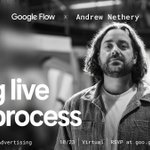
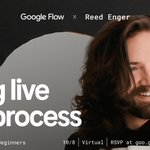
And today, we are announcing a series of interactive virtual workshops to spotlight the craft behind modern creative workflows.
Bring your talent. Bring your care. Long live the process.
RSVP below.

Bring your wildest ideas.
Join our Hybrid Production | Filmmaking & Advertising digital workshop on Oct. 23 @ 9AM PT. In this session, Creative Director and Filmmaker Andrew Nethery shares how he pairs traditional live-action production with experimental, hybrid AI workflows for his latest short film, Nothin' Beats a Cheeseburger.
RSVP here: goo.gle/flow-workshops

Halloween prep is officially underway.
We’re reimagining the mundane chores that iconic spooky characters have to tackle leading up to the big night, all created with Nano Banana in Google Flow.
Create your own and share them with us!
🤖 Made with AI


Create cinematic transitions in Google Flow. Here’s the workflow:
Step 1: Prompt a scene detailing your character, environment, and movement. Once you find your favorite, ask your agent to bulk-generate 4 to 6 new images from different angles, like close-ups or low ground angles.
Step 2: Switch the model to Omni 1.1 Flash. Type a prompt describing the action, then add a second sentence specifically detailing your transition style (like a fade, light blur, glitch, or fast zoom).
Jump into Google Flow, test out your favorite transition style, and tag us in your creations!
🤖 Made with AI
Some great examples of Nano Banana 2.1 strengths ⤵️
It excels at character consistency
xitter.cf/egeberkina/status/2107…


It creates great frames for any film work
xitter.cf/moinzek/status/2107922…


What will you try creating with it? Generate images using Nano Banana 2.1 with 0 credits at flow.google.com

Bring your vision.
Our next digital workshop, Google Flow for Filmmakers, is on Oct. 16 @ 9AM PT. In this session, Director and Creative Technologist @bradleytangonan demonstrates how he used Google Flow to create his short film, Murmuray.
RSVP here: goo.gle/flow-workshops

People are already putting our newest image generation model, Nano Banana 2.1, to the test! Take a look ⤵️
And it truly shines when rendering text
xitter.cf/KingofKnockout_/status…


Even when that text involves subtle nuances
xitter.cf/fofrAI/status/21075096…


Bring your creativity.
Continuing our workshop series, the Google Flow for Creators digital workshop is happening soon, on Oct 12 @ 9AM PT.
In this session, digital creator Will Schafer breaks down how he took one of his original songs and used Google Flow to build its complete visual world, crafting a stylized music visualizer from scratch.
RSVP here: goo.gle/flow-workshops

Looking for a creative way to style your videos? Try this method to incorporate custom text effects in Google Flow:
1. Drag your video into the prompt box.
2. Select Omni 1.1 Flash.
3. Describe your scene & specify where the text overlay goes (e.g., on a blank sign).
4. Write your text in quotes & describe your style.
Quick Tip: Adding "preserve all other motion" helps maintain the appearance of your original video.
This is just one of many ways to bring your text overlays to life. Jump in and explore @ flow.google.com 🚀
Starting today, Nano Banana 2.1 is available in Google Flow.
With this update, you’ll find improved visual quality and subject consistency for both generation and editing tasks. You can still access Nano Banana Pro and Nano Banana 2 Lite in Google Flow.
Give it a try on your next project and let us know how your workflows feel!
